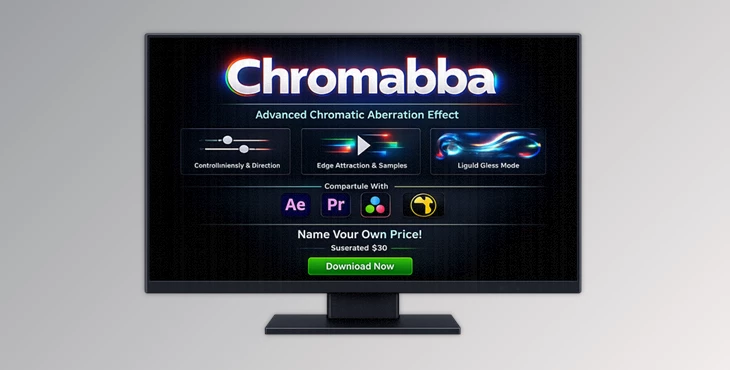
Downloadable Files
You can download the Chromabba product for free from the end of this page.
A New Way to Create Realistic Chromatic Distortion
Have you ever looked at a lens and noticed how the light bends at the edges of the lens, producing a slight fringing of the colors? This is called chromatic aberration, which can add depth to your composition when done correctly.
Chromabba does much more than RGB shifts to give your compositions a subtle bend to the light in a way that mimics how the light refracts off of objects in the real world.
Use Chromabba to create cinematic titles, glitch effects, abstract backgrounds, and more.
What Chromatic Aberration Means in Practice
Chromatic aberration occurs when different wavelengths of light refract at different angles as they pass through a lens. This can cause colors to separate at the edges of an image.
In digital compositing and motion graphics, chromatic aberration can be used to:
- Add a sense of realism to lens simulations
- Enhance the cinematic atmosphere
- Create specific distortion effects
- Emphasize certain elements in a composition
For example:
- In a sci-fi interface animation, chromatic aberration can create a futuristic optical feel.
- In title sequences, subtle edge distortion can make typography feel integrated into the scene.
- In music videos or glitch edits, exaggerated chromatic effects create energetic visual transitions.
The key advantage of physically inspired aberration is that it follows edges and shapes naturally, which helps the effect blend seamlessly with the original image instead of feeling like a simple color offset.
Chromabba — A Professional Chromatic Aberration Tool
Chromabba is a GPU-accelerated plugin designed to generate realistic chromatic distortion based on optical behavior rather than simple RGB shifting.
It gives artists deep control over how the aberration interacts with edges, direction, and distortion intensity. In addition to subtle lens simulation, it can also produce dramatic liquid glass refraction effects when pushed to extreme values.
Chromabba works smoothly inside major compositing and editing software, including:
- After Effects
- Premiere Pro
- DaVinci Resolve
- Nuke
- Other OFX-compatible hosts
Because it runs entirely on the GPU via WebGPU, it delivers fast rendering and supports multi-frame rendering workflows, making it suitable for professional pipelines.
Features
Realistic Chromatic Aberration Simulation
Unlike simple tools that allow you to shift the colors red, orange, yellow, green, blue, and violet independently, Chromabba simulates the way that light bends around the edges of an object. This produces a much more natural looking result.
Strength Control
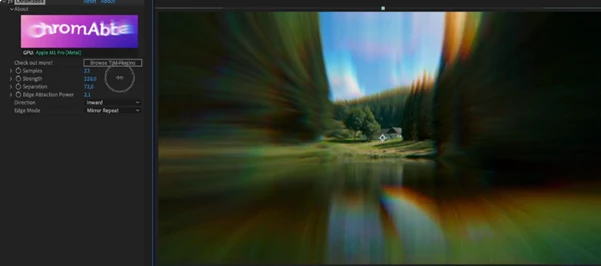
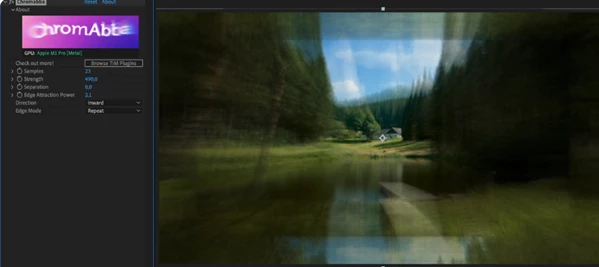
The Strength parameter controls the amount of chromatic aberration that is applied to the image.
- Lower values will produce a more subtle form of chromatic aberration.
- Higher values will produce a stronger form of chromatic aberration.
These controls allow for a smooth transition from one extreme to the other.
Direction Control
Chromabba lets you choose how the distortion flows:
- Both: balanced optical spread
- Inward: distortion moves toward edges
- Outward: distortion expands away from edges
This directional control helps match the behavior of real lenses or create unique stylistic effects.
Edge Attraction System
The Edge Attraction Power parameter pulls the aberration toward edges in the image.
This helps the effect follow natural boundaries, making the distortion feel integrated rather than artificial.
Smooth Sampling Controls
The Samples setting controls how smoothly the distortion is calculated.
Higher values produce cleaner, smoother results, especially useful for high-resolution projects or cinematic renders.
Edge Mode Handling
Edge Mode determines how borders are treated when distortion reaches frame boundaries, preventing unwanted artifacts and giving artists precise control over frame behavior.
Liquid Glass Distortion
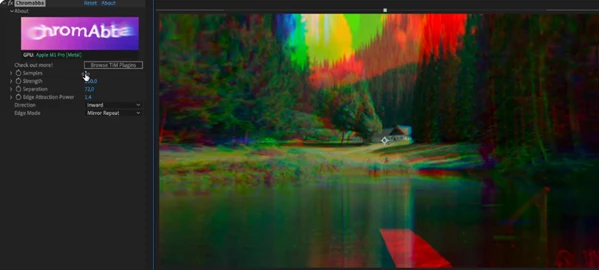
When pushed beyond normal ranges, Chromabba transforms into a thick refractive glass effect.
This is perfect for:
- abstract motion backgrounds
- experimental visual design
- liquid-style transitions
- surreal visual compositions
GPU-Accelerated Performance
Chromabba runs entirely on the GPU using WebGPU, enabling:
- fast real-time previews
- smooth workflow in complex compositions
- support for Multi-Frame Rendering
It also works with 8-bit, 16-bit, and 32-bit color pipelines, ensuring compatibility with professional grading and compositing workflows.
Cross-Platform Compatibility
Chromabba supports both major operating systems:
macOS
- Metal support
- Works on Intel and Apple Silicon
Windows
- Vulkan / Direct3D12 support
- Windows 10 and newer
Practical Tips for Better Results
Use Subtlety for Cinematic Realism
For film-style projects, keep the Strength value relatively low.
Small amounts of chromatic aberration can add realism without distracting from the main subject.
Combine with Depth and Blur Effects
Chromabba works beautifully when paired with:
- depth of field
- lens blur
- glow effects
Together, they create a convincing optical camera simulation.
Use Edge Attraction for Natural Integration
Increasing Edge Attraction Power helps the effect follow shapes and contours, making the aberration feel like part of the image rather than an overlay.
Experiment with Extreme Settings
Don't be afraid to push parameters beyond typical ranges.
Chromabba's liquid glass distortion can create unexpected visual textures perfect for modern motion design and abstract graphics.
Adjust Sampling for Final Renders
Use lower samples during preview for faster interaction, then increase samples before final export to achieve smoother results.
Final Thoughts
Chromabba brings a fresh approach to chromatic aberration by focusing on the more realistic optical behavior. This makes it a great tool to add to your arsenal to enhance realism and create different kinds of effects.
This is a great effect to add to your toolkit and workflows in your editing and motion design applications.
If you're looking to add some visual depth and character to your designs and compositions, this is definitely a tool to explore.
 Chromabba - Realistic chromatic aberration plugin by Aescripts (v1.3.3).rar (Size: 13.6 MB - Date: 3/28/2026 1:10:34 PM)
- Chromabba - Realistic chromatic aberration plugin by Aescripts (v1.3.1).rar (Size: 13.6 MB - Date: 3/17/2026 11:35:08 AM)
- Aescripts - Chromabba v1.3.0.rar (Size: 12.8 MB - Date: 3/14/2026 12:30:50 PM)
Files Password : gfxplugin.com OR 123456