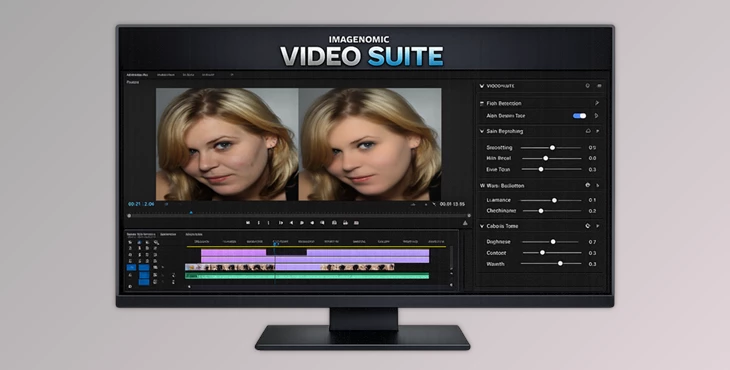
Downloadable Files
You can download Video Suite for free at the end of this page.
A Fresh Way to Perfect Your Videos
If you’ve ever edited a video and felt that something still looked slightly off—maybe skin tones were uneven, lighting looked harsh, or noise ruined an otherwise beautiful shot—you’re not alone. These small imperfections can quickly distract viewers from the story you want to tell. Video Suite is designed to solve these problems effortlessly. It brings advanced skin retouching, intelligent AI tracking, and powerful noise reduction directly into your editing workflow. Instead of spending hours adjusting layers and masks manually, the tools work intelligently in the background so you can focus on creativity. Whether you're working on interviews, YouTube videos, commercial productions, or cinematic footage, Video Suite helps transform raw clips into polished visuals with just a few intuitive controls.
Understanding What Video Suite Does
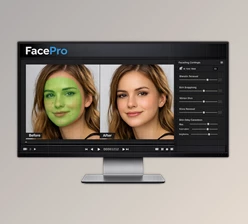
At its core, Video Suite is a professional video enhancement toolkit designed to improve the appearance and quality of footage automatically while maintaining natural results. One of its standout capabilities is intelligent facial processing. The system analyzes faces across video frames and keeps adjustments perfectly aligned with movement and expression. This means skin smoothing or lighting adjustments stay consistent even when subjects move. Another important element is noise reduction. In many videos—especially those shot in low light—digital noise can reduce clarity and distract from the subject. Video Suite removes these unwanted artifacts while preserving the original tone, texture, and visual intent of the footage. For example:
- A YouTube creator filming indoors can clean up grainy footage without losing detail.
- A wedding videographer can smooth skin tones while maintaining natural facial texture.
- A filmmaker shooting in low light can reduce visual noise while keeping cinematic color and depth.
These improvements make videos look more professional, balanced, and visually appealing without over-processing the image.
Meet the Professional Tool Behind the Results
Video Suite combines the power of two technologies: Portraiture for skin retouching for video and Noiseware for advanced noise reduction. Together, they will enhance your subject and your video footage quality.
Features
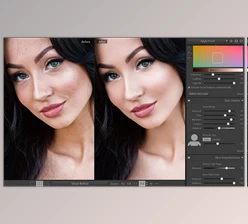
Portraiture – Advanced Skin Retouching for Video
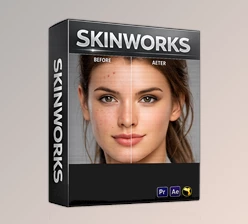
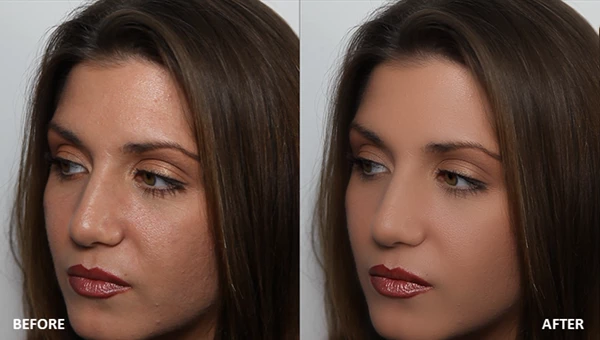
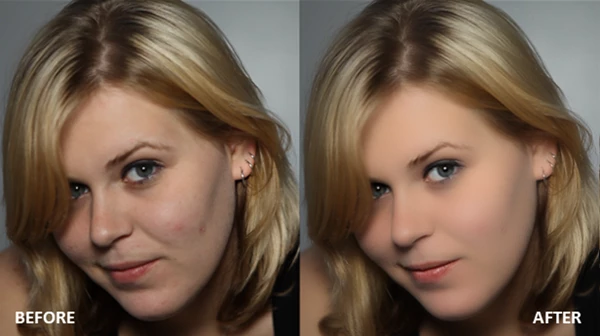
Portraiture brings to video editing one of the most respected technologies for skin retouching in the industry.
Simple and Powerful Performance
Optimized for Apple Silicon and NVIDIA GPUs, the plugin runs smoothly without slowing down your editing workflow. The result is fast rendering and responsive adjustments, even when working with high-resolution footage.
AI Face Tracking
The built-in AI automatically detects and tracks faces across frames. This ensures that smoothing and lighting adjustments remain precisely aligned with facial movements and expressions.
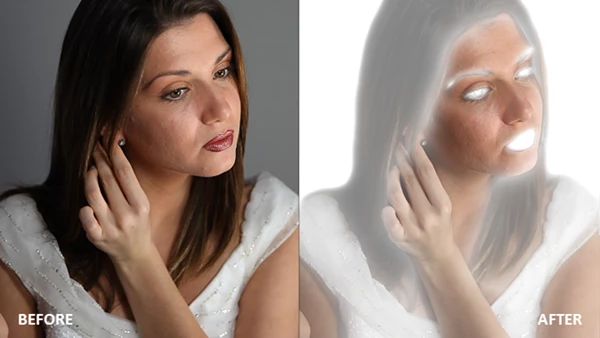
Shine Removal and Fill Light
New tools make it incredibly easy to improve facial lighting:
- Shine Removal: Reduce unwanted highlights on skin.
- Fill Light: Add soft and natural illumination to improve balance.
With just a slider, you can correct lighting issues that normally require complex editing.
Intelligent Masking
Smart AI masking allows precise selection of different areas like skin, hair, and background. This lets you control how much smoothing each region receives, ensuring results remain realistic.
Noiseware – Professional Noise Reduction
Noiseware focuses on improving overall footage clarity.
Remove Visual Noise
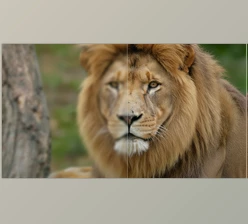
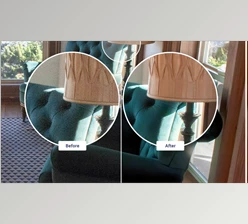
Digital noise and grain can appear in footage shot in low light or high ISO settings. Noiseware removes these distractions in just a few clicks, helping important details stand out.
Balanced Sharpness Control
You can adjust the balance between smoothness and sharpness, allowing you to keep crisp details while eliminating noise artifacts.
Natural Texture Preservation
Unlike many noise filters that blur the entire image, Noiseware preserves the original texture, tone, and visual character of the video. This ensures results look polished rather than artificial.
Practical Tips for Better Results
Using Video Suite effectively is simple, but a few techniques can help you achieve even more professional results.
Start With Subtle Adjustments
When applying skin smoothing, begin with lighter settings and gradually increase the effect. Natural-looking skin always retains some texture.
Use Shine Removal Carefully
Shine reduction works best when applied gently. Overusing it may flatten highlights that contribute to realistic lighting.
Balance Noise Reduction and Detail
If you're removing heavy noise, slightly increase sharpness afterward. This helps restore the crispness that aggressive noise removal might soften.
Combine Face and Lighting Tools
For interviews or portrait-style videos, using Fill Light together with subtle smoothing often produces the most cinematic results. These small adjustments can dramatically improve how natural and polished your final video looks.
Final Thoughts
High-quality video editing goes beyond simply cutting to the next clip - it’s about ensuring that every element of the video is refined to ensure the story shines through. Video Suite features a range of tools, including skin retouching, face tracking with AI technology, lighting adjustments, and noise reduction, all within one toolset. This ensures that your video features clean footage with even skin tones and lighting. As a content creator, filmmaker, or video editing professional, tools like these can work wonders for your projects. For those looking to improve their videos, Video Suite is definitely worth considering for their editing software needs.

Files Password : gfxplugin.com OR 123456