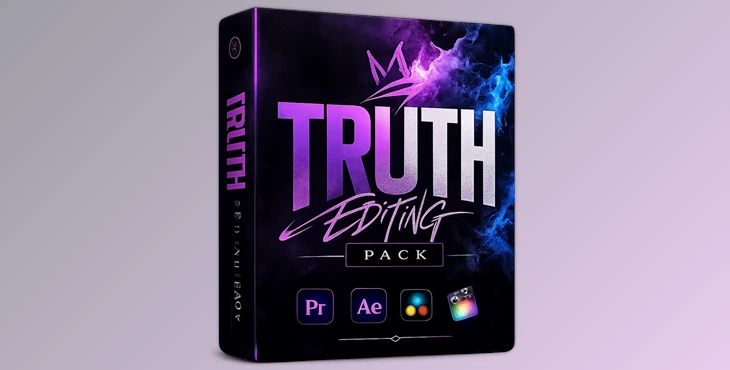
Downloadable Files
You can download the Truth Editing Pack for free at the end of this page.
A Creative Boost for Your Edits
Every video editor knows that the difference between an ordinary edit and a cinematic one often comes down to the small creative details—color grading, motion effects, and subtle visual enhancements. The Truth Editing Pack is designed to make that creative process easier and faster.
Whether you're editing cinematic clips, social media content, or storytelling videos, this pack brings together a collection of presets, color correction styles, project templates, and editing utilities that help your edits look more polished and expressive. Instead of spending hours experimenting from scratch, you can start with ready-made tools that instantly give your footage a unique style.
What Is the Truth Editing Pack?
The Truth Editing Pack is a collection of creative editing resources built for video editors who want professional results with less effort. It includes color correction presets, project files, motion effects, and editing utilities that help improve both the visual style and the flow of your edits.
At its core, the pack focuses on enhancing the atmosphere of your footage. For example, cinematic color correction presets can change the mood of a scene—from warm summer tones to dreamy blue aesthetics—while motion effects like shakes or one-frame transitions add rhythm and energy to your timeline.
These tools help editors focus on storytelling instead of technical setup. Instead of manually recreating looks or transitions, you can simply apply presets and refine them to match your project. Because of this, editors can achieve faster workflows, stronger visual consistency, and more impactful edits.
Meet the Tool: Truth Editing Pack
The Truth Editing Pack is designed to simplify complex editing tasks while expanding creative possibilities. It combines multiple editing elements in one package so creators can experiment with cinematic styles, dynamic transitions, and pre-built project structures. This makes it especially useful for editors who work on short films, aesthetic edits, social media videos, or cinematic montages.
Features
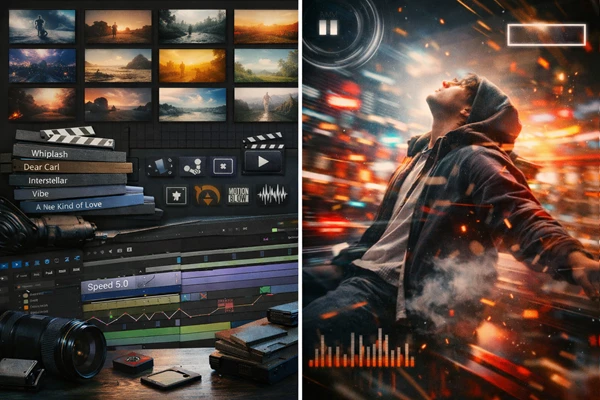
Color Correction Presets (Truth CCs)
The pack includes 10 cinematic color correction styles designed to quickly transform the mood of your footage:
- Truth CC Interstellar
- Truth CC Film
- Truth CC Summer
- Truth CC Washed Yellow 2
- Truth CC Whiplash
- Truth CC Dreamy
- Truth CC Washed Blue-ish
- Truth CC Fall
- Truth CC Sky
- Truth CC Spring
Each preset creates a different emotional tone—from warm, nostalgic looks to cool cinematic palettes. These presets can instantly make footage look more cohesive and visually appealing.
Project Files
The pack also provides several editing project files that help users understand editing structure and style. Project files without footage:
- Whiplash
- Dear Carl
- Interstellar
- Nights Like These
Project files with footage included:
- Vibe
- A New Kind Of Love
- Better Than This
- Wasted
These project files are useful for learning editing techniques, studying transitions, and understanding how professional edits are structured.
Editing Presets and Effects
To help improve motion and pacing in edits, the pack also includes several effect presets:
- Shakes for dynamic movement
- Twixtor presets designed for impact and flow-style edits
- One Frame for fast transitions
- Cool Effects for creative visual accents
These tools help editors create smoother transitions and more engaging edits without complex setup.
Tutorials and Sound Effects
The pack also includes three tutorials and sound effects (SFX) to guide users through the editing process and enhance audio-visual impact. These resources help beginners understand how to apply the presets correctly and how to integrate them into real editing workflows.
Pro Tips for Better Results
Even though presets and project files make editing easier, a few techniques can make your results look even more professional.
Adjust Presets to Match Your Footage
Color correction presets work best when slightly adjusted. Try tweaking brightness, contrast, or saturation so the preset matches the lighting conditions of your footage.
Combine Motion Effects Carefully
Using shakes and one-frame transitions together can create a powerful rhythm in edits, but avoid overusing them. Strategic placement will keep the edit dynamic without feeling overwhelming.
Study the Project Files
Open the provided project files and explore how transitions, effects, and timing are arranged. This is one of the fastest ways to improve editing skills.
Use Twixtor for Key Moments
Slow motion created with Twixtor works best on impactful moments—such as emotional scenes or action highlights. Using it sparingly will make those moments stand out more.
Final Thoughts
The Truth Editing Pack offers editors of any level and experience a collection of tools that can help to enhance their projects and add more visual interest to their videos without having to spend countless hours creating these effects themselves. This Editing Pack is suitable for a variety of editing projects, whether they involve simple aesthetic edits to videos or more polished editing projects. For those looking to explore new editing styles and to enhance their editing process, the Truth Editing Pack is definitely worth trying!

Files Password : gfxplugin.com OR 123456