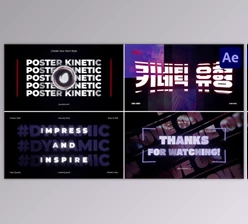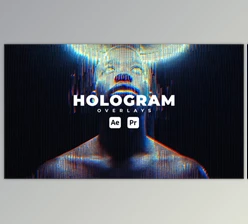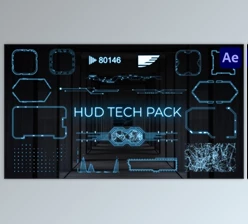
Downloadable Files
You can download the Holora product for free from the end of this very page.
A New Way to Create Holographic Magic
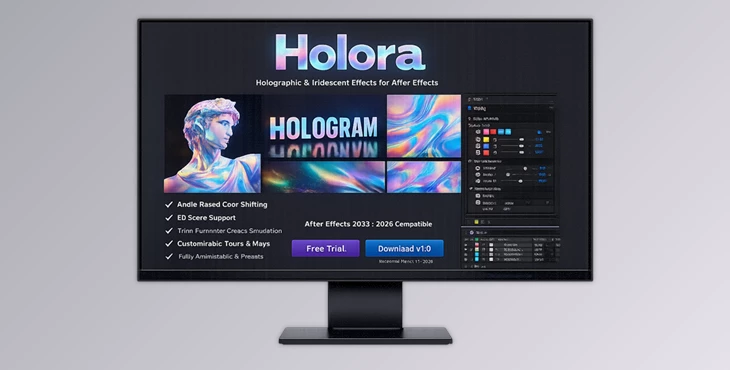
Have you ever looked at one of those mesmerizing holographic surfaces that seem to change colors depending on the viewing angle? They are often used in futuristic interfaces, sci-fi films, and motion design projects, among others. Holora for After Effects makes it remarkably easy to create those types of holographic visuals. Holora creates dynamic holographic color shifting automatically, eliminating the need for creating those effects manually in the composition. Whether you're designing motion graphics, UI animations, product visuals, or experimental art, Holora helps bring a vibrant, futuristic holographic look to your projects with minimal effort.
What Is Angle-Reactive Holographic Color?
Holographic surfaces change color depending on the angle of light and the viewer’s perspective. This happens because of a physical phenomenon called thin-film interference, where light waves reflect and interact with each other, producing shifting rainbow colors. Holora simulates this effect digitally inside After Effects. Instead of static gradients, the plugin creates interference-based color transitions that respond dynamically to:
- Camera angle
- Layer orientation
- Light direction
- Surface movement
This means the holographic effect moves naturally as your scene changes, making it perfect for modern motion design.
Why This Matters for Motion Designers
These types of dynamic effects improve your visuals because they:
- Add depth and realism to otherwise flat graphics
- Create engaging color movement without complex setups
- Make UI elements, titles, and surfaces feel more futuristic and premium
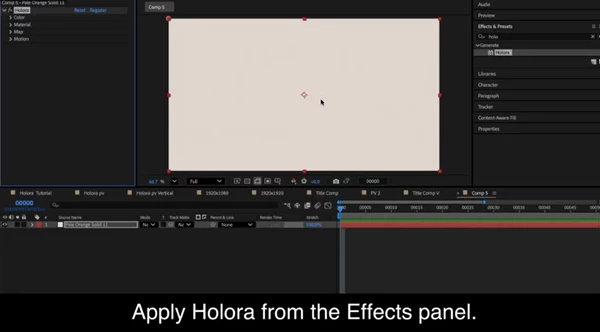
For example, imagine a product animation where the logo shifts colors as the camera rotates — Holora makes this kind of effect effortless.Meet the Plugin: Holora for After Effects Holora is a professional After Effects plugin designed to generate angle-reactive holographic color effects using procedural maps and interference simulations. Instead of building complicated shader setups, you simply apply the effect to a layer and adjust its parameters. The plugin then generates fluid holographic colors that respond to motion and perspective.
Features
Angle-Reactive Holographic Color
Holora simulates thin-film interference to produce dynamic color shifts that react to the viewing angle.
It works in two different modes:
2D Mode
The effect simulates holographic color changes using virtual rotation, making it ideal for flat designs, titles, and UI graphics.
3D Mode
The holographic effect reacts to the actual camera and layer orientation, making it perfect for 3D scenes inside After Effects.
This allows the effect to feel naturally integrated with your scene.
3D Scene Awareness
Holora can link directly to layers and cameras in your After Effects composition. This means the holographic colors change based on:
- Camera movement
- Layer rotation
- Scene perspective
As your camera moves through the scene, the holographic surface responds realistically.
Color Customization Controls
Holora provides powerful color tools to help you design the perfect holographic palette.
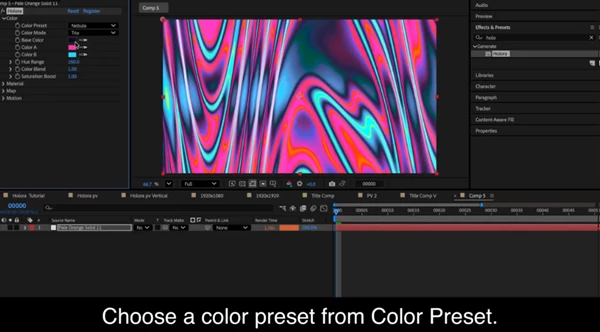
Color Mode
Choose between 1 and 3 primary colors for your holographic surface.
Hue Control
Adjust the surrounding hue range and blend strength to fine-tune how colors shift across the surface.
Light Controls
Control highlight strength, lighting angle, and virtual light height to shape how light interacts with the holographic surface.
These options give you precise control over color behavior, making it easy to match your project's style.
Controllable Fluid Map System
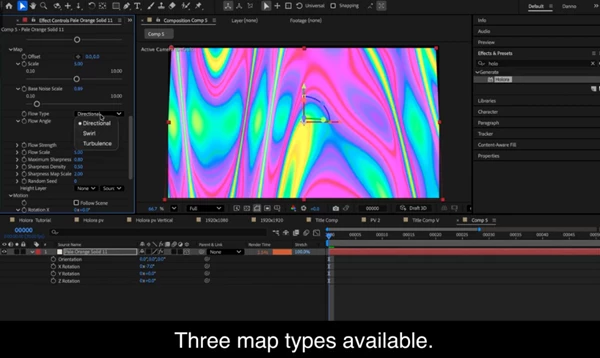
One of the most powerful parts of Holora is its procedural fluid map engine. The fluid map determines how holographic colors flow across the surface. Map Types You can choose from three different fluid map styles, each offering unique patterns and motion characteristics.
Each map includes controls for:
- Density
- Contrast
- Pattern detail
Flow Controls
Holora also includes tools to control the movement of holographic patterns. You can adjust:
- Flow strength
- Flow direction
- Map density
These controls allow the holographic texture to feel alive and fluid, perfect for animated surfaces.
Custom Texture Layer Support
Want your holographic effect to follow a specific texture? Holora allows you to use custom texture layers to guide the holographic pattern.
This is great for:
- Logos
- Abstract surfaces
- UI panels
- Product packaging animations
Fully Animatable Parameters
Every setting inside Holora can be animated. This means you can animate:
- Color shifts
- Flow movement
- Light direction
- Map density
- Highlight intensity
The result is a completely dynamic holographic effect that evolves over time.
Pro Tips for Better Results
Combine Camera Motion with the Effect
Holora really shines when combined with subtle camera movement. Even small camera rotations can create beautiful holographic shifts across the surface.
Use Slow Flow for Premium Looks
High flow speeds can look chaotic. For a more premium and cinematic holographic effect, try slower map flow settings. This creates smoother color transitions.
Experiment with Light Height
Changing the virtual light height dramatically affects how highlights appear. Lower light height creates sharper reflections, while higher values produce softer holographic gradients.
Mix with Metallic Materials
Holora works extremely well when combined with:
- metallic textures
- glossy surfaces
- product visualization materials
This can produce incredibly realistic, futuristic materials.
Final Thoughts
Holora is a powerful plugin that will allow anyone interested in adding dynamic holographic color effects to their projects to do so. Holora allows for the creation of visually interesting and dynamic holographic color effects that are perfect for a variety of projects. Whether you are creating motion graphics, user interfaces, or products, Holora will provide an exciting new dynamic to your projects. If you are interested in creating holographic effects, Holora is definitely worth exploring for your projects.

Files Password : gfxplugin.com OR 123456