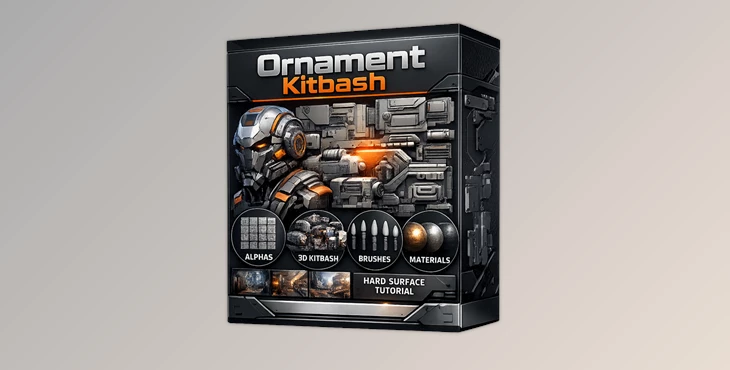
Downloadable Files
You can download the Ornament Kitbash product for free from the end of this page.
🎨 Add Instant Detail to Your 3D Projects
Ever wanted to instantly decorate your 3D models with intricate ornaments without spending hours modeling? Ornament Kitbash is here to make that dream a reality! This kit lets you add elegance and complexity to your designs quickly, making your projects look polished and professional. Whether you’re creating architecture, props, or game assets, these pieces bring your imagination to life.
🛠 What Is Ornament Kitbash and How Can You Use It?
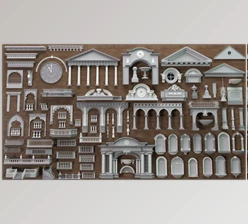
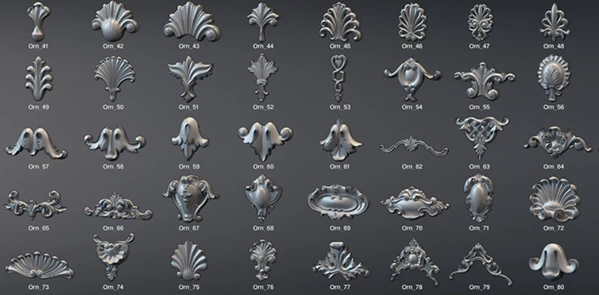
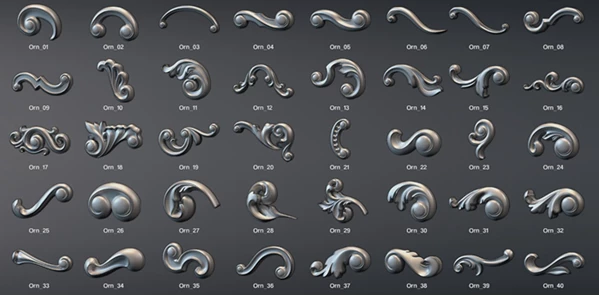
Simply put, Ornament Kitbash is a collection of 94 ready-made ornament meshes, designed to fit perfectly into your 3D projects. Each piece is carefully modeled to maintain quality across different subdivision levels, so you can use them in high-poly renders or optimize them for real-time engines. Why this matters:
- Versatility: The meshes are UV-unwrapped, letting you easily add textures or tile materials over them.
- Flexibility: Works at various polygon counts and subdivisions.
- Compatibility: Use them in ZBrush, Maya, 3ds Max, Blender, or any software that supports OBJ or FBX.
With these features, your workflow becomes faster, more creative, and less frustrating. No more starting from scratch every time you need decorative details!
✨ Features of Ornament Kitbash
Here’s what makes this kit stand out:
- 94 ornament mesh pieces: a variety of shapes and patterns to fit any project.
- ZBrush IMM Brushes included: quickly stamp ornaments directly into your model.
- OBJ & FBX files: available as both collections and individual pieces for maximum flexibility.
- UV unwrapped meshes: ready for texturing or material tiling.
- Subdivision-ready: looks great at any poly count, from low-poly to detailed renders.
Real-world use: Imagine quickly adding decorative frames to a door in a scene, intricate borders to a chair, or detailed moldings to a building — all in minutes instead of hours.
💡 Pro Tips for Using Ornament Kitbash
- Mix and match: Combine pieces from the set to create unique patterns or large decorative panels.
- Subdivision wisely: Start with a lower subdivision to position elements, then increase for final renders.
- Texturing tip: Use tiling textures across the ornaments for a cohesive look without stretching UVs.
- IMM brush advantage: Stamp ornaments directly in ZBrush to speed up sculpting and maintain consistency.
These small techniques help make your work look professional and natural while saving a ton of time.
🚀 Wrap-Up: Why You’ll Love Ornament Kitbash
With Ornament Kitbash, decorating your 3D models becomes faster, easier, and more fun. This collection of pieces will save you hours of work and boost your creativity. Whether you are a hobbyist or a professional, these pieces will enhance your projects. Try them out and discover new ways to mix and match these pieces to create stunning 3D models!

Files Password : gfxplugin.com OR 123456