Downloadable Files
You can download the mCloner Pro product for free from the end of this page!
🎬 Unlock Layer Cloning Magic in After Effects
Ever wished you could instantly duplicate, animate, and control multiple layers in Adobe After Effects without wasting hours manually adjusting each one? mCloner Pro makes it possible! With a smart, live-update architecture, it’s like giving your layers superpowers—they can clone, follow paths, and interact dynamically in ways that feel almost alive.
🔹 What Is mCloner Pro & Why It Matters
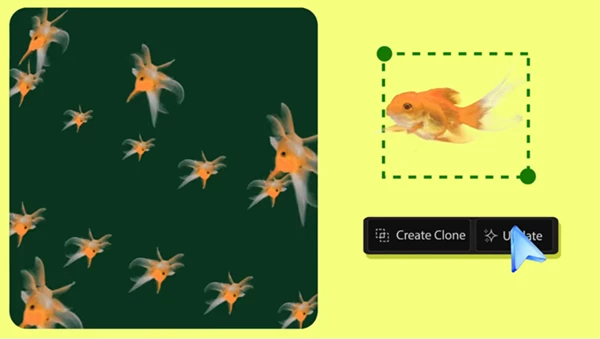
At its core, mCloner Pro is a high-performance tool that generates and animates multiple copies of layers in After Effects. Instead of tediously duplicating layers and applying effects one by one, you can create complex animations with ease.
Real-World Uses
- Motion graphics: Quickly duplicate shapes, text, or objects to create flowing patterns, animated grids, or particle-like effects.
- Visual effects: Animate crowd simulations, repeated environment elements, or any scene with multiple interacting objects.
- Design experiments: Shuffle, mix, or randomize layer assignments to test endless variations without starting over.
These features dramatically speed up your workflow and give your projects a polished, professional look in minutes.
⚡ Features That Make Animation Effortless
mCloner Pro isn’t just a duplicator—it’s a full cloning system designed for speed and flexibility.
System Tools
- Mix Source (+): Add layers to your source pool, or Ctrl/Cmd + Click to replace all previous sources.
- Subtract Source (-): Remove unwanted layers from the clone system.
- Shuffle (S): Randomize assignments for dynamic variation.
- Reset (R): Full system reset or just the current mode parameters with Ctrl/Cmd + Click.
- Clear (X): Completely remove the system, including clones, groups, and controllers.
Effectors
- Animate clones dynamically based on proximity or interaction.
- Create smooth, responsive motion for even complex layer arrangements.
Path Mode 2D & 3D
- Make clones follow masks in 2D or 3D, perfect for flowing animations or intricate patterns.
- Works beautifully with multiple masks for layered, intelligent movement.
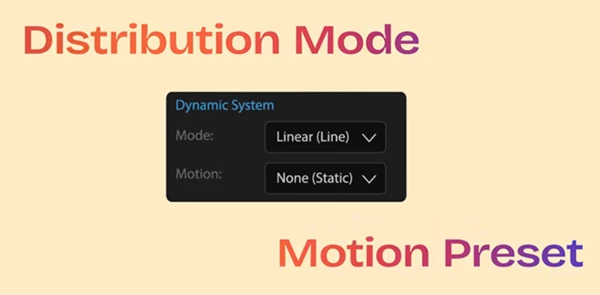
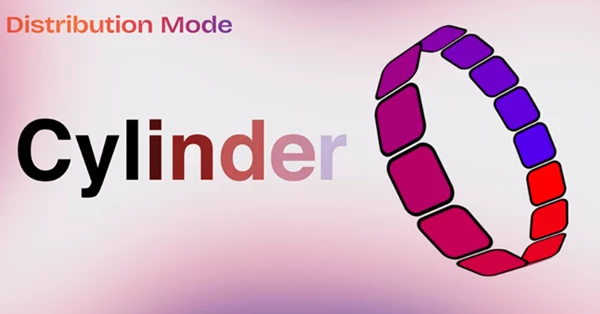
Multiple Distribution Mode
- Customize exactly how clones are distributed across your composition.
- Achieve precise control for professional, cinematic effects.
Example in Action: Imagine duplicating a series of text layers along a curving path, each reacting subtly to its neighbors—this is effortless with mCloner Pro.
💡 Pro Tips & Tricks
- Keep it natural: Use Shuffle and Subtract Source to prevent repetitive patterns in animations.
- Optimize performance: Pre-compose heavy layers before adding them to the source pool to maintain smooth playback.
- Experiment with Path Mode: Try 3D masks for dynamic, multi-dimensional clone animations that pop off the screen.
- Combine with Effectors: Use proximity-based effectors for interactions like bouncing, scaling, or color changes for realism.
Even if you’re a beginner, these small tweaks make your projects look like they were done by a seasoned motion designer.
🚀 Why You’ll Love mCloner Pro
mCloner Pro transforms layer duplication from a chore into a playground of creative possibilities. It saves time, adds flexibility, and opens the door to animations you might not have thought possible. Whether you’re making motion graphics, dynamic titles, or intricate visual effects, this tool ensures your layers are never just static copies—they’re dynamic, responsive, and ready to animate with style. Try it out, explore its features, and watch your After Effects workflow soar. The power of mCloner Pro is just a click away!