Downloadable Files
You can download Letterbox Plus for free from the end of this page.
A Quick Way to Create Cinematic Letterboxes in After Effects
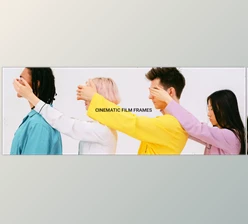
If you've ever tried to create cinematic letterboxes or custom frames in After Effects, you probably know the routine: calculating ratios, adjusting masks, creating guide layers, and repeating the process every time you start a new project. It works… but it’s time-consuming. That’s where Letterbox Plus comes in. This handy tool simplifies the entire process of generating letterboxes and frames directly inside After Effects. Instead of manually building masks and guides, you can create professional cinematic bars, rounded frame borders, and animated masks with just a few clicks. Whether you're working on YouTube content, film-style edits, or motion graphics projects, this tool makes the process faster, cleaner, and far more flexible.
What Letterboxing Is and Why It Matters
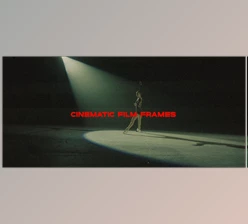
Letterboxing is the technique of adding horizontal or vertical bars to a video frame to achieve a cinematic aspect ratio. You’ve probably seen this effect in movies where black bars appear at the top and bottom of the screen. But letterboxing is more than just an aesthetic choice. It helps creators:
- Create a cinematic look similar to feature films
- Maintain consistent framing across different scenes
- Add visual focus to the center of the frame
- Prepare footage for specific aspect ratios or platforms
In motion design and video editing, these frames can also act as visual guides, helping you position elements correctly during animation. Normally, creating these manually involves mask calculations and layer adjustments. Tools like Letterbox Plus automate this process with expression-driven masks and adjustable controls, making the workflow significantly smoother and more precise.
Meet the Tool: Letterbox Plus for After Effects
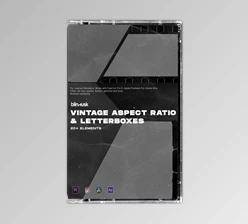
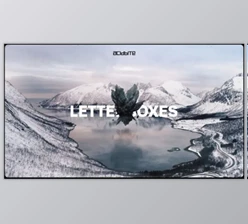
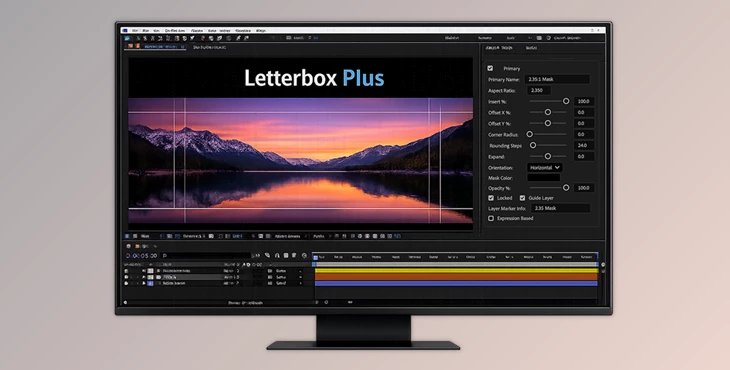
Letterbox Plus is a specialized After Effects tool designed to generate customizable letterboxes and frames quickly. It comes with built-in presets and a flexible interface that allows you to create, save, and share new presets. Instead of rebuilding masks every time you need a cinematic frame, the tool lets you generate them instantly and control them through sliders and expressions. This means you can animate, adjust, and refine the framing of your video without touching complicated mask settings.
Features
Built-In Letterbox Presets
The tool installs with 12 ready-to-use letterbox presets, allowing you to instantly apply common cinematic ratios. You can also create additional presets and share them with other users or team members.
Horizontal and Vertical Letterboxes
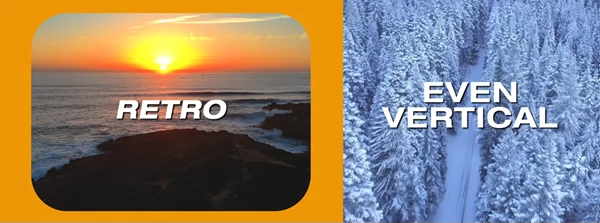
Not every project uses the same orientation. Letterbox Plus allows you to generate both horizontal and vertical letterboxes, making it suitable for cinematic edits, vertical videos, and social media content.
Dual Letterbox Creation
You can generate two letterboxes at the same time, which is ideal for creating balanced top and bottom cinematic bars without manually duplicating layers.
Rounded Corner Frames
Beyond traditional bars, the tool can create letterbox frames with rounded corners, which can add a modern or stylized look to motion graphics projects.
Guide Layer Support
Letterboxes can also be created as guide layers, helping you keep compositions aligned without affecting the final render.
Expression-Driven Masks
The masks generated by the tool are expression-driven, meaning they can be easily controlled with sliders. This makes them perfect for animation and fine-tuning during editing.
Customizable UI Controls
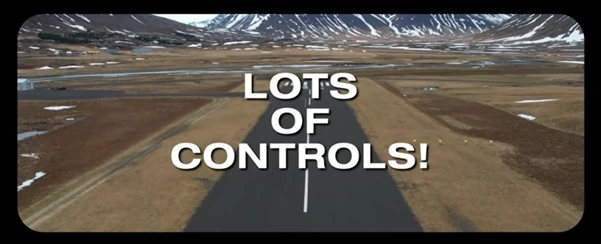
Letterbox Plus includes a feature-rich interface that allows quick adjustments, preset selection, and mask animation controls without digging through complicated settings.
Professional Tips for Better Results
Even though the tool automates most of the work, a few small techniques can help you get even better results.
Use guide layers during editing
Enable letterboxes as guide layers while animating your scene. This helps you keep important elements inside the safe cinematic area.
Animate the bars for cinematic transitions
Instead of static bars, try animating the mask sliders so the letterboxes slide in at the start of a scene. This creates a dramatic cinematic transition.
Experiment with rounded frames
Rounded corner frames work great for social media videos or stylized motion graphics where a softer visual presentation looks better than hard edges.
Save your own presets
If you frequently work with a specific aspect ratio, create a custom preset. This saves time and keeps your workflow consistent across projects.
Final Thoughts
Letterbox Plus turns what used to be a repetitive setup process into a fast and flexible workflow inside After Effects. With presets, customizable masks, guide layers, and animation-ready controls, it gives motion designers an easy way to create cinematic frames without technical hassle. Whether you're producing film-style edits, YouTube videos, or motion graphics compositions, the tool helps you maintain clean framing and consistent visuals while saving valuable time. If you regularly work with cinematic ratios or stylized frames, Letterbox Plus is definitely worth exploring and adding to your After Effects toolkit.

Files Password : gfxplugin.com OR 123456