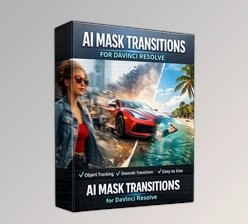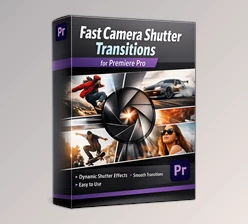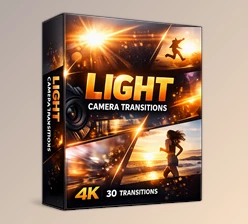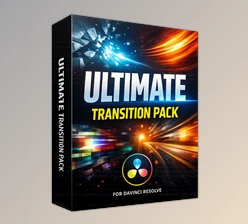
Downloadable Files
You can download the Camera Move pack for free at the end of this page.
🎬 A Simple Way to Make Your Edits Feel Alive
If you work with DaVinci Resolve, you already know how powerful it is. But sometimes even a well-edited timeline can feel a little static. This is where dynamic transitions and motion effects can completely change the experience. Camera movement transitions and animated text transitions help bring energy to your edits. Instead of simple cuts, your scenes flow smoothly with motion, depth, and style. Whether you're editing a vlog, cinematic video, promo content, or social media clips, adding motion can instantly make the project feel more professional and engaging. The Camera Move and Text Transitions Packs for Davinci by Messiah Resolve are designed exactly for that purpose — helping editors quickly add cinematic movement and stylish text transitions without complicated setups.
✨ What Is Camera Move and Why Does It Matter?
The concept of Camera Move transitions is simple: they simulate the movement of a camera between two shots. Instead of a flat cut, the transition creates the illusion that the camera is moving, zooming, or shifting perspective between clips. This technique is widely used in modern editing because it helps maintain visual flow and keeps viewers engaged. For example:
- A zoom-style transition can make it feel like the camera pushes into the next scene.
- A pan movement can smoothly shift the viewer’s focus from one clip to another.
- A motion blur move can hide the cut while creating cinematic momentum.
These types of transitions improve the final result because they:
- Create smoother storytelling
- Make edits feel more cinematic
- Maintain viewer attention
- Give videos a polished, professional look
When paired with animated text transitions, the result becomes even more visually appealing. Titles and captions don’t just appear—they move naturally with the scene.
🚀 Meet the Camera Move and Text Transitions Packs for Davinci
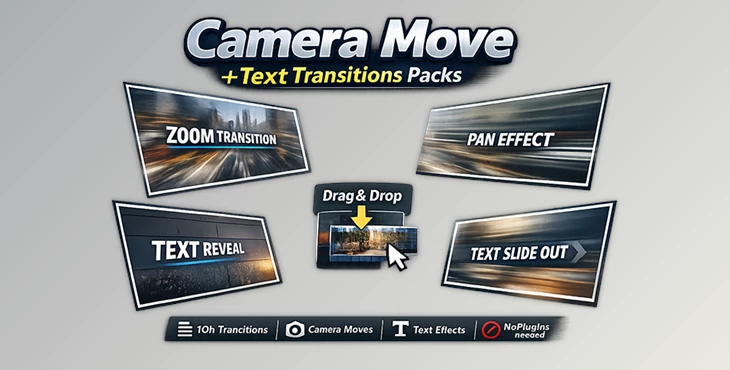
The Camera Move and Text Transitions Packs for Davinci by Messiah Resolve are designed to simplify professional editing inside DaVinci Resolve. They allow editors to add smooth camera-style transitions and stylish text animations in just a few seconds. Everything works with a simple drag-and-drop workflow, so even beginners can use them without learning complex Fusion setups.
Features
Compatibility
- Works with DaVinci Resolve 16 and later
- Supports DaVinci Resolve 17 and 18
- Compatible with Free and Studio versions
Optimized for Fusion
- Version 1.5 supports Fusion transitions (Resolve 16.2 and newer)
- Version 1.3 supports Power Bins (Resolve 16.1 and newer)
Camera Move Transition Pack
- 10 camera movement transitions
- Ability to combine transitions for more creative results
- Real-time playback performance
- Drag-and-drop workflow
- Custom options for every transition
- Works with any resolution
- Compatible with all frame rates
- Sound effects included
- No plugin required
- Includes tutorial video
Text Transitions Pack
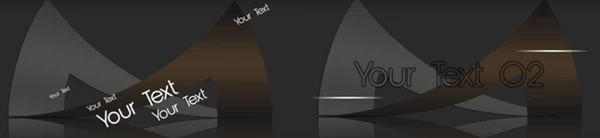
- 10 animated text transitions
- Drag-and-drop usage
- Customizable settings
- Compatible with any resolution
- Works with all frame rates
- No plugin required
- Includes tutorial video
These packs are especially useful for creators who want professional-looking transitions without spending time building complex animations manually. For instance:
- You can add energetic transitions between YouTube vlog scenes
- Create smooth motion between commercial clips
- Use text transitions for titles, intros, and social media content
🎯 Pro Tips for Better Results
Using transitions effectively is just as important as choosing the right ones. Here are a few simple tips to make your edits look more professional.
1. Don’t Overuse Transitions
Camera move transitions are powerful, but using them too often can make the video feel chaotic. Use them strategically between important scenes.
2. Match Motion Direction
If the transition moves left, try to choose clips where the subject also moves left. This makes the transition feel natural and seamless.
3. Combine Camera Moves
One of the great features of this pack is the ability to combine transitions. Experiment with stacking different movements to create unique visual styles.
4. Use Text Motion with Scene Energy
Fast scenes work best with energetic text transitions, while cinematic scenes look better with slower and smoother animations.
5. Preview in Real Time
Because the transitions support real-time playback, always preview them before final export to ensure the motion feels natural in the timeline.
🎥 Final Thoughts
Smooth motion and dynamic text can dramatically change the way your videos feel. Instead of simple edits, your projects gain rhythm, movement, and a cinematic touch. The Camera Move and Text Transitions Packs for Davinci by Messiah Resolve provide an easy way to achieve this without plugins or complicated setups. With drag-and-drop functionality, customizable options, and full compatibility with multiple DaVinci Resolve versions, they make professional transitions accessible to everyone. If you want to add more energy and visual flow to your edits, experimenting with Camera Move transitions can be a great place to start. Try them in your next project and see how much smoother and more engaging your videos become. 🎬✨

Files Password : gfxplugin.com OR 123456