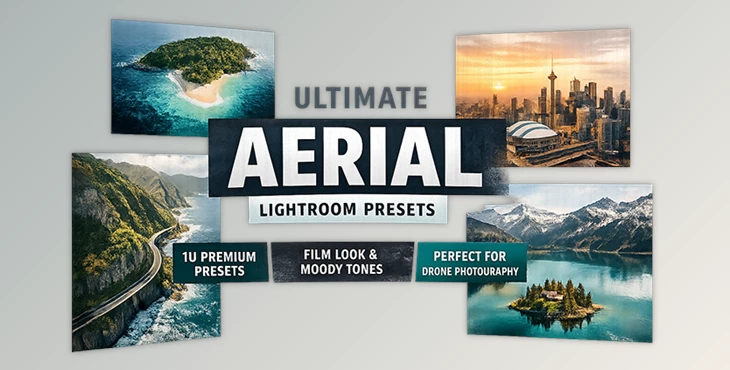
Downloadable Files
You can download Ultimate Aerial Presets for free from the end of this page.
A Fresh Look for Your Drone Photos
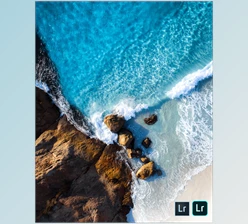
Drone photography already gives you a breathtaking perspective, but sometimes the raw images don’t fully capture the mood you experienced while flying. Lighting, color tones, and atmosphere can feel a bit flat straight out of the camera. That’s where Ultimate Aerial Presets come in. Created by photographer David Pordan, this preset pack was originally developed during his travels to help him transform ordinary aerial shots into cinematic, cozy, and visually striking photos. With just a few clicks in Lightroom, you can add depth, moody tones, and a subtle film look that makes your drone shots feel more professional and memorable. Whether you capture mountains, cityscapes, coastlines, or travel scenes, these presets help you turn your already cool photos into something truly unique.
What Are Ultimate Aerial Presets and Why Use Them?
Lightroom presets are pre-configured editing settings that automatically adjust elements like color balance, contrast, shadows, highlights, and tones. Instead of manually editing every photo, a preset allows you to apply a complete visual style instantly.
Why They Are So Useful
- Consistent Visual Style: If you’re editing a series of travel or drone photos, presets help keep the colors and mood consistent across the entire collection.
- Faster Workflow: Editing aerial photography can be time-consuming. Presets dramatically reduce editing time by applying a professional starting point instantly.
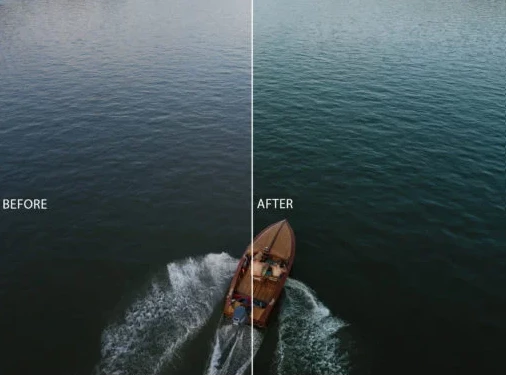
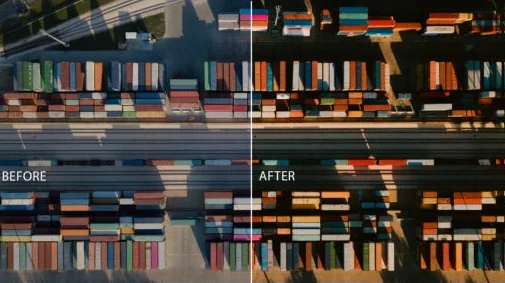
- Enhanced Atmosphere: Aerial photos often benefit from deeper shadows, balanced highlights, and richer tones. Presets help create a cinematic mood that emphasizes landscapes, urban textures, and dramatic perspectives.
- Better Storytelling: When your photos share a consistent visual mood, they feel more like a story rather than a collection of random images.
For drone photographers, this means your portfolio, social media posts, or travel albums instantly look more polished and professional.
Meet the Ultimate Aerial Lightroom Presets Pack
Ultimate Aerial Presets is a carefully designed Lightroom preset collection created specifically for travel, aerial, and urban photography. Photographer David Pordan built these presets during his travels to capture a cozy cinematic atmosphere in drone shots. Now the same tools are available for photographers who want to experiment and create something new. These presets work with Lightroom 4–6, Lightroom CC, and Lightroom Classic CC, and they support both RAW and JPEG photos, making them flexible for different workflows.
Features
10 Professional Lightroom Presets
The pack includes ten unique presets, each designed to give aerial photos a distinctive look while maintaining natural tones.
Moody Color Tones
The presets emphasize atmospheric colors that work beautifully for landscapes, coastlines, forests, and city skylines.
Film-Inspired Look
A subtle film aesthetic adds texture and depth, helping drone photos feel more cinematic.
Travel-Friendly Styles
Perfect for travel bloggers, drone photographers, and urban explorers who want a cohesive style across their images.
Easy Lightroom Compatibility
Works seamlessly with multiple Lightroom versions and supports both RAW and JPEG images.
Help Files Included
Clear help files make installation and usage simple, even for beginners.
Real-World Use Cases
These presets can transform many types of drone photography, such as:
- Coastal landscapes with dramatic skies
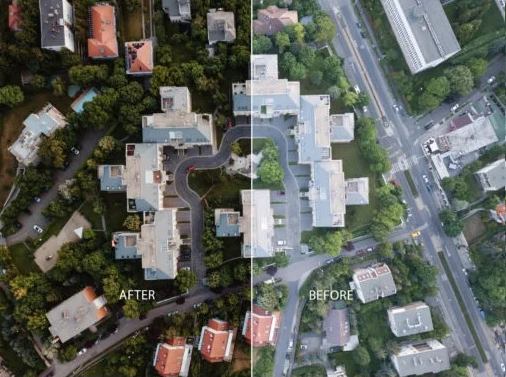
- Urban skylines and architectural shots
- Mountain and nature travel photography
- Road trip and adventure photography
- Social media travel content
With the right preset applied, a simple aerial shot can instantly feel more cinematic and professional.
Pro Tips for Getting the Best Results
Even though presets make editing faster, a few small adjustments can help you achieve the best results.
1. Start With the Right Exposure
Presets work best when your original photo is properly exposed. If the image is too dark or too bright, adjust exposure first before applying the preset.
2. Fine-Tune Highlights and Shadows
Drone photos often contain strong skies and landscapes. Slightly adjusting highlights and shadows after applying a preset can bring out extra details.
3. Adjust White Balance for Natural Colors
Lighting conditions change constantly during aerial shooting. A small white balance tweak can make the preset feel more natural.
4. Use Presets as a Creative Starting Point
Think of presets as a base style. After applying one, experiment with contrast, clarity, and saturation to match your personal style.
5. Match Presets to the Scene
Moody presets work beautifully for cloudy skies, forests, and coastal scenes, while brighter variations can enhance sunny landscapes and urban shots.
Final Thoughts
Ultimate Aerial Presets give photographers a simple way to add cinematic tones, moody colors, and a film-inspired aesthetic to their aerial shots. With ten carefully crafted presets and easy Lightroom compatibility, this pack can significantly speed up your editing workflow while improving the overall visual impact of your photos. Give them a try and see how a small editing change can transform the entire feeling of your aerial photography. 🚁📸

Files Password : gfxplugin.com OR 123456