Downloadable Files
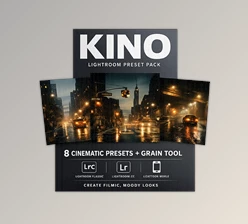
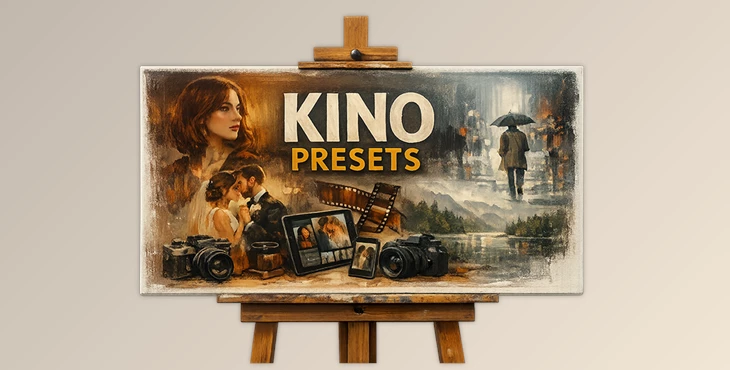
You can download the product KINO PRESETS for free at the end of this page.
A Cinematic Touch for Your Photos
Have you ever looked at a photo and felt that it was missing something—maybe a cinematic mood, soft glow, or richer colors? That’s exactly where professional presets come into play. Instead of spending hours adjusting color tones, contrast, and lighting, tools like KINO PRESETS and PROFILES help photographers achieve a beautiful film-like look in just a few clicks.
Designed for both beginners and professional photographers, this preset collection brings the timeless feel of classic film stocks directly into your digital workflow. Whether you shoot street photography, portraits, landscapes, or weddings, it helps transform ordinary images into visually striking compositions with refined colors and balanced contrast.
What Are Presets and Why Do They Matter?
Photo presets are pre-configured editing settings that automatically adjust elements such as color grading, contrast, exposure, and tone curves. Instead of manually editing each image from scratch, presets allow you to apply a consistent style across multiple photos quickly and efficiently.
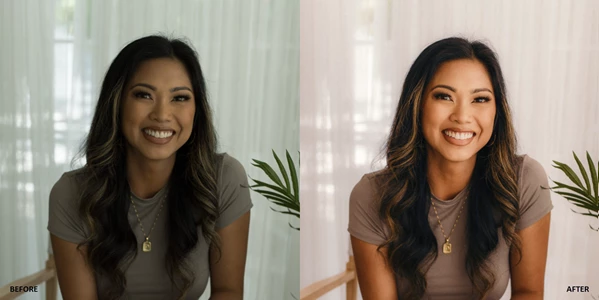
For example, imagine you’re editing a travel photo of a sunset landscape. A preset inspired by classic film tones can instantly enhance warm colors, soften highlights, and create a natural cinematic atmosphere. Similarly, portrait photographers can use presets to achieve smooth skin tones and balanced lighting without over-editing.
Another powerful feature of modern preset systems is AI masking. With AI-powered masks, specific parts of the image—like the sky, background, or subject—can be enhanced separately. This means you can deepen the sky colors while keeping skin tones natural, or subtly brighten a subject without affecting the entire image.
These features dramatically improve workflow speed while maintaining professional-quality results, making editing both easier and more creative.
Meet the Professional Tool: KINO PRESETS and PROFILES
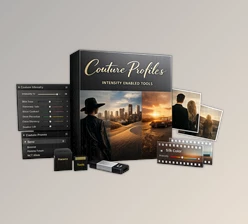
KINO PRESETS and PROFILES is a comprehensive editing toolkit designed for photographers who want cinematic color grading and powerful editing capabilities directly inside Lightroom and Adobe Camera Raw.
It simplifies complex editing techniques by combining professional presets, film-inspired profiles, and AI mask tools into a single workflow. Instead of relying on multiple plugins or external software, photographers can achieve advanced edits entirely within their existing editing environment.
The collection is especially useful for documentary photographers, portrait artists, landscape shooters, and wedding photographers who want consistent color grading and efficient editing.
Features
Film Color Presets
The package includes 13 film color presets inspired by iconic film stocks. These presets recreate the subtle tones, gentle highlights, and balanced shadows typical of analog photography. They are perfect for photographers who want that nostalgic cinematic feel in their digital images.
Digital Color Presets
There are also 13 digital color presets designed for modern photography styles. These provide clean tones, vibrant colors, and refined contrast suitable for social media, editorial work, and contemporary photo projects.
Black & White Presets
The 2 black and white presets help transform images into timeless monochrome photographs. They emphasize contrast and texture, making them ideal for street photography, portraits, or documentary storytelling.
AI Mask Presets
One of the standout features is the 31 AI mask presets. These tools allow photographers to automatically enhance specific areas of an image, including:
Sky adjustments
Background refinement
Film-style effects
Retouching enhancements
By targeting different parts of the image intelligently, these presets provide more precise control and professional results without complicated manual masking.
Professional Profiles
The toolkit includes 5 custom profiles designed to deliver consistent color rendering and film-like tonal balance. Profiles influence the base color science of the image, creating a strong foundation for further edits.
Toolkit Settings
With 16 toolkit settings, users can quickly fine-tune details like contrast, grain, glow, and other stylistic elements to personalize the final look.
Pop Version
A special Pop version is also included for users who prefer stronger colors and punchier contrast, making images stand out in portfolios or online platforms.
Compatibility
KINO PRESETS works seamlessly with:
Lightroom Classic 13+
Lightroom CC 7.0+
Adobe Camera Raw 16.0+
This ensures smooth integration into modern editing workflows.


Pro Tips for Better Results
To get the most out of KINO PRESETS, a few simple techniques can make a big difference.
First, always start with a well-exposed photo. Presets enhance an image, but they perform best when the base photo has balanced lighting and good detail.
Second, don’t be afraid to fine-tune after applying a preset. Adjust exposure, white balance, or intensity slightly to match the mood of your specific photo.
Another useful trick is combining presets with AI masks. For example, apply a film preset to the entire image, then use a sky mask to deepen the blues or add drama to clouds. This creates a more layered and cinematic result.
Finally, subtlety often leads to the most professional results. Lowering preset intensity slightly can make the edit feel more natural and less processed.
Final Thoughts
KINO PRESETS offers a simple all-in-one solution for photographers who want cinematic color grading and workflows. It’s got films-inspired presets, AI mask functionality, and professional profiles.
For adding ambiance, color, and story to street, wedding, and landscape photos.
If you love a variety of presets and want to streamline your editing with professional-level results, then KINO PRESETS and PROFILES is for you.

Files Password : gfxplugin.com OR 123456