Downloadable Files
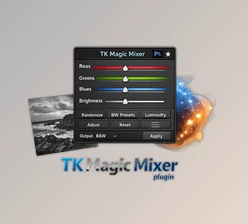
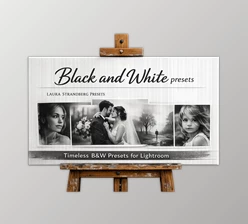
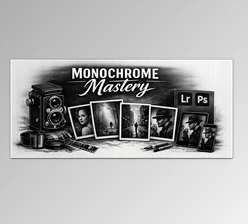
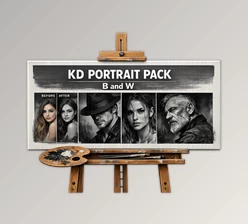
You can download the Black and White Mixer for free at the end of this page.
Discover the Power of Black and White Mixer Photography
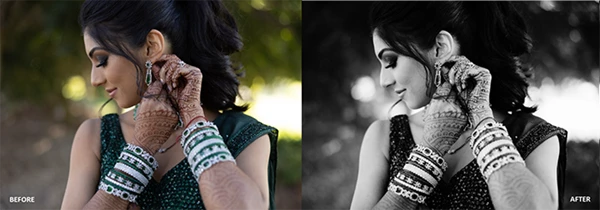
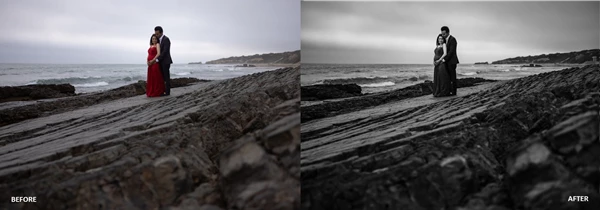
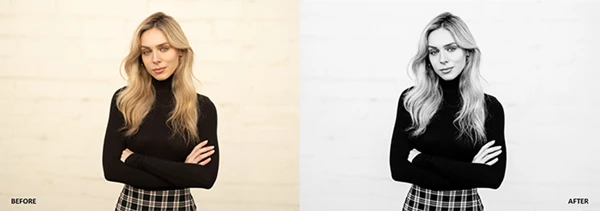
Black and white photography has a unique ability to tell stories. Without color distractions, the viewer focuses on light, contrast, texture, and emotion. But achieving a professional black and white look is not always easy—especially if you want consistent results across many images.
This is where Black and White Mixer becomes incredibly useful. Instead of spending hours adjusting sliders manually, this tool gives you ready-made presets and advanced control to transform your photos into stunning monochrome images with just a few clicks.
Whether you're editing portraits, landscapes, street photography, or editorial images, this tool can help you quickly achieve dramatic, filmic, or classic black and white styles.
What Is Black and White Mixer?
At its core, Black and White Mixer is a collection of Lightroom presets and tools designed to help photographers create high-quality monochrome images quickly and consistently.
It combines three important elements:
One-click presets for instant results
Intensity control tools for precise adjustments
Creative mixology presets for deeper customization
Why These Features Matter
When editing black and white photos manually, photographers often struggle with:
Balancing contrast and tonal range
Controlling highlights and shadows
Creating a consistent style across multiple photos
Black and White Mixer solves these problems by providing tested presets and adjustable controls that were refined using thousands of images. This means the presets already understand how tones typically behave in real photographs, giving you a strong starting point for professional edits.
For example:
A portrait photographer can quickly add cinematic contrast to skin tones.
A landscape photographer can emphasize textures in clouds, rocks, and mountains.
A street photographer can create dramatic shadows and high contrast storytelling images.
Meet the Professional Tool: Black and White Mixer
The Black and White Mixer pack is designed for photographers and creators who want a fast but flexible workflow inside Lightroom and Adobe Camera Raw.
Instead of relying on one static preset, the pack offers multiple layers of creative control.
Features
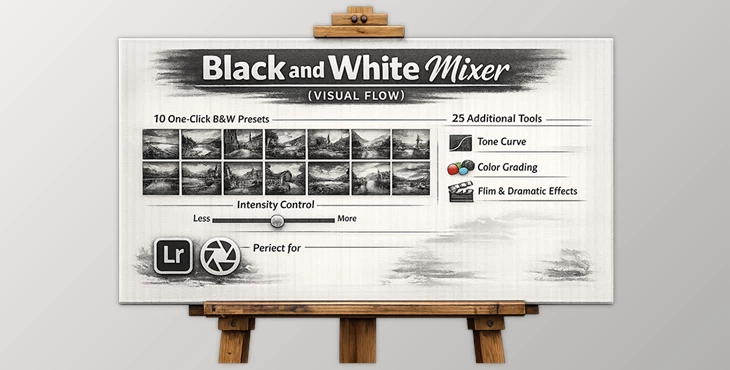
1. Ten One-Click Presets
These presets are designed to deliver instant final looks. With a single click, you can transform a color photo into a polished black and white image.
They were tested across thousands of photos to ensure they work well under many lighting conditions.
Examples include looks that range from:
Dramatic editorial contrast
Soft cinematic tones
Film-inspired monochrome styles
2. Proprietary VF Mixer (Intensity Control)
One of the most powerful elements of the pack is the VF Mixer, which allows you to control the strength of each preset.
Instead of fully committing to a preset, you can simply dial the intensity up or down until the photo feels right.
This flexibility makes the presets feel more like creative tools rather than fixed filters.
3. 25 Mixology Presets for Customization
Once you apply a base look, the mixology presets allow you to refine the image even further.
These presets adjust elements such as:
Tone curves
Color grading
Stylization
Overall mood and contrast
Think of them as creative layers that help shape the final style of your image.
4. Compatible Across Platforms
The presets work with multiple Adobe editing tools, including:
Lightroom CC
Lightroom Classic
Lightroom Mobile
Adobe Camera Raw
This makes it easy to keep a consistent editing style across desktop and mobile workflows.
5. Educational Resources
The pack also includes educational guidance showing how to maximize the presets for different types of images.
Instead of guessing which preset works best, you can learn simple workflows used by professional photographers.
Pro Tips for Better Black & White Edits
Even with great presets, a few smart techniques can make your photos look even more professional.
Start With the Right Photo
Black and white images work best when the photo already has good lighting, contrast, and texture. Look for scenes with strong shadows, interesting shapes, or dramatic light.
Adjust the Preset Intensity
Don't rely on the preset exactly as it is. Use the VF Mixer intensity control to fine-tune the effect so it matches the mood of your photo.
Sometimes reducing the strength slightly can make the result look more natural.
Use Mixology Presets Sparingly
Layering too many effects can make the image look over-processed. Apply one or two mixology presets to enhance the look without overwhelming it.
Focus on Contrast and Texture
In black and white photography, contrast replaces color as the main visual element. Small adjustments to highlights, shadows, and clarity can dramatically improve the final image.
Final Thoughts
Black and white photography remains one of the most powerful visual styles in photography. It strips images down to their essential elements—light, emotion, and composition.
Tools like Black and White Mixer make this creative process much easier by combining speed, flexibility, and professional editing control inside Lightroom.
Instead of spending long hours experimenting with manual adjustments, photographers can start with a strong foundation and then refine their style using the mixer and mixology tools.
If you enjoy creating dramatic, cinematic, or timeless monochrome images, this tool can quickly become an essential part of your editing workflow.

Files Password : gfxplugin.com OR 123456