Downloadable Files
You can download Nexanim for free from the end of this page.
A Fresh Way to Animate in After Effects
Animation in Adobe After Effects is powerful—but anyone who works with it regularly knows that managing keyframes, easing curves, and synchronized animations can quickly become complicated. Sometimes you just want to change a value without ruining the easing curve, or animate multiple properties with the same timing without copying keyframes over and over. That’s where Nexanim comes in. Nexanim introduces a modern animation workflow that separates progress from value, allowing you to animate more flexibly and non-destructively. Instead of locking values directly to the timeline, Nexanim gives you a smarter system that keeps animations consistent, editable, and easier to manage. If you’ve ever felt limited by traditional keyframe workflows, this tool might completely change the way you animate.
What Is Nexanim and Why Does It Matter?
At its core, Nexanim is an After Effects script that rethinks how animation data is structured. Traditional animation systems place values directly on the timeline. That means time and value are tightly connected. When you adjust one, the other often changes too. This can cause problems such as distorted easing curves, difficult synchronization between properties, and limited flexibility. Nexanim solves this by splitting animation into two independent components:
Progress Control (P)
Progress Control represents the normalized progress of an animation, moving from 0 to 1. Instead of storing actual values, it only represents how far the animation has progressed. Because of this, multiple properties can reference the same progress value, making synchronized animations much easier to manage.
Value Control (V)
Value Control defines the actual values for each stage of the animation. Since these values are independent of the timeline, you can change them freely without affecting the easing curve. They can even be controlled with expressions, enabling dynamic and parametric animation setups.
Why This Improves Your Workflow
This separation makes animation much more flexible. For example:
- You can change the end value of an animation without breaking the easing.
- Multiple properties can share the same timing and easing automatically.
- Complex animations can be built using clean expressions instead of complicated keyframes.
The result is a workflow that is easier to edit, easier to maintain, and much more scalable for larger projects.
Meet Nexanim – A Next-Generation Animation System
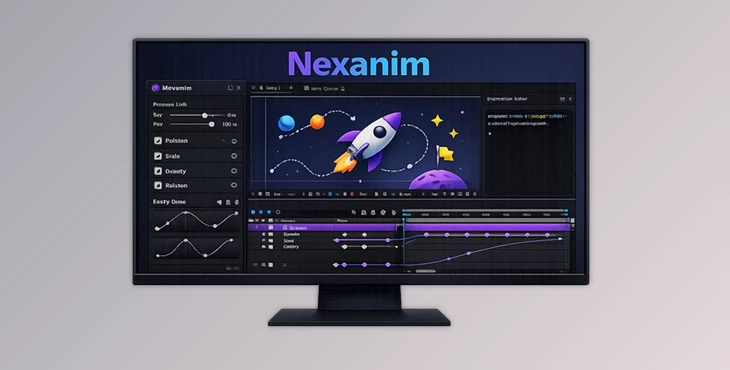
Nexanim is designed for motion designers who want more control over their animations without fighting the timeline. It works by automatically creating Progress Controls (P) and Value Controls (V) for selected properties and linking them through expressions. Once set up, your animations become modular and far easier to adjust.
Basic Workflow
Using Nexanim is simple:
- Select the properties you want to animate.
- Choose a Target Selection mode (Same, New, or Stored).
- Run BIND to generate the animation controls.
From there, the system automatically manages the relationship between progress and values. You can also add more animation stages by duplicating the last Progress Control and Value Control. Nexanim automatically detects the new stages without needing additional setup.
Features
Non-Destructive Value Editing
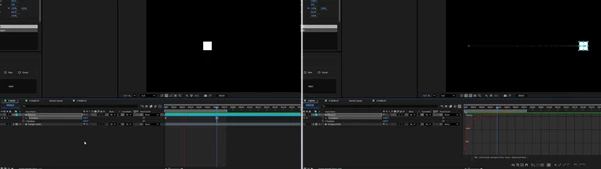
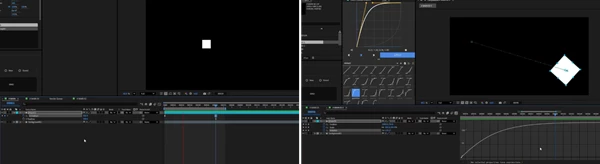
One of the biggest advantages of Nexanim is that you can change animation values without affecting the easing curve. In standard workflows, adjusting a keyframe often changes the curve shape. With Nexanim, easing belongs to the progress control, while values remain independent. This means you can tweak animations quickly without constantly fixing the graph editor.
Easy Synchronization Between Properties
Animating multiple properties with identical timing and easing can be tedious. With Nexanim, different properties can simply reference the same Progress Control. If you adjust the timing once, all linked animations update automatically. This is especially useful when animating elements like:
- UI panels
- Motion graphics sequences
- Character rig properties
- Layer transformations
Dynamic Value Control with Expressions
Each animation stage in Nexanim can use either static values or expressions. This allows you to create parametric setups where animation values react to other layers, sliders, or mathematical formulas. Instead of writing one huge expression full of conditional logic, you can organize formulas stage by stage, making the setup easier to maintain.
Flexible Multi-Stage Animations
If your animation needs more complexity, Nexanim makes it easy. Simply duplicate the last Progress Control and Value Control in the Effect Controls panel. The system automatically recognizes the new stage and integrates it into the animation. This approach makes building multi-step motion sequences much faster than manually managing keyframes.
Pro Tips for Better Results
Reuse Progress Controls
For complex scenes, consider linking multiple properties to the same Progress Control. This ensures perfect timing synchronization and reduces setup time. For example, when animating UI elements, one progress control can drive position, opacity, and scale simultaneously.
Use Expressions for Smart Animation
Take advantage of Nexanim’s value controls to build expression-driven animations. For instance, you can:
- Link stage values to slider controls
- Create responsive motion tied to other layers
- Build reusable animation templates
This turns Nexanim into a powerful system for procedural motion graphics.
Organize Your Controls Clearly
Since Nexanim creates multiple controls, keeping them organized in the Effect Controls panel will make complex projects easier to manage. Grouping controls by animation stages helps maintain clarity when revisiting projects later.
Final Thoughts
Nexanim offers a new approach to animating in After Effects. By decoupling progress from value, it eliminates many of the hassles that motion designers face on a daily basis, such as curve stretching, syncing, and timeline values that don’t play nicely. You’ll find yourself with a much tidier and more fluid setup that’s simply a joy to work with. From simple transitions to complex motion systems, Nexanim is a powerful toolkit that can help you cut the clutter in your animations. If you want to animate smarter in After Effects, then Nexanim is well worth a look.