Downloadable Files
You can download the product Movie Looks II for free at the end of this page.
🎬 A Quick Way to Give Your Footage a Cinematic Soul
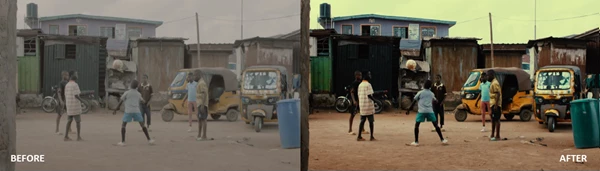
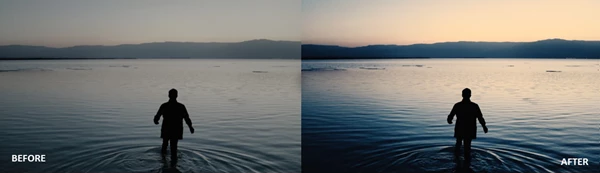
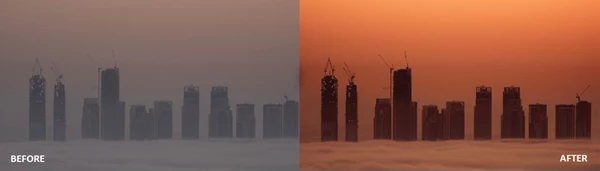
Have you ever watched a film and wondered why the colors feel so immersive and emotional? The secret often lies in color grading. With the right color tools, even ordinary photos or videos can transform into cinematic scenes that feel like they belong on the big screen. That’s exactly where Movie Looks II comes in. Instead of spending hours adjusting tones, contrast, and color balance, you can apply professionally designed looks in just a few clicks. Think of it as adding a cinematic filter crafted by filmmakers—simple to use but capable of delivering stunning results. Whether you’re editing travel photos, YouTube videos, short films, or social media content, these looks can instantly elevate the mood and storytelling of your visuals.
🎨 Understanding Cinematic Looks and Why They Matter
A cinematic look is essentially a carefully designed color style that enhances the atmosphere of an image or video. It adjusts elements such as color temperature, shadows, highlights, and contrast to create a specific mood—warm nostalgia, dramatic tension, soft vintage tones, or modern film aesthetics. Color grading tools like LUTs and presets make this process much easier.
Why creators use them
- Consistent visual style: A LUT can unify the look of an entire project, ensuring every scene feels like part of the same story.
- Faster editing workflow: Instead of manually adjusting dozens of sliders, you apply a preset and fine-tune if needed.
- Professional cinematic mood: Film-inspired color palettes can make content feel more polished and visually engaging.
Real-world examples
- A travel vlog can instantly feel warmer and more nostalgic with a sunset cinematic LUT.
- A short film can gain dramatic tension through high contrast movie-style grading.
- Instagram photos can look more refined with subtle film-inspired tones.
These improvements don’t just change colors—they influence how viewers emotionally experience your visuals.
🎥 Meet the Tool: Movie Looks II
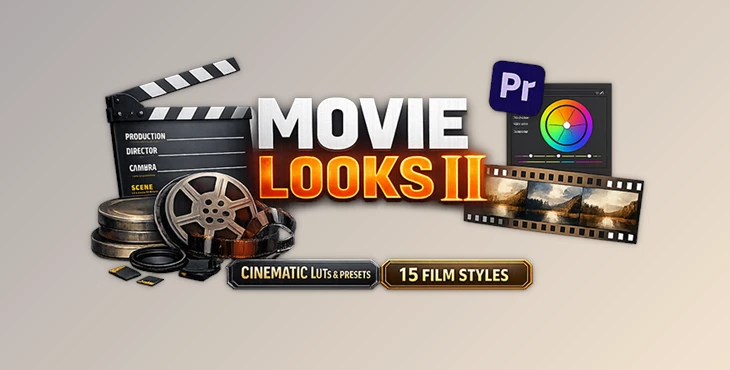
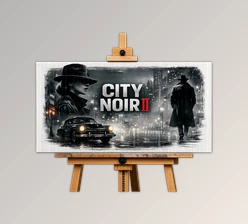
Movie Looks II is a collection of 15 film-inspired color looks designed to instantly transform photos and videos. The pack includes professional LUTs and Lightroom presets, making it compatible with both desktop and mobile editing workflows. Instead of complex color grading, you simply drag, drop, and apply the look you want.
Features
15 Cinematic Looks The pack includes 15 versatile color styles, each designed to mimic different cinematic moods—from dramatic film contrast to soft, atmospheric tones. Multiple Professional Formats The package includes:
- .cube
- .drx
- .dng
These formats ensure compatibility with a wide range of photo and video editing tools. Works on Desktop and Mobile You can use the looks on:
- Mac
- Windows
- iOS
- Android
This flexibility allows creators to edit on professional workstations or mobile devices. Wide Software Compatibility The pack works seamlessly with many popular editing tools, including:
- Adobe Lightroom (Desktop & Mobile)
- Adobe Premiere Pro
- DaVinci Resolve
- Final Cut Pro X
- CapCut
- Vegas Pro
- Avid Media Composer
- LumaFusion
- After Effects
- Photoshop
Because LUTs are widely supported, you can integrate them into almost any creative workflow. Optimized for Professional Camera Profiles The LUTs are designed to work with common camera profiles such as:
- S-Log
- V-Log
- C-Log
This helps maintain dynamic range and natural color transitions, which is crucial for high-quality cinematic grading.
🎯 Pro Tips for Better Cinematic Results
Even though LUTs are easy to apply, a few simple techniques can make your results look even more professional.
1. Adjust intensity instead of using full strength
Many editors allow you to control LUT strength. Lowering it to 60–80% often creates a more natural look.
2. Start with proper exposure
Color tools work best when your footage is correctly exposed. Fix brightness and white balance before applying LUTs.
3. Combine with subtle adjustments
After applying a cinematic look, try adjusting:
- contrast
- highlights
- saturation
Small tweaks help tailor the look to your specific scene.
4. Match your story’s mood
Choose a look that matches the emotion of your content. Warm tones work well for lifestyle or travel, while darker tones suit dramatic storytelling.
✨ Final Thoughts
Color grading can transform ordinary footage into something truly memorable—but it doesn’t have to be complicated. Tools like Movie Looks II simplify the process by giving creators a collection of ready-to-use cinematic looks that work across many editing platforms. With just a few clicks, you can turn photos and videos into stylized, film-inspired visuals while saving valuable editing time. If you enjoy experimenting with color and want to bring a cinematic feel to your projects, exploring Movie Looks II could be a fun and powerful addition to your creative workflow. 🎬

Files Password : gfxplugin.com OR 123456

.png)