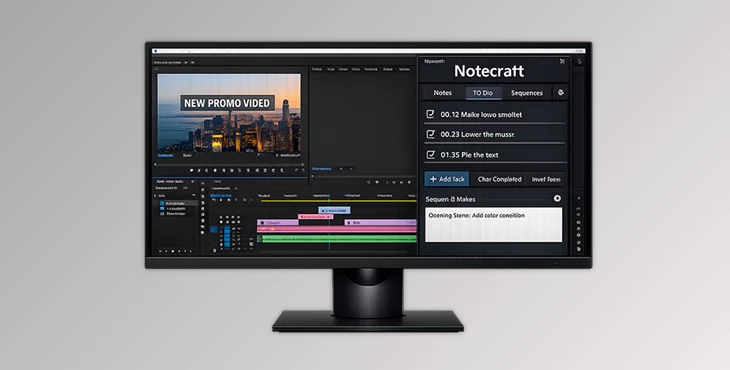
Downloadable Files
You can download the Notecraft product for free from the end of this page.
A Smarter Way to Organize Your Editing Workflow
If you’ve ever edited a large project in Premiere Pro, you know how quickly things can become messy. Notes get scattered across documents, timecodes are written somewhere else, and tasks live in another app. Switching between tools interrupts your focus and slows down the creative process. That’s exactly the problem Notecraft aims to solve. Notecraft is designed specifically for video editors who want a faster and more organized workflow. Instead of juggling multiple apps, it brings notes, tasks, and productivity tools directly into Premiere Pro. Everything you need stays right where your editing happens. The result is simple: less distraction, better organization, and more time for creativity.
What Is Notecraft and Why Is It Useful?
In simple terms, Notecraft is a smart productivity tool built for video editors using Premiere Pro. It allows you to write notes linked to specific moments in your timeline, manage tasks for each sequence, and maintain focus during long editing sessions. Imagine reviewing footage and spotting a perfect moment you want to revisit later. With Notecraft, you can instantly attach a note to that exact frame. Later, clicking the timecode takes you straight back to it. For example:
- While editing an interview, you can mark powerful quotes with exact timecodes.
- During a multi-sequence project, each sequence can have its own task list.
- When working on tight deadlines, the built-in focus timer helps you stay productive.
These features improve your workflow because they keep all your ideas, edits, and reminders connected directly to the timeline. Instead of searching through external documents, everything lives inside your editing environment. That means faster revisions, clearer project management, and a smoother editing experience.
Meet the Professional Tool – Notecraft
Notecraft turns Premiere Pro into a more complete productivity workspace. It eliminates the need for external note apps or task managers by integrating everything directly into your editing workflow. Editors can track ideas, mark important moments, and manage revisions without leaving their timeline. This simple integration can dramatically improve both editing speed and project organization.
Features
Smart Editor
The Smart Editor is a rich-text note system created specifically for video editing workflows. Key features include: Timecode Integration
Press @ anywhere in your notes to insert the current playhead position instantly. Instant Navigation
Click any timecode inside your notes to jump directly to that exact frame in the timeline. Auto-Save System
Your notes are automatically saved in a JSON file stored next to your Premiere project file. Example:
While reviewing a documentary timeline, you can write a note like “Great reaction shot here” and insert the exact frame location. Later, clicking the timecode takes you right back to it. This removes the frustration of searching through hours of footage.
Power To-Do List
Notecraft includes an advanced task management system designed around editing sequences.
Key capabilities include:
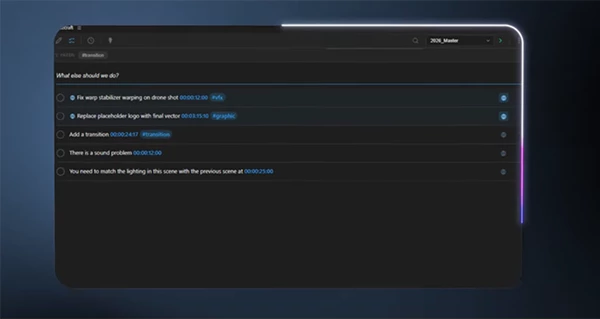
- Quick Task Creation: Simply type a task and press Enter.
- Bulk Task Generation: Paste multi-line text to instantly create multiple tasks.
- Global Tasks: Add a 🌐 symbol to mark tasks that apply to the entire project.
- Cross-Sequence Duplication: Duplicate tasks across other sequences using the context menu.
Example:
If you’re editing a multi-episode series, each sequence can have its own tasks while global tasks track project-wide improvements like color grading or sound cleanup. This structured system ensures that no revision or important change gets forgotten.
Focus Timer
Editing sessions can easily become long and exhausting. The built-in Pomodoro focus timer helps editors stay productive without burning out. It includes:
- Automatic 25-minute focus sessions and 5-minute breaks
- Clear, visual, color-coded timer states
- Session history logging
- Gentle audio alerts when sessions finish
For editors working on long projects, this helps maintain energy and concentration throughout the day.
Workflow Boosters
Notecraft also provides several powerful features that improve overall project organization. Project-Based Storage All notes and tasks are stored in a .json file located beside your Premiere project (.prproj).
When you move your project folder, your notes move with it automatically. No extra syncing. No lost files. Marker Sync With one click, you can export notes and tasks directly into Premiere Pro timeline markers. This is especially helpful when:
- reviewing footage
- sharing feedback with collaborators
- preparing projects for client revisions
Markers make it easy for everyone involved to see exactly where changes are needed.
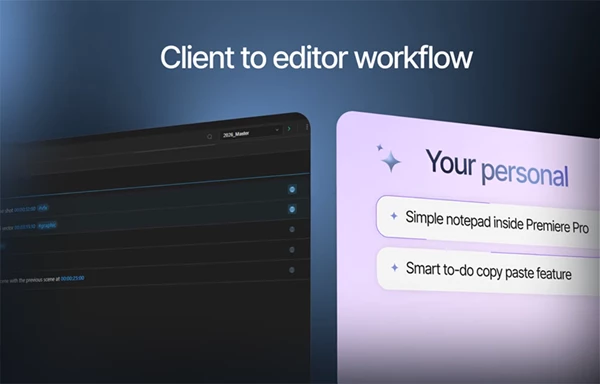
Pro Tips for Using Notecraft More Effectively
To get the most out of Notecraft, a few simple workflow habits can help a lot. Use timecodes during your first review When reviewing footage for the first time, quickly add notes with timecodes instead of writing long descriptions. Later, you can jump back to those moments instantly. Separate ideas from tasks Use the Smart Editor for creative notes and the To-Do List for actionable tasks. This keeps your workflow organized and easy to follow. Use global tasks carefully Reserve 🌐 tasks for project-wide changes, such as:
- final color correction
- audio mixing
- export checks
This prevents repetitive task lists across sequences. Combine notes with markers When preparing a project for team review, export important notes as timeline markers. This allows collaborators to immediately understand what needs attention. These small techniques can save a surprising amount of time during complex editing projects.
Final Thoughts – A Small Tool with a Big Workflow Impact
Video editing today is not just about cutting clips. It involves managing ideas, revisions, feedback, and production tasks all at once. Notecraft simplifies this process by connecting notes, tasks, and timecodes directly to your timeline. By keeping everything inside Premiere Pro, it reduces distractions and makes your workflow much smoother. For editors who want better organization, faster revisions, and a more focused editing process, Notecraft can become an essential tool. Once you start using it, you may find it hard to imagine your editing workflow without it.

Files Password : gfxplugin.com OR 123456