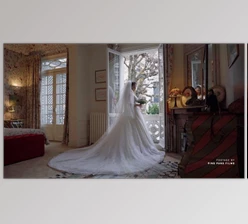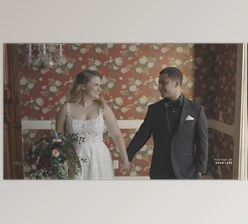
Downloadable Files
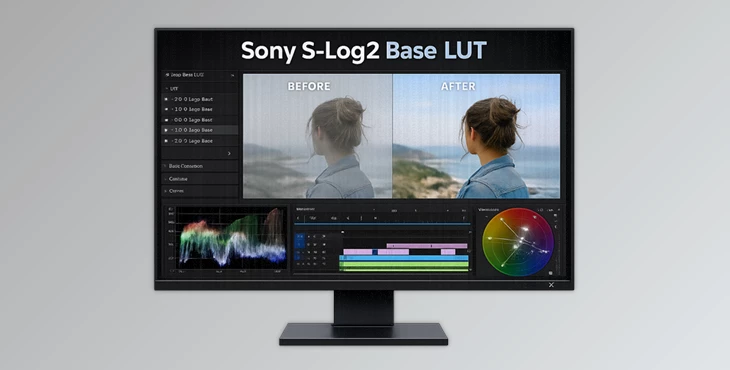
You can download the Sony S-Log2 Base LUT for free at the end of this page.
🎬 Unlock the True Potential of Your Sony Footage
If you shoot with a Sony camera in S-Log2, you already know the potential is there — but getting the best colours and dynamic range out of 8-bit footage can sometimes feel tricky. That flat, washed-out look? It holds incredible detail. The challenge is turning it into rich, cinematic imagery without destroying highlights or crushing shadows. This is exactly where Sony S-Log2 Base LUT by Visionary Colour steps in — giving you a powerful yet simple starting point for professional-looking results with minimal effort.
🎨 What Is a Base LUT and Why Does It Matter?
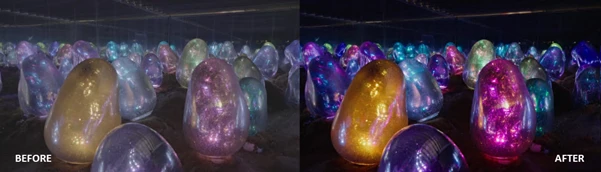
A Base LUT (Look-Up Table) is a foundational color transformation designed to convert flat log footage into a natural, balanced image ready for grading. Specifically, the Sony S-Log2 Base LUT is built for:
- Sony S-Log2
- S-Gamut3
- 8-bit Sony cameras
Instead of manually adjusting contrast, curves, highlight roll-off, and shadow balance from scratch, this LUT gives you a refined base in one click.
Why This Improves Your Results
When working with S-Log2 footage:
- Highlights can be easily clip.
- Shadows may become noisy.
- Skin tones may look unnatural.
- Dynamic range can feel difficult to manage.
This Base LUT is designed with custom-built curves that:
- Protect highlights
- Preserve shadow detail
- Improve skin tones
- Create smoother highlight roll-off
- Deliver cleaner shadows
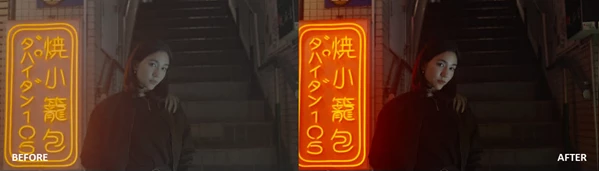
The result? A more cinematic starting point that feels closer to high-end cinema cameras.
🚀 Meet the Sony S-Log2 Base LUT by Visionary Colour
The Sony S-Log2 Base LUT is not just a conversion LUT — it’s a professionally tested foundation built for real-world filmmaking. Designed by creatives and tested by DPs, color experts, and filmmakers worldwide, this tool gives you confidence that your image is technically solid before you start creative grading.
✨ Features
1️⃣ Five Exposure Compensation Steps
You get 5 .cube LUT files, each with a different exposure compensation level. Instead of adjusting exposure manually and risking highlight damage, you simply:
- Choose the LUT that matches your exposure.
- Apply it.
- Fine-tune if needed.
The exposure compensation is built with custom curves to protect dynamic range — meaning your highlights and shadows stay intact.
2️⃣ Inspired by Cinema Cameras
The LUTs are crafted to emulate characteristics often associated with cinema cameras:
- More pleasant skin tones
- Smoother highlight transitions
- Cleaner shadow separation
- Better overall dynamic range
For example:
- Interview footage gains more natural skin rendering.
- Outdoor daylight scenes maintain sky detail.
- Low-light scenes avoid muddy blacks.
3️⃣ Simple and Structured Workflow
The LUT integrates perfectly with other Visionary LUTs using a clear order: (A) Adjustment → (B) Base → © Creative This structured workflow keeps your grading process organized and efficient — especially helpful for editors working under time pressure.
4️⃣ Built for All Levels of Creators
Whether you’re:
- A YouTuber
- A wedding filmmaker
- A commercial DP
- A documentary shooter
The Sony S-Log2 Base LUT gives you a reliable starting point without requiring advanced color science knowledge.
5️⃣ Stress-Tested for Versatility
All Visionary LUTs are stress-tested using:
- Industry-standard tools
- Real-world footage
- Various lighting scenarios
This ensures the LUT holds up when you push your creative limits — whether in harsh sunlight or controlled studio setups.


🎥 Pro Tips for Better Results
Here are a few friendly, practical tips to get the most out of your Sony S-Log2 Base LUT:
✅ Expose Properly in Camera
S-Log2 performs best when slightly overexposed (without clipping). Cleaner shadows mean better final results.
✅ Choose the Correct Exposure Version
Test the five exposure compensation LUTs quickly and pick the one that preserves highlights and maintains natural contrast.
✅ Don’t Overgrade
Once the Base LUT is applied, avoid extreme adjustments. The LUT already balances dynamic range and color.
✅ Add Creative LUTs After the Base
Use the structured workflow:
Adjustment → Base → Creative
This prevents stacking issues and keeps your image consistent.
✅ Fine-Tune Skin Tones
Even though skin tones are optimized, small tweaks in HSL can make your image feel even more natural.
🌟 Final Thoughts: A Stronger Start Means a Better Finish
The Sony S-Log2 Base LUT is all about building a solid foundation. Instead of fighting flat log footage, you begin with balanced contrast, protected highlights, smoother roll-off, and pleasing skin tones. It simplifies your workflow.
It protects your dynamic range.
It helps your Sony 8-bit footage look more cinematic. Sometimes the biggest upgrade in your grading process isn’t a dramatic, creative look — it’s starting from the right base. If you shoot S-Log2, this tool is absolutely worth trying.

Files Password : gfxplugin.com OR 123456