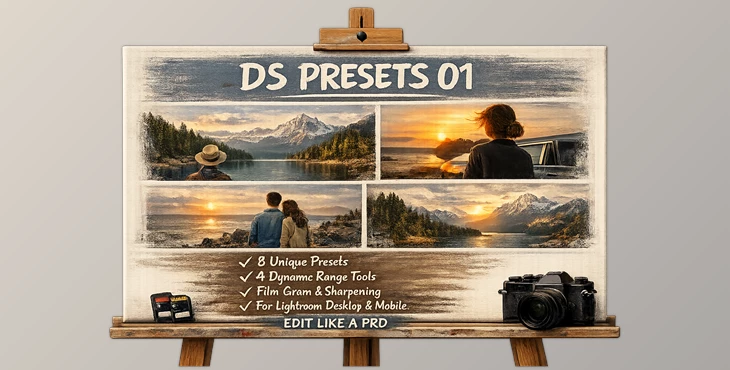
Downloadable Files
You can download DS PRESETS 01 for free at the bottom of this page.
Bring Back the Soul of Film
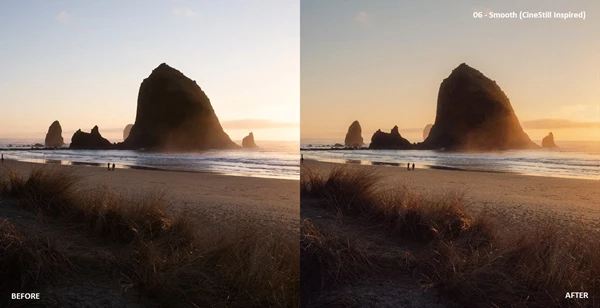
Have you ever looked at your digital photos and felt like something was missing? The sharpness is there, the resolution is perfect—but the emotion, the depth, the subtle imperfections of film just aren’t quite the same. That’s exactly where DS PRESETS 01 comes in. Designed by Dylan Spitz, this preset pack bridges the gap between clean digital files and the timeless aesthetic of analog film. It transforms your RAW images into photographs that feel organic, cinematic, and full of character—without complicated editing workflows. If you love the mood of 35mm or 120 film but shoot digitally, this tool was made for you.
What Are Film-Style Presets and Why Do They Matter?
Lightroom presets are pre-configured editing settings that apply a specific look or style to your photos in one click. Film-style presets, in particular, emulate the tonal response, grain texture, color rendering, and dynamic range behavior of classic film stocks. Instead of spending hours adjusting curves, colors, and sharpening manually, you start with a strong creative foundation.
Real-World Benefits
Imagine shooting:
- A golden-hour portrait session
- A moody street photography series
- A documentary-style travel project
- A minimal lifestyle campaign
With DS PRESETS 01, your digital RAW files instantly gain:
- Softer highlight roll-off
- Controlled dynamic range
- Film-inspired grain structure
- Balanced sharpening for natural detail
These features improve your results because they reduce the “clinical” digital feel. Highlights feel more natural, shadows retain depth, and textures appear organic instead of overly processed. The result? Images that feel intentional—not over-edited.
Meet the Professional Tool
DS PRESETS 01 by Dylan Spitz is more than just a preset pack—it’s a complete editing system built for flexibility and adaptability across various shooting environments. Compatible with Lightroom Desktop and Mobile, and designed specifically for RAW files from major camera brands including Fuji, Sony, Canon, Nikon, Leica, and Panasonic. Not intended for JPEG files—this system is built to unlock the full potential of RAW.
Features
8 Lightroom Presets
Carefully designed base looks that balance color, tone, and contrast to emulate a refined film aesthetic. Each preset gives you a strong creative starting point while remaining flexible.
4 Dynamic Range Adjustment Quick Actions
These quick actions allow you to control highlights and shadows efficiently. Whether you’re dealing with harsh sunlight or low-light contrast, you can fine-tune tonal balance without destroying detail.
3 Film Grain Settings (Including 35mm and 120)
Add realistic grain textures that mimic classic film formats. Choose between subtle grain for clean portraits or heavier 35mm/120 texture for a cinematic, nostalgic vibe.
3 Sharpening Settings
Instead of harsh digital sharpening, these settings enhance detail while preserving a natural finish. Perfect for portraits, landscapes, and storytelling photography.
Real Editing Scenarios
- Outdoor Portrait in Harsh Light: Use a base preset + dynamic range quick action to soften highlights and recover skin tones naturally.
- Street Photography Series: Apply 35mm grain and subtle sharpening for a documentary-style atmosphere.
- Editorial Shoot: Combine a base preset with 120 grain for rich texture and depth.
The power comes from combining presets with quick actions—this layered workflow gives you both speed and control.
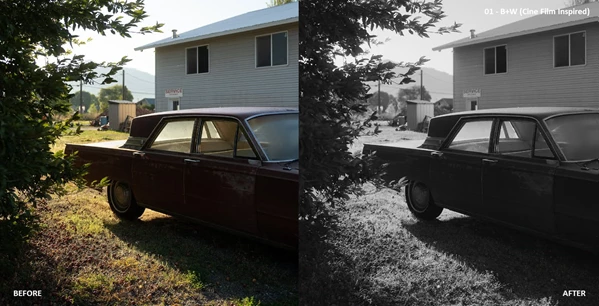
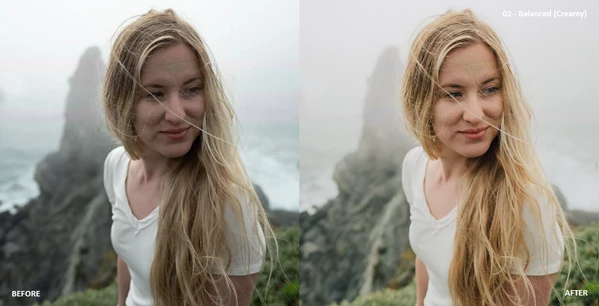
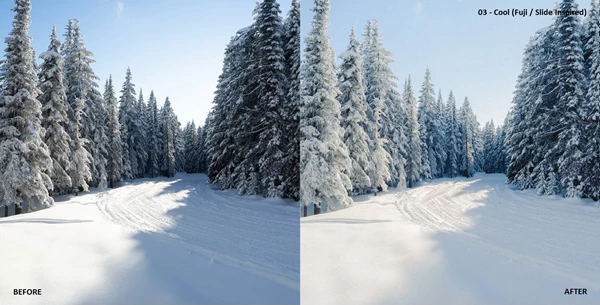
Pro Tips for Better Results
1. Always Start with RAW
These presets are optimized for RAW files. RAW preserves more dynamic range and color data, which allows the presets to perform at their best.
2. Adjust Exposure Before Applying Grain
Get your base exposure and white balance right first. Then apply grain for a more natural, film-like result.
3. Don’t Overuse Sharpening
Choose the sharpening setting that complements your subject. Portraits usually benefit from softer sharpening, while architecture may need slightly more definition.
4. Use Dynamic Range Actions Strategically
If highlights look too digital or harsh, use the dynamic range adjustments to create smoother tonal transitions—this is key to achieving that film-like softness.
5. Keep It Subtle
Film aesthetics are often about restraint. Small refinements usually look more professional than heavy adjustments.
Why It’s Worth Exploring
The adaptability and flexibility of your editing workflow will be enhanced by using the “DS PRESETS 01” preset system. It is specifically designed to make the transition from digital photography to film-inspired storytelling imagery as simple as possible. If you want to add depth, texture, and authenticity to your images, then this preset system is worth trying. Explore what it offers and experiment with it—let your digital images feel human again.

Files Password : gfxplugin.com OR 123456