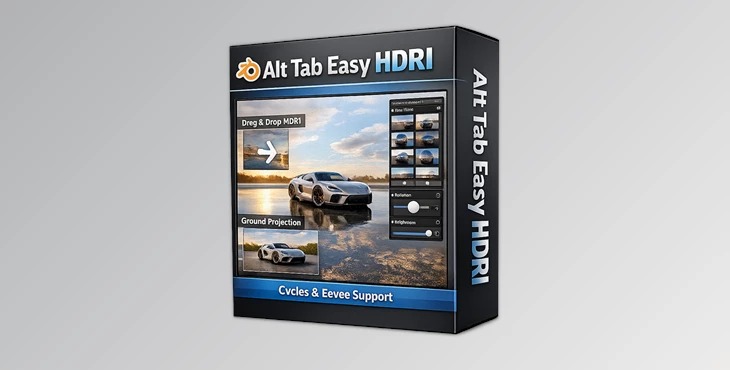
Downloadable Files
You can download Alt Tab Easy Hdri for free at the end of this page.
✨ Instantly Transform Your Lighting
Lighting can make or break a 3D render. You might have a perfectly modeled object, detailed textures, and clean composition — but without the right environment lighting, the scene simply feels flat. That’s where Alt Tab Easy Hdri comes in. This tool makes working with HDRI lighting incredibly simple. Just drag, drop, adjust — and your entire scene instantly feels more realistic, more cinematic, and more alive. No complicated node setups. No wasted time tweaking world shaders manually. Just fast, beautiful results. If you’ve ever wanted professional lighting in seconds, you’re going to love this.
🌍 What Is HDRI & Why Does It Matter?
HDRI (High Dynamic Range Imaging) is a lighting method that uses real-world panoramic images to simulate natural light in 3D scenes. Instead of placing multiple artificial lights, an HDRI surrounds your scene with realistic environmental lighting.
Why It Improves Your Results
- Realistic reflections – Objects reflect real-world environments naturally.
- Accurate shadows – Lighting direction comes from a real captured scene.
- Instant atmosphere – A sunset HDRI instantly creates warm cinematic tones. A studio HDRI gives you clean commercial lighting.
For example:
- Rendering a car? Drop in a city HDRI and instantly get realistic reflections across the body.
- Product visualization? Use a studio HDRI for clean highlights and soft shadows.
- Architectural scene? A natural outdoor HDRI creates believable sky lighting.
HDRIs eliminate guesswork and dramatically speed up your workflow — and this tool makes them even easier to use.
🚀 Meet the Tool: Alt Tab Easy Hdri
Alt Tab Easy Hdri is designed to make HDRI lighting effortless. It removes technical complexity and turns HDRI setup into a smooth, creative process. Instead of manually configuring world nodes, adjusting mappings, and creating projection tricks — everything becomes automatic and intuitive.
🔥 Features
🖱 Drag & Drop Setup
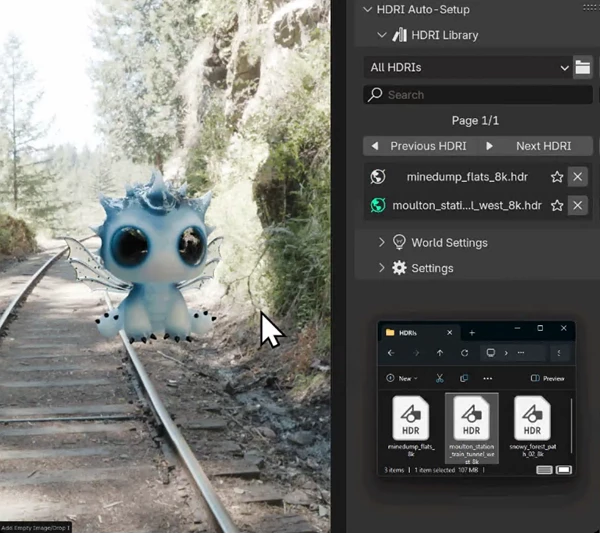
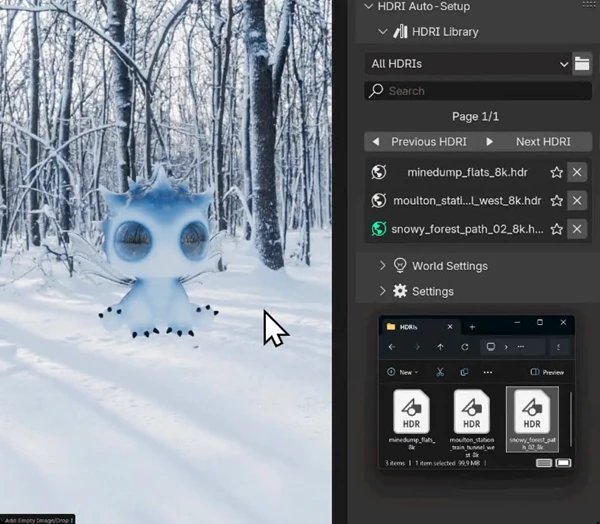
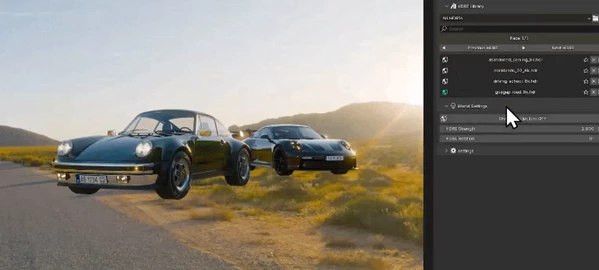
Simply drag and drop HDRI files directly into your viewport. The tool automatically configures them as world setups. No manual node editing required.
🌎 Ground Projection Mode
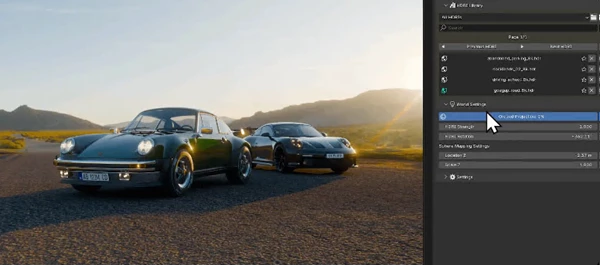
With one simple toggle, the HDRI ground is projected onto a sphere model.
This allows you to place your 3D models inside the HDRI environment itself, resulting in highly accurate shadows and reflections. Perfect for product shots, vehicles, or characters that need realistic grounding.
📚 Turn HDRIs into Worlds
Every HDRI used while the addon is installed gets added to your personal library.
Over time, you build your own organized HDRI collection without extra effort.
🌟 Accurate Shadows & Reflections
The optional ground projection mode gives you full control over mapping parameters.
This means better reflections, more believable light interaction, and more natural integration between your model and environment.
🔄 Rotation & Strength Control
Inside the UI, you can:
- Rotate HDRIs with intuitive sliders to perfect lighting angles.
- Adjust lighting intensity using simple strength controls.
This gives you complete artistic control without diving into shader nodes.
🎯 Minimal Setup, Maximum Impact
1 3D Model + 1 HDRI file = Everything you need for stunning results. It’s fast, efficient, and perfect for artists who want quality without complexity.
💡 Pro Tips for Better Results
Here are some simple techniques to get even more professional-looking renders:
🔁 Rotate Before Adding Extra Lights
Before adding artificial lights, try rotating the HDRI. Often, a small rotation change dramatically improves highlights and shadows.
🌅 Match the HDRI to Your Mood
- Warm sunset HDRIs → Emotional, cinematic scenes
- Overcast HDRIs → Soft, realistic product shots
- Studio HDRIs → Clean commercial renders
🌍 Use Ground Projection for Product Shots
If you’re rendering products (like cosmetics, gadgets, or vehicles), ground projection makes reflections feel physically correct and grounded.
🎚 Fine-Tune Strength Instead of Exposure
Adjust HDRI strength carefully — small changes can create dramatic differences in mood.
📂 Build Your Own HDRI Library
Since every HDRI gets saved into your collection, experiment with different environments and gradually build a versatile lighting library.
🎬 Final Thoughts
Alt Tab Easy Hdri takes the most important part of 3d rendering and makes it a breeze to implement and quick to prepare. Drag and drop, ground projected, rotated, and strength adjustable, all in seconds for pro results. Whether you make product images, architecture, film scenes, or portfolio renders, you’ll spend more time creating and less time getting the technical setup sorted. If you need realistic reflections and shadows, and time is tight, this is definitely one to investigate. Lighting is everything. Now it’s yours.

Files Password : gfxplugin.com OR 123456