Downloadable Files
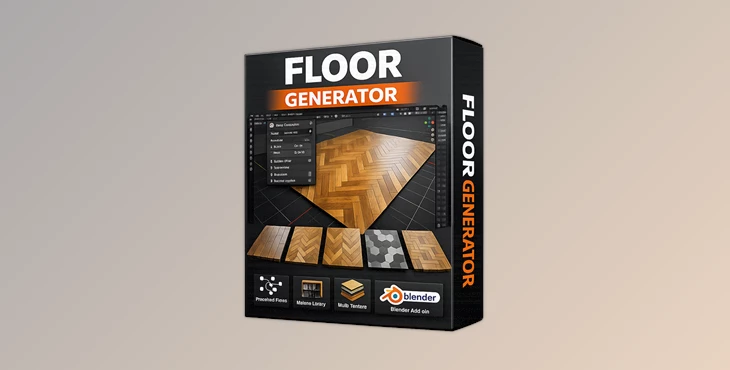
You can download Floor Generator for free at the end of this page.
Create Stunning Floors in Just One Click
Have you ever spent hours trying to manually model floor boards and tiles in Blender? Chances are, you probably haven’t achieved the perfect look that you desired. Enter Floor Generator. Floor Generator is a powerful add-on that uses Geometry Nodes to generate detailed floor boards and tiles on any mesh you click on with just one click. Perfect for those creating interiors, architecture, or game assets, this add-on will give you exactly what you need to create an ideal floor. Want to know how much time this could save you? Here's a closer look.
What Is Floor Generator and Why Does It Matter?
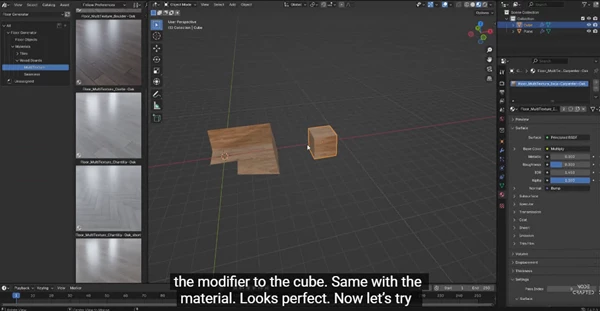
Floor Generator is a Blender add-on powered by Geometry Nodes that automatically creates procedural flooring — including wooden boards and tile patterns — on any mesh object. Instead of manually modeling each plank or tile, you simply apply the add-on to your surface, and it generates a fully customizable floor system.
Real-World Use Cases
Imagine you are:
- Designing a luxury living room with elegant herringbone wood flooring
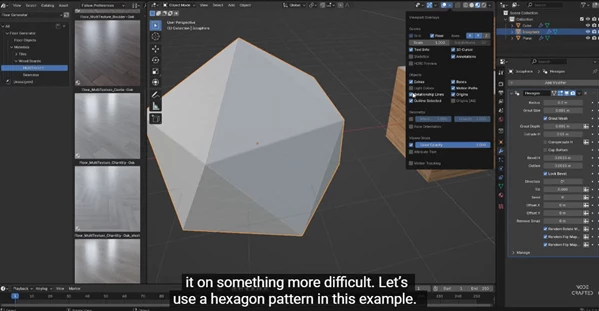
- Creating a modern kitchen scene with hexagon tiles
- Building a game environment that needs realistic wooden planks
- Visualizing architectural projects for clients
With Floor Generator, you can switch between patterns instantly, adjust board sizes, add natural variation, and even apply advanced material systems without rebuilding anything.
Why This Improves Your Results
- Procedural control means a non-destructive workflow
- Randomized UV placement prevents repetitive textures
- MultiTexture support adds realistic variation
- Built-in masking attributes allow advanced shading control
The result? Faster workflow, higher realism, and more professional output.
Meet Floor Generator – The Professional Flooring Tool
FLOOR GENERATOR 3.0 is a Blender-based tool on Geometry Nodes allowing professional-quality floors to be generated with ease and ultimate flexibility. Just create any mesh surface and apply Floor Generator, and it will procedurally generate a floor across the entire surface area
Features
- Variety of Floor Types
Choose from a variety of floor types including.
- Standard
- Standard (fixed sizes, up to 5 different boards)
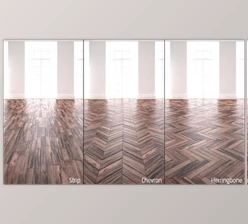
- Herringbone
- Chevron
- Hexagon
- Basket Weave
Each type has its own set of parameters for size, gaps, details etc. 2. Advanced Board Size Controls The Board Size section lets you control:
- Dimensions
- Variety
- Layout randomness
- Pattern-specific settings
This means you can create anything from perfectly ordered modern floors to naturally varied rustic wood planks. 3. Integrated Material Library System The built-in material library helps you:
- Search materials by category
- Apply them instantly
- Use Templates for faster creation
- Save your own custom libraries
The package includes 56 pre-made materials:
- 35 MultiTexture wood flooring materials
- 2 Seamless wood flooring materials
- 19 MultiTexture tile materials
This dramatically speeds up your workflow. 4. MultiTexture Node (Up to 16 Textures) The specially developed MultiTexture Node allows you to:
- Add up to 16 textures per shader input
- Automatically distribute them randomly
- Achieve natural, non-repetitive variation
No need to manually cut wood planks from a single texture — the add-on handles it for you. 5. Seamless Texture Method Using a single seamless texture, Floor Generator:
- Randomly unwraps each board in UV space
- Ensures each plank looks unique
- Prevents visible repetition
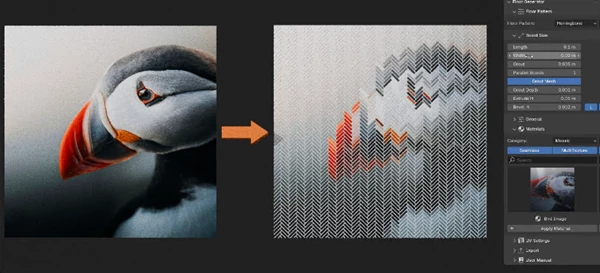
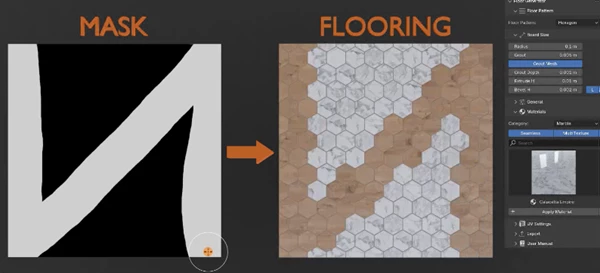
Perfect for fast and clean material setups. 6. Mosaic & Advanced Masking The uv_mosaic attribute enables:
- Mosaic materials
- Advanced shader masking
You can also use three masking attributes:
- Bevel
- Sides
- Grout
Connect their factor outputs into Mix Color or Mix Shader nodes for detailed material control. 7. Clapboard Effect For the Standard pattern, you can enable a clapboard effect, ideal for:
- House wood siding
- Roof paneling
- Exterior architectural details
8. Asset Browser & Unreal Engine Support
- Add Floor Generator and materials to Blender’s Asset Browser
- Access 55 ready-to-use materials for Unreal Engine 5
- Supports MultiTexture, Seamless, and Mosaic workflows
- Includes Material Functions for custom UE materials
This makes it production-ready for visualization and game pipelines.
Pro Tips for Better Results
Want to make your floors look even more realistic? Here are some practical tips:
Use Controlled Randomness
Avoid making everything perfectly aligned. Slight variation in board size and texture distribution creates natural realism.
Combine Masking with Subtle Roughness Changes
Use Bevel, Sides, and Grout attributes to slightly adjust roughness or color variation. Small details make a big difference in close-up renders.
Don’t Overdo Texture Contrast
When using MultiTexture, choose textures that are similar but not identical. Too much contrast can look artificial.
Experiment with Lighting
Herringbone and Chevron patterns look especially impressive under directional lighting that enhances shadows and depth.
Save Your Custom Presets
If you find a configuration you love, save it to your Asset Browser for future projects.
Final Thoughts – Why Floor Generator Is Worth Trying
Floor Generator isn’t just board and tile generation. It saves you time, adds realism, and it’s all procedural. Less time spent on repetitive geometry so you can spend more time on creativity, lighting, and composing your scene. With all of these intricate patterns and how it handles materials smartly but also provides masking options, it’s a beast of a tool for architects, interior designers, and 3D Artists. If you are a Blender user and you’re dealing with interiors or architectural scenes, this tool is going to make your life much easier. Check it out and see how easy it can be to have professional flooring with Floor Generator.

Files Password : gfxplugin.com OR 123456

![Download [Blender] Archipack PRO 2.6.0 (Blender 3.x)](https://dls3.gfxplugin.ir/Download_Files/20586/SearchSmall/banner.png)