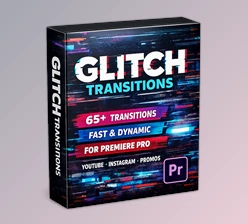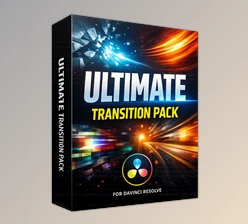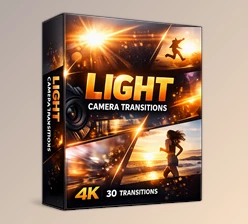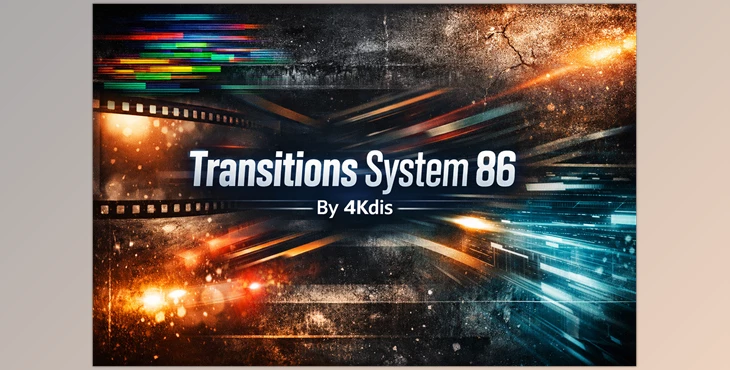
Downloadable Files
You can download Transitions System 86 for free at the end of this page.
Smooth, Fast, and Visually Powerful Edits
If you’ve ever felt that your edit looks “okay” but not dynamic enough, the missing piece is often transitions. Clean, well-designed transitions can completely change the rhythm of your video — making it feel faster, more professional, and visually engaging.
Transitions System 86 is built exactly for that. It gives you a complete collection of high-quality transitions that instantly elevate your edit without making it feel overloaded or messy. Whether you’re cutting a YouTube video, a commercial, or a cinematic montage, this system helps your timeline flow naturally and confidently.
And the best part? It’s designed for fast, modern workflows — so you spend less time tweaking and more time creating.
What Is a Transitions System and Why Does It Matter?
At its core, a transitions system is more than just a pack of random effects. It’s a structured collection of transitions designed to work together visually.
Instead of mixing unrelated styles, you get:
Consistent motion behavior
Matching visual language
Balanced energy across the entire edit
This consistency matters because viewers feel flow subconsciously. When transitions clash or feel disconnected, the edit loses rhythm. But when everything is built within a unified system, your project feels intentional and polished.
Real-World Use Cases
Here’s where a structured transitions system really shines:
🎬 YouTube & Content Creation – Add energy between scenes without slowing down pacing.
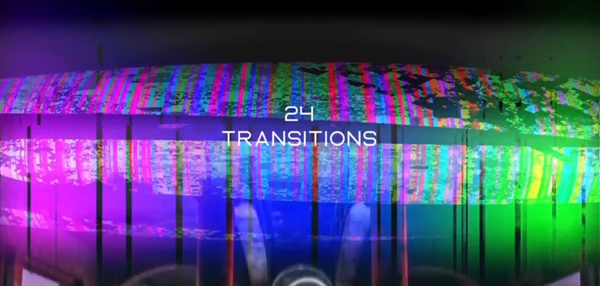
📱 Social Media Reels – Fast glitch cuts or grunge transitions boost visual impact instantly.
🎥 Commercial Edits – Clean film-style transitions enhance brand presentation.
🎞️ Music Videos – Dynamic glitch transitions sync beautifully with beats.
Because the transitions are easy to mix and reuse, you can maintain visual consistency even across long or multi-part projects. That means stronger branding and smoother storytelling.
Meet the Tool: Transitions System 86
Transitions System 86 is a versatile collection of 86 high-quality transitions designed specifically for fast and modern editing workflows.
It simplifies your editing process while keeping your visuals strong and impactful. Everything is structured in a system-based format, so transitions can be reused, combined, and adapted without breaking the visual style.
Features
86 High-Quality Transitions
A complete set that covers different editing moods and intensities.Glitch / Film / Grunge Styles
Three powerful stylistic directions that fit modern video aesthetics.System-Based Structure
Designed to maintain consistency across your entire project.Easy to Use & Customize
Built for speed — no complicated setup required.Modern Workflow Friendly
Perfect for editors working on fast-paced digital content.Tutorial Video Included
Quick guidance to help you get started immediately.No Plugins Required
Install and use directly without additional tools.
Practical Impact in Real Projects
Imagine cutting a fast-paced YouTube intro. Instead of manually creating glitch effects or stacking multiple layers, you simply drag and apply a ready-made transition.
Or think about editing a cinematic sequence — using film-style transitions between shots keeps the mood cohesive and smooth.
For grunge or urban projects, those textured transitions instantly add character and attitude without extra compositing work.
The result? Faster edits, stronger visuals, and a more professional final output.

Pro Tips for Better Results
Even with a powerful transitions pack, how you use it makes the difference. Here are some friendly, practical tips:
1. Don’t Overuse Transitions
Let key moments breathe. Use strong glitch transitions for impactful cuts, and smoother ones for narrative flow.
2. Match Transition Energy to Scene Mood
Fast glitch for action. Film style for cinematic storytelling. Grunge for edgy content.
3. Sync with Music
Even though music isn’t included (the preview used “Glitch”), syncing transitions to beats makes everything feel intentional and premium.
4. Keep Visual Balance
Because this is a system-based collection, try sticking to one dominant style per project for a clean result.
5. Customize Smartly
Minor adjustments in timing and placement can make transitions feel fully integrated instead of just “added on.”
Why It’s Worth Trying
Transitions System 86 isn’t just a bundle of effects — it’s a structured creative tool designed for editors who want speed, consistency, and strong visuals.
With 86 transitions across glitch, film, and grunge styles, plus a system-based approach, it helps you maintain visual identity while editing faster and more efficiently.
If you’re interested in enhancing your editing skills and outputting higher-quality visual content with strong visuals and a firm visual identity, then Transitions System 86 could help you achieve these objectives.
For those intrigued, it’s worth giving these transition effects a try to see how they can help ramp up the quality of your video content.

Files Password : gfxplugin.com OR 123456