Downloadable Files
You can download mWedding 2 DVR for free at the bottom of this very page.
✨ A Love Story Deserves More Than Just Cuts
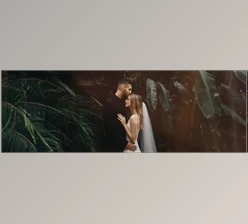
Wedding videos aren’t just edits — they’re memories in motion. Every glance, every smile, every quiet tear deserves visuals that feel as timeless as the story itself.
That’s exactly where mWedding 2 DVR steps in.
If storytelling is the heart of videomaking, then wedding storytelling is its most emotional form. And to get it right, you need tools that are subtle, elegant, and cinematic — without overwhelming the footage. This pack helps you shape raw clips into a refined, emotional narrative that truly feels like “forever.”
Curious how small design details can completely transform a wedding edit? Let’s dive in.
🎬 What Is mWedding 2 DVR and Why Does It Matter?
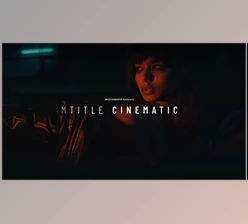
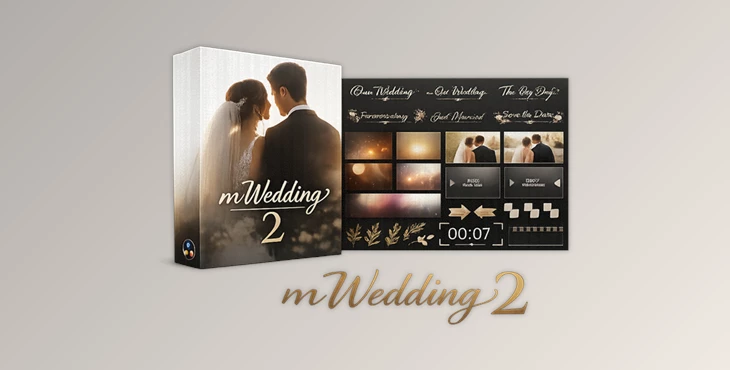
At its core, mWedding 2 DVR is an animated title pack, effects, transitions, and LUTs for wedding videographers in DaVinci Resolve.
But it’s so much more.
This is a visual language around:
- Soft elegance
- Vintage
- Minimalistic
- Cinematic
- Timeless
Use Cases You’re Imagining Right Now
Imagine...
- A minimal title that displays the couple’s names as the ceremony begins.
- Typographic treatment for vows or a quote.
- Effects that warm up that kissing-at-sunset shot.
- Transitions from ceremony to reception.
- Split screens to show two timelines simultaneously (groom waiting, bride prepping)
They don’t steal the show.
That’s what you want.
When motion design supports the emotion instead of being the focus, you get a polished and intentional feel. Viewers will be immersed in the story.
💍 Meet the Tool: mWedding 2 DVR for DaVinci Resolve
mWedding 2 DVR is designed specifically for DaVinci Resolve users who want elegant, ready-to-use wedding visuals without wasting hours building templates from scratch.
It simplifies your workflow while elevating your final output.
Instead of manually designing titles or grading from zero, you drag, drop, customize, and focus on storytelling.
🌟 Features
Here’s what you get inside mWedding 2 DVR:
🎞 22 Wedding Titles
Beautifully crafted animated titles perfect for:
Couple names
Ceremony highlights
Quotes and vows
Date reveals
Chapter-style storytelling
Clean typography and balanced motion ensure a premium look.
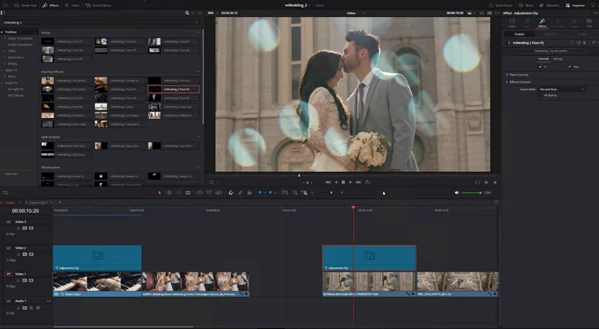
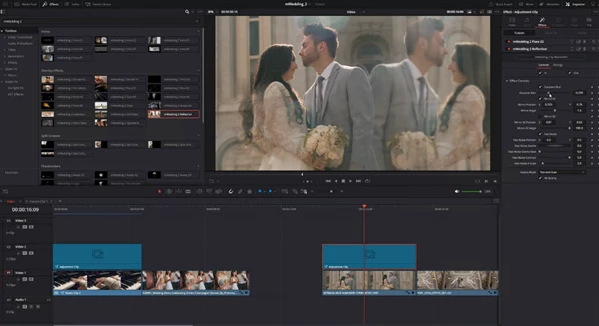
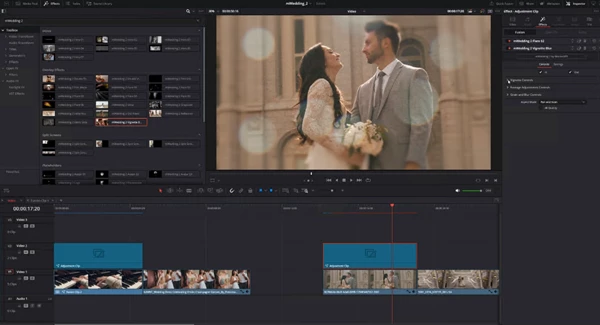
✨ 28 Overlay Effects
Subtle cinematic enhancements that add:
Light textures
Soft vintage vibes
Atmosphere and mood
Perfect for enhancing emotional scenes without over-editing.
🔄 6 Smooth Transitions
Designed for seamless storytelling.
They help your edit flow naturally from:
Ceremony → Reception
Preparation → First Look
Speeches → Dancing
No harsh cuts. Just elegant continuity.
🎨 +5 Wedding LUTs
Color grading is where emotion really comes alive.
These LUTs help you achieve:
Warm, romantic tones
Soft cinematic contrast
Consistent color style across clips
Instead of spending hours fine-tuning color from scratch, you start with a beautiful base and refine it.
📱 Flexible Format Support
Works in horizontal or vertical aspect ratios
Compatible with macOS and Windows
Requires DaVinci Resolve 18.5
16GB system memory and 4GB VRAM recommended
Even iPad users can work with it — though presets with multiple video drop zones will display one clip due to current device limits.
🎥 Real Impact in Real Projects
Let’s say you’re editing:
A luxury countryside wedding
A minimal city hall ceremony
A romantic beach elopement
The same pack adapts beautifully.
The minimal typography suits modern weddings.
The vintage overlays complement rustic themes.
The cinematic LUTs elevate golden-hour footage instantly.
That versatility is what makes it powerful — it works across styles without feeling repetitive.
🎯 Pro Tips to Make It Look Even Better
Want your edit to feel even more refined? Try these:
1️⃣ Less Is More
Don’t stack too many effects.
Pick key emotional moments and enhance only those.
2️⃣ Match Motion to Music
Align title animations and transitions with beat drops or emotional shifts in the soundtrack. It instantly feels intentional.
3️⃣ Blend LUTs, Don’t Just Apply
Lower the LUT intensity slightly and tweak exposure for a natural look. It keeps skin tones realistic.
4️⃣ Keep Typography Breathing
Avoid overcrowding text. Let names and quotes sit comfortably on screen. Wedding videos need space to feel emotional.
5️⃣ Maintain Consistency
Stick to one visual style throughout the edit. If you choose a vintage mood, carry it across all chapters.
These small choices are what separate “good” edits from unforgettable ones.
💖 Final Thoughts — Make It Timeless
Wedding videos aren’t just projects. They’re emotional archives.
mWedding 2 DVR gives you a refined, elegant toolkit to transform raw footage into something that feels eternal. With cinematic titles, subtle overlays, smooth transitions, and ready-made LUTs, it helps you focus on what truly matters — the story.
If you already have beautiful shots, this pack helps you present them in a way that feels cohesive, romantic, and professionally crafted.
And sometimes, that subtle polish is exactly what turns a video into a memory people replay for years.
Take a closer look at mWedding 2 DVR and see how effortlessly your next wedding edit can come together.

Files Password : gfxplugin.com OR 123456