Downloadable Files
You can download Light Mask Transitions for Premiere Pro for free at the end of this very page.
✨ Add Cinematic Light to Your Edits
Ever watched a video where the transitions feel smooth, dreamy, and perfectly cinematic? That soft sweep of light that blends one scene into another without feeling harsh or mechanical? That’s exactly the kind of magic this tool brings to your timeline.
Light Mask Transitions for Premiere Pro helps you transform simple cuts into visually rich moments. Instead of jumping from clip to clip, your edits flow naturally — guided by light, motion, and atmosphere. It’s subtle, stylish, and instantly elevates the quality of your project.
If you want your edits to feel more professional without spending hours tweaking effects manually, this is where things get interesting.
🎬 What Are Light Mask Transitions and Why Do They Matter?
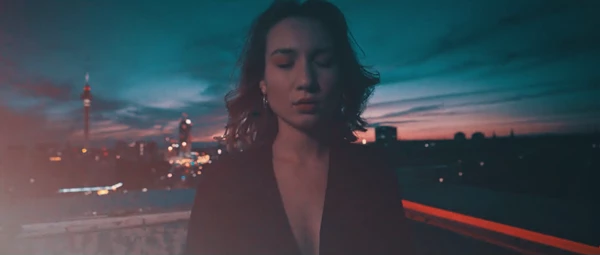
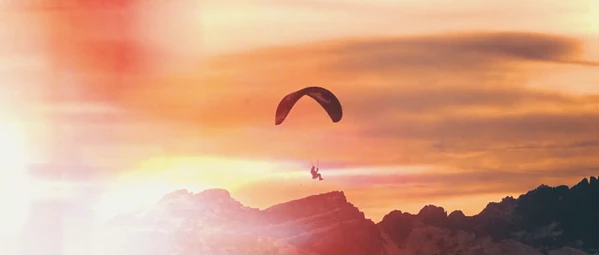
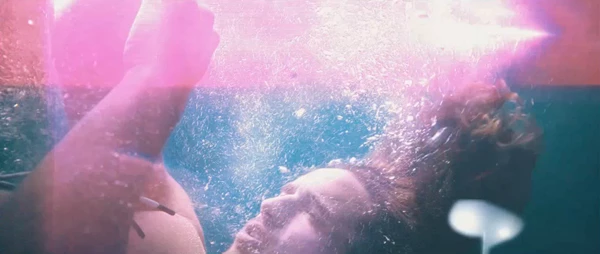
Light mask transitions are video transitions that use animated light overlays and masking techniques to smoothly reveal the next scene. Instead of a basic cut or fade, a dynamic light movement blends two clips together.
Think of it as using light as a visual bridge between scenes.
Where You Can Use Them
These transitions are incredibly versatile. For example:
- Wedding videos – Soft light sweeps add emotional warmth between romantic moments.
- Travel vlogs – Sun-flare style transitions enhance outdoor footage beautifully.
- YouTube content – Keep viewers engaged with smooth, modern visual flow.
- Commercial promos – Add polish and energy without distracting from the message.
- Social media reels – Quick, stylish transitions that feel premium.
Why They Improve Your Results
- They create visual continuity, making edits feel intentional.
- They add depth and atmosphere, especially to flat or static shots.
- They help maintain viewer attention by keeping the visual rhythm dynamic.
- They enhance storytelling by guiding the viewer’s eye naturally.
Instead of relying on generic transitions, you’re adding a handcrafted visual element that feels thoughtful and cinematic.
🚀 Meet the Professional Tool
Videohive Light Mask Transitions for Premiere Pro is a ready-to-use transitions package designed to make your editing process faster, smoother, and more creative.
You don’t need complicated setups. You don’t need extra plugins. You just drag, drop, adjust — and you’re good to go.
Features
- Light Mask Transitions for Premiere Pro
- No Plugins Required
- Compatible with Premiere Pro 2025 and higher
- Works for both Photo and Video
- Supports any FPS and Resolution
- Easy to Use Workflow
- Detailed Video Tutorial Included
- Fully Handcrafted (No AI Used)
- High-Quality Product
- Future Updates Included
- Online Support
- Customization Service Available
What This Means in Real Projects
- Editing a wedding highlight? Drop in a soft light sweep between emotional shots.
- Creating a product promo? Use dynamic light movement to energize scene changes.
- Building a travel montage? Blend landscapes with natural-looking light transitions.
- Working with mixed resolutions? No problem — it adapts to any FPS and resolution.
Because everything is handcrafted, the transitions feel organic and cinematic rather than automated or artificial.
🎯 Pro Tips for Better Results
Want your transitions to look even more professional? Here are a few practical tips:
1. Match the Light Direction
Try to align the transition’s light movement with the natural light in your footage. If sunlight comes from the right in your shot, choose a transition that flows in that direction.
2. Time It with Music
For music-driven edits, place transitions on beats or subtle rhythm changes. This instantly makes your video feel more intentional and polished.
3. Don’t Overuse Them
Light mask transitions are powerful — which means moderation is key. Use them for key moments rather than every single cut.
4. Adjust for Mood
Softer light for emotional scenes. Faster, brighter transitions for energetic edits. Let the tone of your project guide your choices.
5. Combine with Color Grading
After applying the transition, fine-tune your color grading so both clips blend even more seamlessly.
These small tweaks make a big difference and help your final result look studio-level.
🌟 Final Thoughts
Light Mask Transitions for Premiere Pro is one of those tools that quietly upgrades your entire workflow. It saves time, adds cinematic polish, and keeps your edits visually engaging without adding complexity.
You get ready-to-use transitions, broad compatibility, no plugin headaches, detailed guidance, and even future updates — all designed to make your editing smoother and more creative.
If you’re looking to make your cuts feel more dynamic, more emotional, and more professional, this package is absolutely worth exploring.
Give it a try, experiment with different scenes, and see how a simple sweep of light can completely transform your edit.

Files Password : gfxplugin.com OR 123456