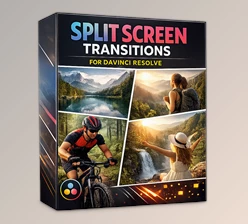
Downloadable Files
You can download Split Transitions for Premiere Pro for free at the end of this page.
Fast Cuts, Modern Energy
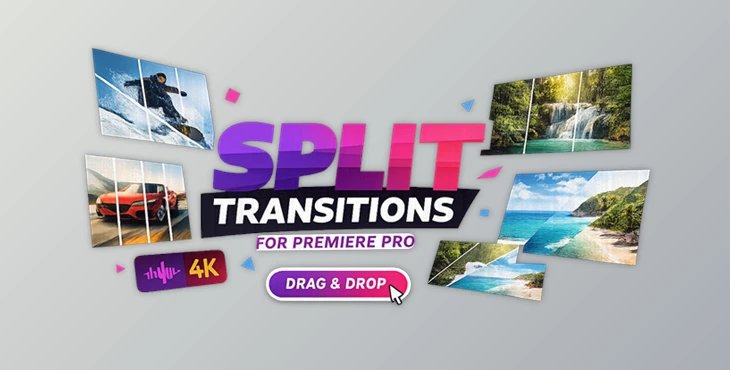
If your edits have to be punchy, new, and eye-catching, don’t ignore the transitions. A simple cut will work. A mighty split transition? That’s where the magic happens! Split Transitions for Premiere Pro breaks up your clips into engaging split panels that slide in and out. You get a high-energy transition that takes your edit up a notch without being overpowering. Perfect for YouTube content, trailers, advertisements, sports highlights, and travel videos, these transitions will smooth out your edit with little work from you.
What Are Split Transitions & Why Do They Matter?
Simple Definition
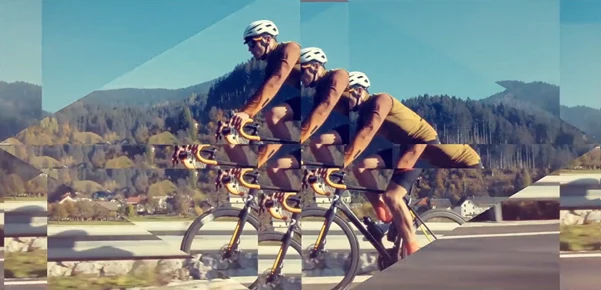
Split transitions divide the screen into multiple panels that can move independently of one another during a cut.
Real-World Applications
Imagine:
- A fast-paced sports edit where each split panel adds impact to the next action shot.
- A travel vlog where scenes slide into each other with stylish motion.
- A YouTube intro where cuts feel intentional and cinematic.
- A promo video that looks high-budget without complicated effects.
These transitions improve your final result because:
- They create visual energy without overwhelming the viewer.
- They maintain clarity of storytelling.
- They add professional polish to even simple edits.
- They make your pacing feel deliberate and modern.
When used correctly, they don’t just connect clips — they enhance the emotional flow of your edit.
Meet the Tool: Split Transitions For Premiere Pro
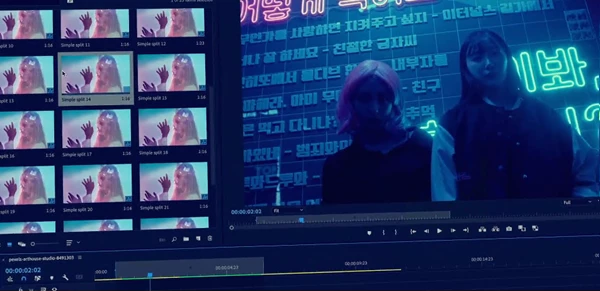
If you’re looking for speed, flexibility, and professional quality, Split Transitions for Premiere Pro is built exactly for that. It’s a 4K-ready transition pack designed for editors who want stylish cuts without wasting time. Just drag and drop a transition onto your cut, adjust the timing if needed, and you’re ready to export.
Features
50 Split Transitions (And Growing)
You get a collection of 50 unique split transitions that slice the frame into panels with sliding, pulling, and snapping motion. This variety helps you keep your edits fresh and visually unique.
4K Resolution Support
Export in up to 4K resolution without quality loss. Perfect for YouTube, commercial projects, or high-end client work.
Fast Render Performance
No one likes slow timelines. These transitions are optimized for fast rendering, so you can work smoothly even on larger projects.
Auto-Resize Feature
This means that whether you’re creating horizontal content for YouTube or vertical social content, the transitions will automatically adjust to fit your resolution. Works with Image or Video You’re not just limited to using these transitions in between video clips. You can also incorporate them in between images, slideshows, thumbnails, and more!
Sound Effects Included
Built-in sound effects enhance the motion and add impact to every transition. You can use them as-is or customize them for your style.
No Plugins Required
Everything works directly inside Premiere Pro 2019 or newer — no extra installations or third-party plugins needed.
Easy Customization
- Works with any font
- Easy color change
- Fully customizable timing
- Personal library structure
You can adapt the transitions to match your brand, mood, or project style without technical headaches.
Detailed Video Tutorial
Even beginners can use it confidently thanks to the included voiceover tutorial that walks you through everything step by step.

Professional Tips for Better Results
1. Match the Transition to the Mood
For energetic content like sports or trailers, use faster split animations.
For travel or lifestyle content, slightly increase the duration for smoother movement.
2. Don’t Overuse Transitions
Even though they look great, less is more. Use them at key moments — intro, beat drops, scene shifts — instead of every single cut.
3. Sync with Music
Align the split movement with beats or sound accents. Since sound effects are included, you can layer them with your music for a stronger impact.
4. Adjust Timing for Natural Flow
Every project has its own rhythm. Don’t hesitate to slightly tweak the duration to match your pacing.
5. Keep Colors Consistent
Use the easy color change feature to match transitions with your brand palette. This makes your edit feel intentional and cohesive.
Final Thoughts: Small Detail, Big Impact
Fluid transitions can elevate the mood of your entire video. Split Transitions for Premiere Pro gives you fast, smooth, professional transitions from cut to cut, and all with ease. 50 transitions, 4k, and auto-resizable, sound effects included, no plugin required, this is everything a new or seasoned editor will want to use. Want to make your cuts sharper, punchier, more modern? This is that small edit that creates a big difference. Try it out in your next video and feel how much more cinematic and fluid your transitions are.

Files Password : gfxplugin.com OR 123456