Downloadable Files
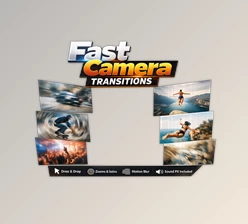
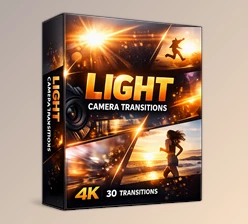
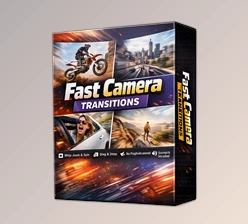
You can download the 100+ Camera Transitions Bundle for free at the bottom of this page.
🎬 Bring Your Edits to Life from the First Second
If you’ve ever felt that your cuts look too simple or your videos lack that cinematic punch, you’re not alone. Smooth, dynamic camera transitions can instantly transform an ordinary edit into something immersive and professional. That’s exactly where 100+ Camera Transitions Bundle comes in. With just a simple drag & drop, you can add energetic movement, seamless flow, and a modern visual style to your videos — without complicated settings or third-party plugins. Whether you create YouTube content, travel vlogs, commercials, reels, or cinematic short films, the right transitions can completely change how your audience experiences your story.
🎥 What Are Camera Transitions and Why Do They Matter?
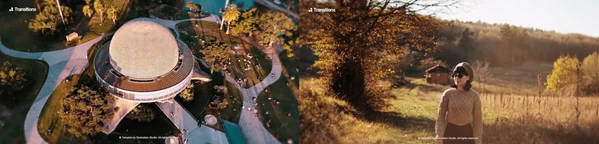
Camera transitions simulate real camera movements between scenes — like zooms, pans, spins, shakes, and whip movements. Instead of jumping from one clip to another, your footage flows naturally, creating a sense of motion and continuity.
Why This Improves Your Results
- Stronger storytelling – Movement keeps viewers emotionally engaged.
- Professional look – Dynamic transitions mimic high-end production techniques.
- Better pacing – Smooth motion helps maintain rhythm in fast or energetic edits.
- Visual consistency – Seamless transitions reduce harsh cuts and distractions.
Imagine switching between travel shots with a smooth whip pan… or revealing a product using a dramatic zoom transition. These small details make your content feel intentional and polished.
🚀 Meet the Tool: 100+ Camera Transitions Bundle
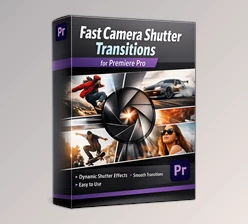
100+ Camera Transitions Bundle is a fully Premiere Pro–based transition pack designed for creators who want speed, flexibility, and professional results. Built specifically for Premiere Pro CC 2023 and above, this bundle requires no additional plugins. Everything works natively inside Premiere Pro.
✨ Features
✔ 100% Premiere Pro Native
No third-party plugins needed. Fully compatible with Premiere Pro CC2023 and above.
✔ 7 Organized Categories
Transitions are neatly categorized so you can quickly find the exact style you need — from energetic spins to smooth cinematic zooms.
✔ Drag & Drop Workflow
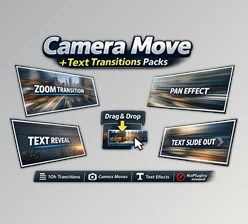
Simply drag the transition onto your timeline. No complex setup. No advanced technical knowledge required.
✔ Two Speed Versions
Each transition comes in two speed variations, giving you flexibility for different pacing styles — whether you want subtle motion or high-energy impact.
✔ Fast Render
Optimized for smooth performance and quick rendering, even in high-resolution projects.
✔ Supports Any Resolution
Works perfectly in:
- Horizontal (YouTube, films)
- Vertical (Reels, TikTok, Shorts)
- Any custom resolution format
✔ Works with Any FPS
Whether you’re editing 24fps cinematic footage or 60fps action clips, everything stays smooth and consistent.
✔ Sound FX Included
Each transition includes matching sound effects to enhance realism and impact. This saves time and elevates production quality instantly.
🎞 Real-World Creative Scenarios
- Travel Vlogs: Add whip pans between landscapes to create dynamic movement.
- Product Videos: Use zoom transitions to reveal product details dramatically.
- YouTube Content: Keep viewers engaged with energetic scene changes.
- Reels & Shorts: Maintain fast pacing with quick, punchy transitions.
- Cinematic Edits: Blend emotional scenes smoothly without jarring cuts.
Because everything is drag & drop, you spend less time adjusting keyframes and more time focusing on storytelling.

🎯 Pro Tips for Better Results
Even great transitions can look overused if not applied thoughtfully. Here’s how to make them feel natural and professional:
🔹 Match Motion Direction
If your clip ends with movement to the right, choose a transition that continues in the same direction for smoother flow.
🔹 Sync with Music Beats
Place transitions on beat drops or rhythm changes to amplify impact.
🔹 Don’t Overuse
Transitions are powerful — but subtlety is key. Use them strategically for emphasis.
🔹 Adjust Clip Timing
Trim your clips slightly to allow transitions to breathe. This prevents rushed motion.
🔹 Combine with Sound Design
Even though sound FX are included, adjust volume levels to blend naturally with your project audio.
🌟 Final Thoughts
Great editing isn’t just about cutting clips — it’s about creating flow, energy, and emotion. 100+ Camera Transitions Bundle helps you achieve exactly that. With drag & drop simplicity, fast rendering, built-in sound effects, and full compatibility with Premiere Pro CC2023+, it gives you the tools to level up your videos instantly. Whether you’re a beginner looking to improve your edits or a professional wanting to speed up your workflow, this bundle adds movement, polish, and cinematic style to your projects. If you want smoother transitions, faster workflow, and more engaging videos — this is definitely worth trying.

Files Password : gfxplugin.com OR 123456