Downloadable Files
You can download AiBow Voice Gemini for free at the end of this page.
🎬 A Smarter Way to Create Voiceovers
Have you ever been in the middle of editing a video and needed a quick, professional voiceover—only to switch tabs, open a browser tool, generate audio, download it, and drag it back into Premiere? It breaks your creative flow. AiBow Voice Gemini changes all that. This next-gen AI speech synthesis plugin puts Google’s Gemini 2.5 models right inside Adobe Premiere Pro. No tool hopping. No time lost. Just type your script and get a studio-quality voiceover generated in your edit suite in seconds. If you care about speed, quality, and efficiency, it’s a must-see tool.
💡 What Is AiBow Voice Gemini & Why Does It Matter?
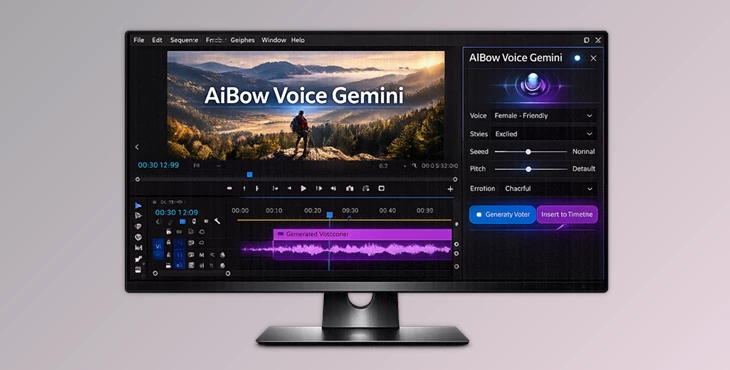
At its core, AiBow Voice Gemini is an AI-powered speech synthesis plugin designed specifically for Adobe Premiere Pro. It uses Google’s Gemini 2.5 Flash and Pro models to generate highly natural, emotionally rich, human-like voiceovers directly inside your editing software.
Why This Is Powerful
Traditional workflow:
Generate → Download → Import → Align → Edit With AiBow Voice Gemini:
Type → Click → Instantly on Timeline That difference may seem small, but in real-world projects, it dramatically improves:
- Editing speed
- Creative flow
- Revision flexibility
- Project efficiency
Real-World Use Cases
- 🎥 YouTube creators generating narration for tutorials
- 📢 Marketing teams producing ad voiceovers
- 🎓 Course creators adding clear instructional audio
- 🎞 Documentary editors crafting emotional storytelling
- 📰 News-style content creators needing fast updates
Because Gemini 2.5 delivers natural intonation and human-like pacing, your content sounds less robotic and more professional—without hiring voice actors.
🚀 Meet the Professional Tool: AiBow Voice Gemini
AiBow Voice Gemini is built specifically for creators who work inside Adobe Premiere Pro 2020 (v14.0) and later. Instead of adding complexity, it simplifies your workflow while keeping everything cloud-powered and lightweight.
🔥 Features
1️⃣ Powered by Gemini 2.5 (Flash / Pro)
Leverage Google’s advanced AI models for:
- Natural intonation
- Emotional expression
- Human-like pacing
- Professional-level narration quality
2️⃣ Instant Timeline Import
No more manual audio handling. Generated audio is automatically:
- Saved as a high-quality .wav file
- Placed instantly at your playhead position
- Ready for immediate editing
This keeps your creative momentum intact.
3️⃣ Cloud-Powered & Lightweight
No heavy AI libraries.
No GPU requirements.
No system slowdown. All processing happens through the Google Cloud API, making the plugin efficient and usable even on standard laptops.
4️⃣ Bring Your Own Key (BYOK)
One of the smartest features. You use your own Google Gemini API Key, giving you:
- Full cost control
- Access to Google’s free tier (via Google AI Studio)
- No expensive monthly plugin subscriptions
- Greater privacy and ownership
This makes AiBow Voice Gemini flexible and creator-friendly.
5️⃣ Save & Load Projects
Working on large voiceover sessions?
- Save your current work as a JSON file
- Reload anytime to continue editing
Perfect for long-form projects like courses, documentaries, or serialized content.
🎧 How It Works
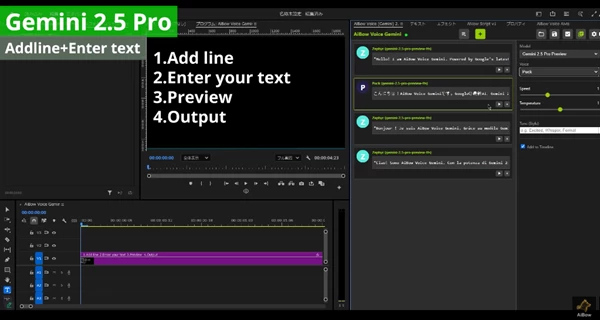
- Enter your script into the text blocks
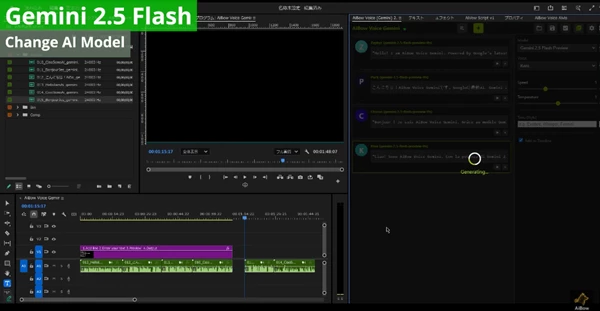
- Select Gemini 2.5 model & preferred voice
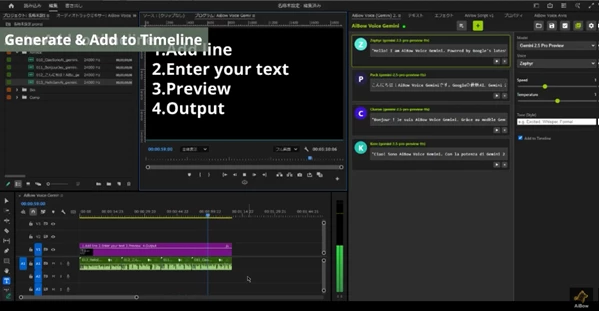
- Click “Add to Timeline”
- The audio appears instantly in your sequence
Simple. Fast. Professional.
🎯 Pro Tips for Better Voice Results
Want even more natural output? Try these techniques:
✍ Write Like You Speak
Avoid long, complex sentences.
Break scripts into natural conversational phrases.
⏸ Use Pacing Intentionally
Insert line breaks where natural pauses should occur.
This helps Gemini produce better rhythm and flow.
🎭 Match Voice to Project Tone
For:
- Corporate videos → choose neutral, steady voices
- Storytelling → select emotionally expressive tones
- Tutorials → go with clear, friendly narration
🔁 Generate Short Segments
Instead of generating long paragraphs, create smaller blocks.
This gives you more control during editing and easier revisions.
💻 Compatibility & Requirements
- Host: Adobe Premiere Pro 2020 (v14.0) and later
- OS: Windows 10/11, macOS 10.15+
- Required: Internet connection & Google Gemini API Key
🎬 Final Thoughts
AiBow Voice Gemini isn't just another AI voice generator. By integrating Gemini 2.5 into Premiere Pro, AiBow removes friction from your workflow and makes content creation faster and easier. If you’re in the video space, this tool could be a game-changer for how quickly and efficiently you produce content. If speed, quality, and smart automation are important to you, AiBow Voice Gemini is worth your time.

Files Password : gfxplugin.com OR 123456