Downloadable Files
You can download the TK Magic Mixer plugin for free at the bottom of this page.
Turn Your Photos into Powerful Black & White Art
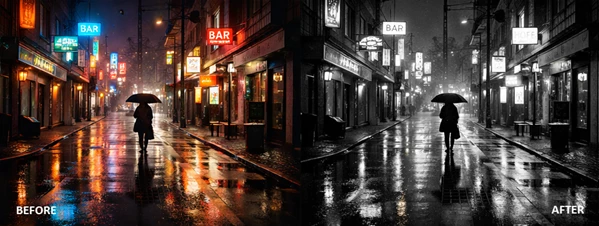
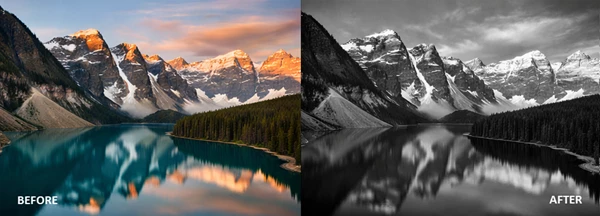
Have you ever converted a color photo to black and white in Photoshop and felt like something was missing? Maybe the contrast wasn’t right. Maybe the sky looked flat. Or maybe adjusting the Channel Mixer manually just felt too complicated. That’s where the TK Magic Mixer plugin comes in. This powerful plugin gives you a fresh and creative way to transform color images into stunning black and white photographs—faster, smarter, and with far more flexibility than traditional methods. If you love experimenting with tones, contrast, and mood, this tool opens up exciting possibilities.
What Is TK Magic Mixer and Why Does It Matter?
At its core, the TK Magic Mixer plugin works through Photoshop’s Channel Mixer adjustment layer using the “Monochrome” option—but in a much more intelligent and efficient way.
A Simple Explanation
When converting an image to black and white, Photoshop uses information from the Red, Green, and Blue channels. Normally, adjusting these manually affects brightness and tonal balance at the same time, making it harder to experiment freely. TK Magic Mixer solves this problem by allowing you to:
- Mix Red, Green, and Blue channels
- Keep the overall image brightness constant.
- Explore combinations without ruining exposure
This means you can focus purely on creative contrast and tonal relationships without fighting unpredictable brightness shifts.
Real-World Examples
- 🌤 Darken a bright blue sky dramatically while keeping skin tones balanced.
- 🌿 Lighten foliage in landscape photography for a glowing, airy look.
- 🎭 Increase contrast in portraits to add depth and emotion.
- 🏙 Enhance architectural shots by emphasizing structure and shadow.
Because brightness stays controlled, your results look cleaner, more intentional, and professionally balanced.
Meet the Professional Tool: TK Magic Mixer plugin
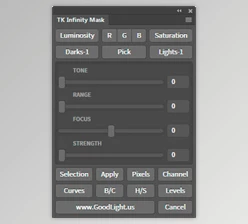
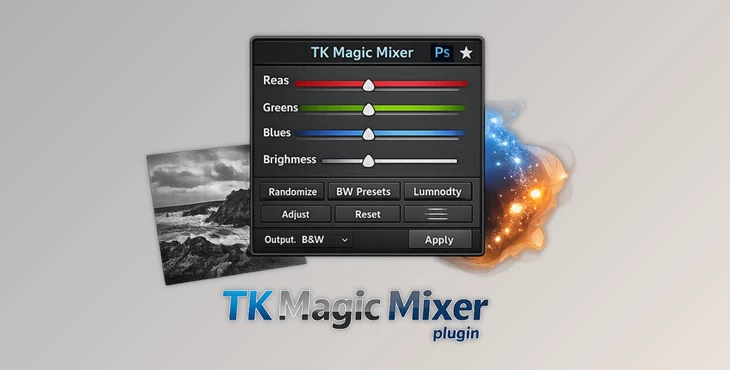
The first crucial plugin is the TK Magic Mixer plugin, which simplifies and accelerates the process of creating black and white images from color images. When using this plugin, instead of tinkering with the settings in the Channel Mixer in Photoshop, you'll encounter an interface specifically created for the experimentation process of developing black and white images.
Features
🎲 Instant Randomize Button
Generate completely new black and white variations with one click. This is perfect for creative exploration when you want unexpected tonal combinations.
🎨 Traditional & Virtual Channel Buttons
Create monochrome images based on:
- Red, Green, Blue channels
- Cyan, Magenta, Yellow virtual channels
This expands your tonal control beyond standard RGB adjustments.
🖼 Full Bit-Depth Support
Works with:
- 8-bit images
- 16-bit images
- 32-bit images
Professional flexibility for every workflow.
🔄 Smart History State Cycling
Quickly scan through different variations and return to your favorite version effortlessly. This makes comparison fast and intuitive.
🎚 Advanced Fine-Tuning Sliders
Precisely control tonal balance while maintaining brightness consistency. Ideal for detailed editing work.
✨ Optional Live Clipping Protection
Prevent clipped highlights and shadows. This helps preserve detail and maintain professional image quality.
🌈 One-Click Toning
Instantly add color toning to your black and white image—perfect for cinematic, vintage, or artistic moods.
💾 Preset Save & Load
Save your favorite settings and reuse them in future projects for a consistent style.
💡 Embedded Tooltips
Hover over buttons and sliders to understand exactly what each control does—great for beginners and professionals alike.
🔁 Backup & Restore Settings
Safely store and restore your presets and user configurations.
♻ One-Click Reset
Start fresh anytime without confusion or wasted time.

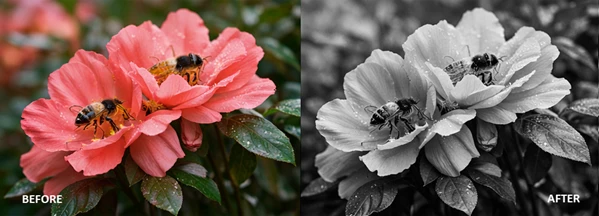
Professional Tips for Better Results
Here are some friendly tips to get the most out of the TK Magic Mixer plugin:
1️⃣ Start with Randomize
Click the Randomize button several times before fine-tuning. You might discover creative combinations you wouldn’t think of manually.
2️⃣ Use Channel Buttons Strategically
- Red channel: Great for portraits (smooth skin tones).
- Green channel: Ideal for landscapes and foliage.
- Blue channel: Dramatic skies and high contrast scenes.
Virtual channels (Cyan, Magenta, Yellow) offer even more artistic variations.
3️⃣ Protect Highlights
Enable Live Clipping protection when working with high-contrast images to preserve important details.
4️⃣ Add Subtle Toning
A slight warm or cool tone can make your monochrome image feel more cinematic and less flat.
5️⃣ Save Your Signature Style
If you find a combination that works beautifully for your brand or portfolio, save it as a preset for consistency.
Why It Changes Your Workflow
What makes the TK Magic Mixer plugin truly powerful is how they separate creativity from technical frustration. By keeping brightness stable while mixing channels, you can:
- Experiment more freely
- Work faster
- Maintain consistent exposure
- Achieve more refined tonal results.
Instead of fighting Photoshop’s default Channel Mixer behavior, you gain full creative control.
Final Thoughts: A Smarter Way to Create Black & White
Black and white photography is all about mood, contrast, and interpretation. With the TK Magic Mixer plugin, you get a tool designed specifically to enhance that creative process. It simplifies complex adjustments.
It encourages experimentation.
It preserves quality. If you’re ready to explore new interpretations of your images and take your monochrome editing to the next level, this plugin is absolutely worth trying. Give it a test, explore the features, and see how dramatically your black and white workflow can improve.

Files Password : gfxplugin.com OR 123456