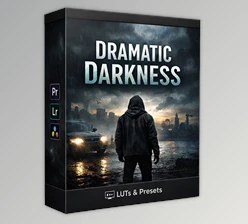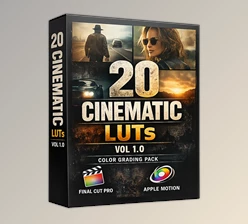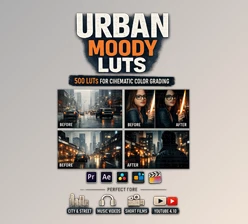
Downloadable Files
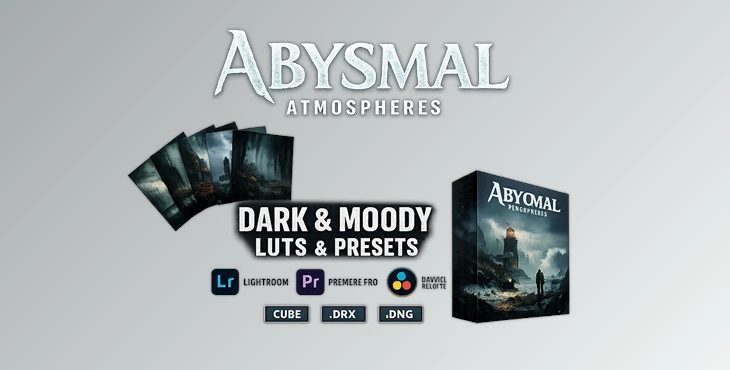
You can download Abysmal Atmospheres for free at the bottom of this page.
Step Into the Shadows
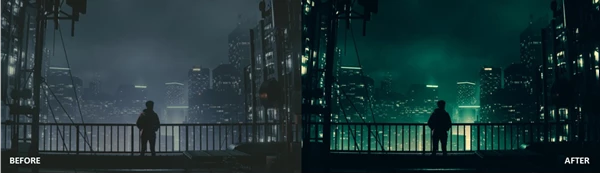
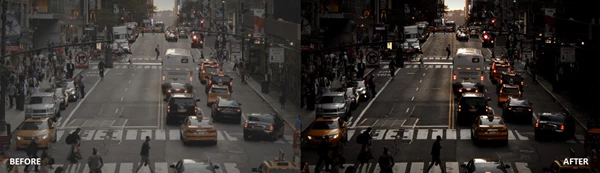
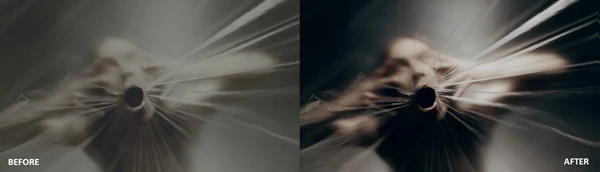
Have you ever looked at photos or videos and felt they were missing something? Something darker, cinematic, emotional? That's what this special effect aims to provide: abysmal atmospheres. The atmosphere can be appalling, haunting, or intense, filled with deep shadows and mysterious tones. How this will ultimately change depends on you. You'll be able to add dark moods and eerie settings in seconds!
What Is Abysmal Atmospheres & Why It Matters
At its core, Abysmal Atmospheres is a professional collection of LUTs and presets built to create dark, cinematic moods with precision and depth.
What Does It Actually Do?
It reshapes light and color to:
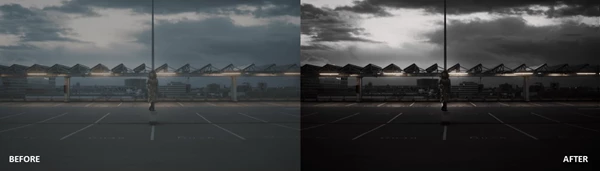
- Deepen shadows without crushing detail.
- Add mysterious tonal shifts.
- Enhance contrast while preserving dynamic range.
- Create cohesive cinematic color palettes.
Real-World Uses
- Portrait Photography: Turn a simple portrait into a dramatic character study with rich, moody lighting.
- Horror & Thriller Films: Build suspense through controlled darkness and tonal depth.
- Urban Night Shoots: Enhance neon lights, street shadows, and gritty textures.
- Music Videos: Add emotional intensity and visual cohesion.
- Social Media Content: Make your visuals stand out instantly in crowded feeds.
These features improve your results because they remove guesswork. Instead of manually adjusting curves, shadows, color balance, and grading layers, you apply a look that is already professionally balanced for emotional impact.
Meet the Professional Tool
Abysmal Atmospheres includes 18 different and versatile looks designed for both subtle mood enhancement and dramatic transformations. No more hours of post-production adjustments. Simply drag, drop, and go.
Features
18 Cinematic Looks
A meticulously designed set of 18 moody and cinematic looks. Each captures a different sense of tonal depth and shadow.
Multiple Professional Formats
Available in:
- .cube
- .drx
- .dng
These formats ensure seamless compatibility across major photo and video editing software.
Works on Any Platform
Compatible with:
- Mac
- Windows
- iOS
- Android
Mobile or desktop—you’re covered.
Broad Software Compatibility
Works perfectly with:
- Lightroom (Desktop & Mobile): Apply presets in just a few clicks.
- Photoshop: Use LUTs through the Color Lookup adjustment layer.
- DaVinci Resolve: Drag and drop into nodes for powerful grading control.
- Adobe Premiere Pro: Import directly into the Lumetri Color panel.
- Final Cut Pro X: Apply through the Effects or Inspector panel.
- CapCut: Use built-in color grading tools for instant results.
- VEGAS Pro: Add via the Video FX panel.
- AVID Media Composer: Integrate inside the color workspace.
- LumaFusion: Apply easily on mobile devices.
- After Effects: Add via Adjustment Layers or Effects panel.
No matter which editing software you use, these color tools work.
Optimized for Your Camera
Whether you shoot in:
- S-Log
- V-Log
- C-Log
- Or other professional log profiles
These LUTs are crafted to preserve dynamic range and maintain smooth tonal transitions, giving you professional results without technical headaches.
Pro Tips for Dark Perfection
1. Expose Slightly Brighter Than You Think
Makes sense when you consider the extreme dark scenes in movies; you want to overexpose to get more detail for the darker parts.
2. Pair with Controlled Lighting
Moody grading works best when your lighting already has direction and contrast. Use side lighting or backlighting for dramatic depth.
3. Adjust Intensity
Most editing programs let you dial back the LUT effect—try 70 or 80 percent for something more natural.
4. Combine with Subtle Grain
Adding film grain makes your footage look more textured and realistic, especially in dark scenes.
5. Protect Skin Tones
If you’re editing portraits, use selective adjustments to keep skin tones natural against dark backgrounds. These small adjustments make a huge difference in giving your work a professional feel.
Final Thoughts: Embrace the Depth
Abysmal Atmospheres isn’t just a preset pack. It’s a shortcut to create emotion, suspense, and cinematic vibes. With 18 adaptable looks, cross-platform support, and pro-ready output, it simplifies processing and enhances your visuals. As a photographer or videographer, it takes you from flat and average to rich and memorable. If you’re prepared to dive into the darkness, build suspense, and elevate your visuals in moments, it’s time to play and craft something special.

Files Password : gfxplugin.com OR 123456