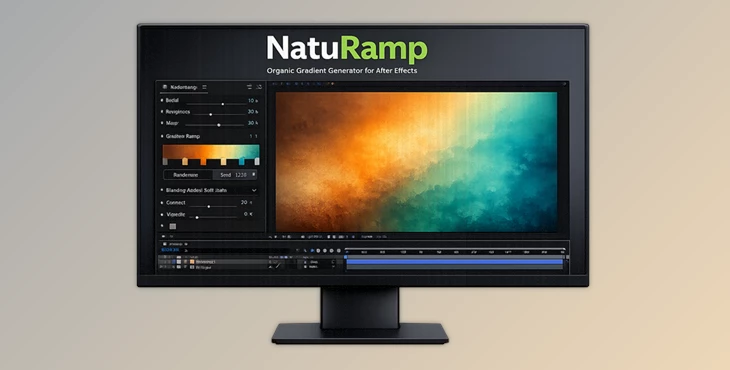
Downloadable Files
You can download NatuRamp for free at the end of this page.
A New Way to Think About Gradients
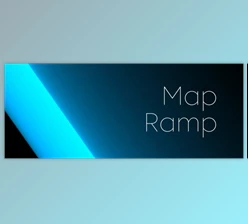
Have you ever felt that the gradients inside After Effects look just a little too… perfect? Too clean, too digital, too predictable? That’s exactly where NatuRamp changes the game. Instead of relying on simple linear interpolation, NatuRamp generates procedural, natural gradients with uneven color spread — the kind of organic transitions you see in the sky, minerals, clouds, petals, and natural light. The result? Gradients that feel alive, textured, and beautifully imperfect. If you’re looking for something beyond standard ramps, this tool might surprise you.
What Makes Natural Gradients Different?
Understanding the Core Idea Traditional After Effects gradients use linear interpolation — meaning color moves evenly and predictably from point A to point B. But nature doesn’t work that way. Light scatters. Pigments spread irregularly. Materials oxidize unevenly. Growth patterns follow organic flows. NatuRamp uses procedural interpolation based on natural principles, creating a non-linear color spread that feels more realistic and visually rich.
Real-World Applications (And Why They Matter)
Here’s how this improves your results in practice:
- Sky backgrounds with atmospheric depth instead of flat color blending.
- Abstract motion graphics that feel organic rather than mechanical.
- Brand visuals that look premium and less “template-based.”
- Texture foundations for UI, posters, album covers, or cinematic scenes.
Because the transitions are uneven and natural, your visuals gain:
- More depth
- More realism
- Less digital harshness
- A more artistic, handcrafted feel
The difference is subtle — but powerful.
Meet the Tool: NatuRamp for After Effects
NatuRamp is a professional After Effects plugin that creates beautiful, natural gradients with ease. It allows you to create complex, non-linear gradients more easily, faster, and far more flexibly than with standard AE ramps.
Features
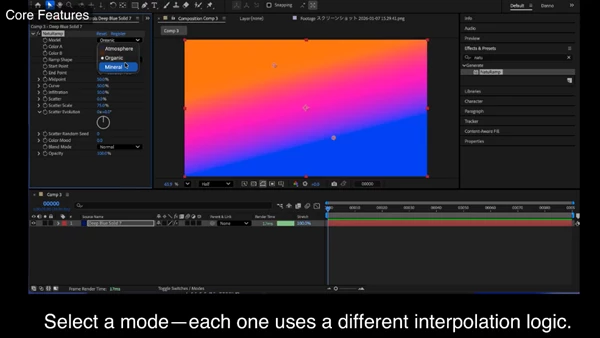
1. Three Distinct Natural Modes
Each mode simulates a different natural principle: 🌤 Atmosphere Layered, light-scattering color transitions inspired by sky and air.
Perfect for:
- Backgrounds
- Soft cinematic lighting
- Dreamy compositions
🌿 Organic Growth-driven color flow that spreads like petals, leaves, or living tissue.
Ideal for:
- Abstract motion graphics
- Nature-inspired branding
- Fluid visual experiments
🪨 Mineral Weathered, uneven transitions shaped by erosion, oxidation, and material change.
Great for:
- Textured backgrounds
- Gritty visuals
- Poster art and experimental design
Each mode has its own tailored noise pattern, making the output feel intentionally crafted rather than randomly distorted.
2. Color Infiltration
Simulates the behavior as if Color A were to dynamically blend with Color B until it was fully blended (Color A Relative to Color B)
- Infiltration isn’t a straight line between two colors
- Colors interact with each other more like they would if one slowly infiltrated the other
- Adds depth and natural variation to the colors
3. Controlled Scatter
Spatial noise is carefully designed for each mode. With Scatter, you can:
- Add subtle irregularity
- Increase texture
- Avoid flat digital surfaces
It’s controlled chaos — just enough to feel natural.
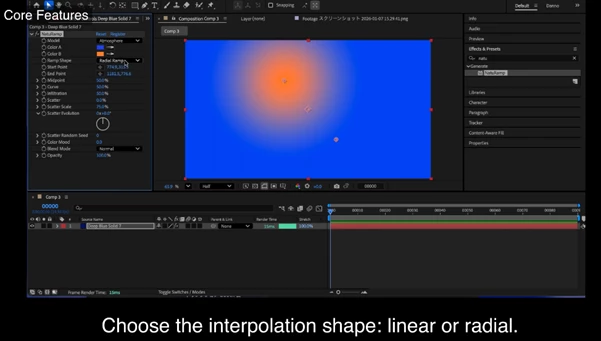
4. Ramp Options
NatuRamp also includes:
- Linear Ramp
- Radial Ramp
So you still have familiar structures — but powered by procedural behavior.
5. Midpoint & Interpolation Curve Control
- Adjust the Midpoint to control where midtones sit.
- Fine-tune sharpness to control the interpolation curve.
This gives you precision without sacrificing the natural look.
6. Color Temperature Adjustment
Unlike a simple hue shift, this adjusts color temperature, helping you warm up or cool down your gradient in a more realistic way. Perfect for:
- Matching lighting environments
- Cinematic color grading foundations
- Subtle mood changes
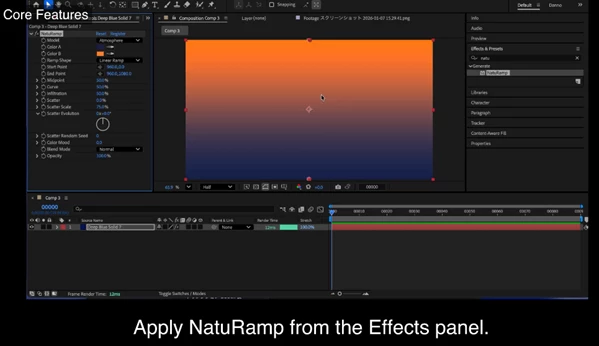
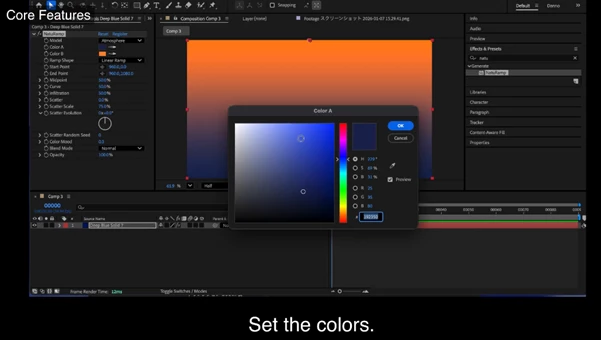
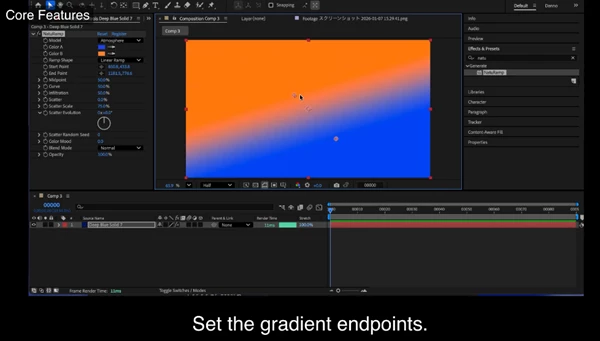
Pro Tips & Creative Techniques
Want more professional results? Try these:
🔹 Start Subtle
Don’t max out Scatter immediately. Begin with low values and increase gradually until you find the sweet spot.
🔹 Combine with Light Effects
Use NatuRamp as a base layer under glows, light leaks, or soft particles for incredibly rich backgrounds.
🔹 Animate the Infiltration
Small animated changes in infiltration can create breathing, evolving gradients — ideal for motion graphics.
🔹 Match Mode to Concept
- Use Atmosphere for emotional or cinematic scenes.
- Use Organic for fluid, artistic motion.
- Use Mineral for bold, textured compositions.
🔹 Adjust Midpoint for Focus
Shift the midpoint slightly off-center to create natural visual tension and guide the viewer’s eye.
Final Thoughts – Why NatuRamp Matters
NatuRamp can be used for different types of content styles, whether it be motion graphics, cinematic backgrounds, abstract visuals, branding elements, or more. Wherever the use of natural color transitions would add depth or personality to the content, NatuRamp is worth exploring. The concept of NatuRamp isn’t just a filter you add to your content; it’s a new way of thinking about color transitions that adds less digital, more natural elements to your content.

Files Password : gfxplugin.com OR 123456