Downloadable Files
You can download the Blender Cid Addon for free at the bottom of this page.
The Common Problem: Post-Production Gets Hard Fast
If you’ve ever rendered a scene in Blender and then tried to do post-production in Photoshop, you already know the struggle: You want to isolate wood, glass, concrete, or metal quickly…
But instead, you end up spending too much time making selections and fixing masks. That’s exactly what Blender Cid Addon is built for. It creates clean Material ID and Object ID render passes, so you can select anything in post-production instantly — like a proper professional workflow.
What Is a Color ID Pass (CID) and Why Is It Useful?
A Color ID pass is a special render pass where every material or object gets a unique flat color. Those colors become your selection masks in Photoshop or any compositing software.
Where is it used? (Real examples)
- Architectural visualization: change wall paint, floor tone, or facade materials
- Product rendering: isolate plastic, rubber, metal, or labels
- Post-production masking: create perfect selections in seconds
- Compositing workflows: apply different grading to different materials
Why does it improve results?
Because it gives you:
- faster workflow
- cleaner selections
- more control in post
- professional-level editing without manual masking
Introducing the Tool: Blender Cid Addon
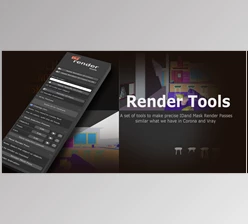
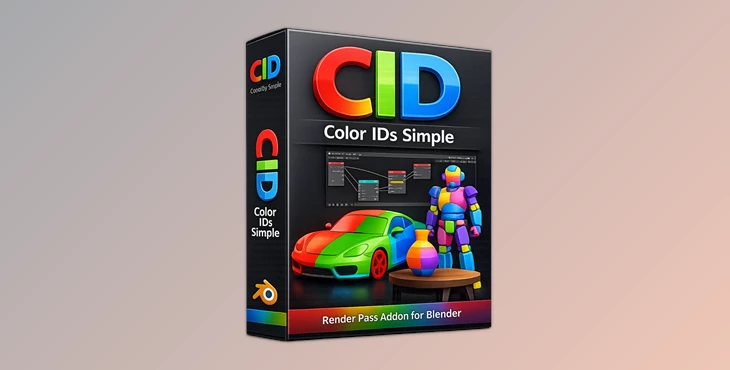
Blender Cid Addon (CID) is a Blender addon focused on Material and Object ID Render Passes. Think of it as a selection tool for post-production, but built directly inside Blender.
How does it work?
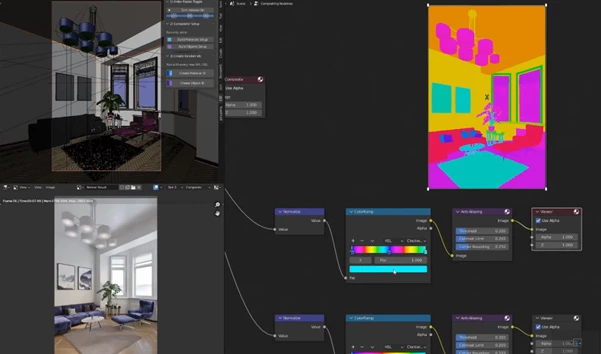
- The output is generated inside Blender’s internal compositor as a render pass
- Each material and object is assigned a random index number
- The compositor converts those numbers into colors
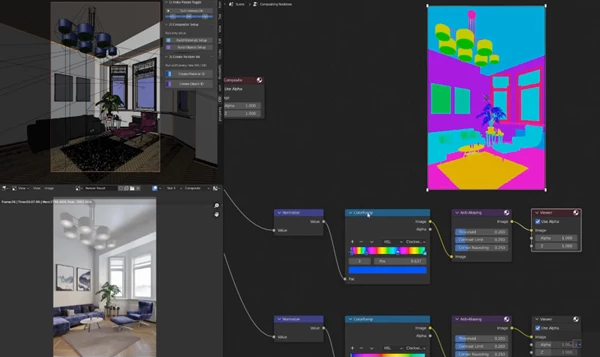
- The color output is limited to two arbitrary colors, keeping the look controlled and consistent
Features
1) Automatic Material / Object Render Pass Setup
CID automatically creates the required compositor setup for Material ID and Object ID passes. No complicated node setup. No manual work.
2) One-Click Random Index Generation
With a single click, you can generate random index numbers for:
- materials
- objects
This is perfect for large scenes and fast workflow.
3) Clean and Controlled Color Output
CID limits the ID colors between two chosen colors, which makes the render pass:
- easier to read
- more consistent
- better for selection workflows
🎯 Pro Tips for Better Results
Want to get the most out of Blender Cid Addon? Try these:
✔ Combine with High-Resolution Renders
Higher resolution improves anti-aliasing and makes ID selections even cleaner in post.
✔ Test With and Without AA Nodes
For certain low-resolution outputs, experiment with muting anti-aliasing nodes to compare results.
✔ Keep Materials Organized
Before generating IDs, make sure materials are logically named. It helps tremendously once you’re in Photoshop selecting masks.
✔ Use It as a Base Layer
Treat your Color ID pass as the foundation of your post-production workflow — not an afterthought.
You’ll notice your revision process becomes dramatically smoother.
Final Conclusion
Blender Cid Addon is a mini addon that provides a huge everyday workflow solution. It makes Color IDs and Object IDs a breeze to do — clean and simple — especially for Photoshop-heavy users and post-production work. If you do any kind of architectural visualization, product rendering, or any workflow where masking is important, CID will save you a ton of time and make you look pro.

Files Password : gfxplugin.com OR 123456