Downloadable Files
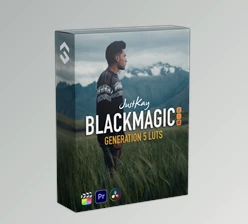
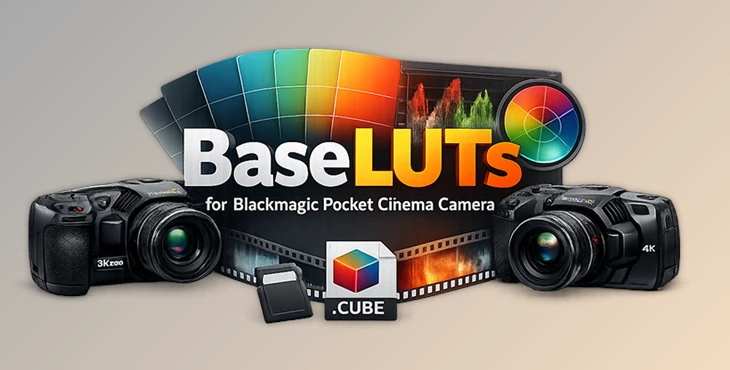
You can download BaseLUTs for Blackmagic Pocket Cinema Camera for free at the end of this page.
A Better Starting Point for Your Color
If you’ve ever worked with footage from the Blackmagic Pocket Cinema Camera 6K Pro or 4K, you know how powerful the Gen5 Film profile is. The dynamic range is impressive, the flexibility is huge—but the image straight out of camera looks flat and low-contrast.
That’s completely normal. Gen5 Film is designed to preserve information, not to look “finished.”
This is exactly where BaseLUTs for Blackmagic Pocket Cinema Camera become essential. They provide a technically accurate, clean starting point that transforms your footage into Rec709 or DaVinci Wide Gamut without damaging highlight roll-off, skin tones, or shadow detail.
Instead of fighting with contrast and color balance from scratch, you begin with a solid foundation.
What Are BaseLUTs and Why Do They Matter?
A BaseLUT is a precision conversion LUT. Its job is simple but critical: it converts footage shot in Gen5 Film (Blackmagic Wide Gamut) into a properly balanced working or delivery color space.
When conversion is inaccurate, common problems appear:
Skin tones shift unpredictably
Whites clip too early
Shadows feel crushed
Contrast looks artificial
These LUTs are built around the actual technical response of the Pocket Cinema Camera 4K in Gen5 Film, referencing calibrated values such as:
Middle Gray at 39% (10-bit code value 400)
Black Clipping at 9%
White Clipping at 79% (code value 814 at ISO 400)
Because the transform respects those values, the result feels natural. Highlights roll off smoothly. Midtones stay balanced. The image looks correct—not exaggerated.
In real production scenarios—interviews, short films, branded content—this accuracy saves time and protects image quality before you even begin creative grading.
A Professional Tool Built for 6K Pro & 4K
BaseLUTs for Blackmagic Pocket Cinema Camera are specifically designed for:
Blackmagic Pocket Cinema Camera 6K Pro
Blackmagic Pocket Cinema Camera 4K
Gen5 Film profile
Blackmagic Wide Gamut
They support native ISO 400 and 3,200, with the higher circuit native ISO activating at 1,250 for cleaner noise performance. White clipping behavior changes with ISO, and the provided reference values are based on ISO 400.
All LUTs are delivered in 33x Cube format, with 17x Cube versions included for monitoring purposes.
Features
Gen5 Film to Rec709
This version provides an accurate and balanced Rec709 conversion. It restores proper contrast and saturation while maintaining highlight detail and realistic skin tones. It’s ideal for broadcast delivery, YouTube, client previews, or any standard color workflow.
Rec709 Bold Version
The Bold version adds slightly stronger contrast and presence. It gives the image more punch while still respecting the camera’s tonal structure. This works especially well for commercial projects, social content, or edits that need visual impact straight away.
Gen5 Film to DaVinci Wide Gamut
For professional color-managed workflows, this transform moves your footage into DaVinci Wide Gamut. It keeps maximum grading flexibility while maintaining technical accuracy—perfect for cinematic or narrative projects where you want full control in post.
Pro Tips for Getting the Best Results
Expose correctly in-camera. Since middle gray is calibrated around 39%, use waveform or false color to ensure your exposure is accurate before applying the LUT.
Make exposure corrections before the LUT. If your shot is slightly under or overexposed, adjust primary exposure first. Then apply the BaseLUT for a cleaner and more predictable result.
Avoid heavy corrections after applying the LUT. These LUTs already establish balanced contrast and color. Subtle refinements usually produce a more professional and natural image.
Choose the right Rec709 version for your project. Use the standard version for natural interviews and cinematic storytelling. Switch to the Bold version when you need more contrast and visual punch.
Pay attention to ISO behavior. Remember that white clipping changes with ISO. The provided reference values are based on ISO 400, so exposure decisions at higher ISOs should be handled carefully.
Final Thoughts
A great color grade always starts with a reliable technical base.
BaseLUTs for Blackmagic Pocket Cinema Camera aren’t about adding a dramatic look. They’re about creating accuracy, consistency, and control at the beginning of your workflow.
When your contrast mapping is correct, your highlight roll-off is natural, and your color space conversion is precise, everything else becomes easier. Creative grading feels smoother. Revisions take less time. Results look more professional.
If you’re shooting on the Pocket 6K Pro or 4K in Gen5 Film, having the right foundation can completely change your post-production experience.
Dear user, you must first login to your account to write your comment.
Please click here to Log in

Files Password : gfxplugin.com OR 123456