Downloadable Files
You can download Number Maker for free at the bottom of this page.
Make Numbers Feel Alive (Not Just Text)
Let’s be honest: animating numbers in After Effects can get annoying fast.
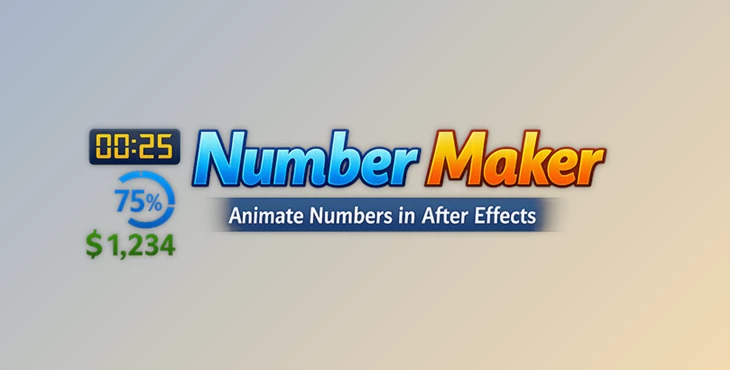
You start with a simple counter… and suddenly you’re dealing with expressions, formatting issues, weird decimals, and numbers that refuse to behave. That’s exactly where Number Maker steps in. It’s a clean and flexible tool designed to help you create dynamic text-based numbers—perfect for counters, timers, percentages, HUD values, and data-driven animations—without turning your project into an expression battlefield.
What Is Number Maker & What Can You Use It For?
At its core, Number Maker is a tool for creating numbers that automatically update and animate based on time, speed, markers, or even other properties in your project. Instead of manually keyframing values or building long expressions, you can generate a smart number layer and control it with a simple interface.
Why is that useful?
Because numbers are everywhere in motion design:
- Progress percentages in UI animations
- Timers and countdowns
- Infographic stats
- HUD values in sci-fi screens
- Score counters
- Data-driven titles and dashboards
And why does it improve your results?
Because it makes your animation:
- Cleaner (no messy manual keyframes)
- More accurate (values stay consistent)
- Easier to edit (you can change logic anytime)
- More professional (better formatting and smoother control)
Meet Number Maker — A Pro Tool Built for Motion Designers
Number Maker for After Effects is a powerful and flexible solution for creating animated numbers in different modes, linking them to properties, and formatting them exactly the way you want. The best part?
Everything stays fully editable after creation, using simple layer controls—so you can tweak and refine without rebuilding anything.
Features
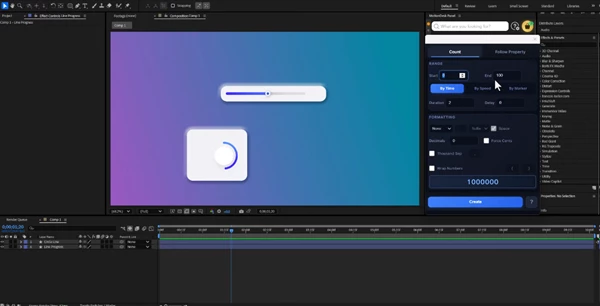
✅ Multiple Animation Modes Number Maker gives you different ways to animate numbers depending on your project:
- By Time: perfect for timers, countdowns, and auto-running values
- By Speed: ideal for motion-based counters and value changes that feel physical
- By Marker: great for syncing number changes with beats, cuts, or events
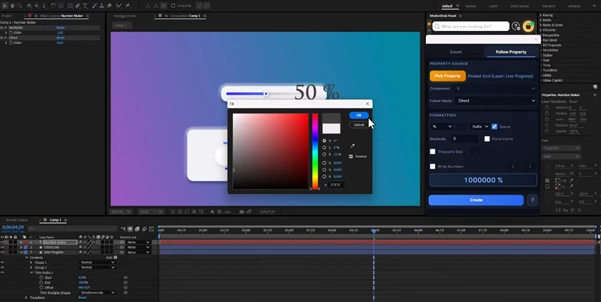
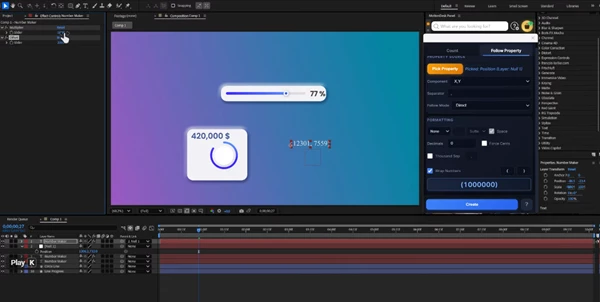
✅ Follow Property (Connect Numbers to Anything) Want your number to match a slider? A position value? A scale?
With Follow Property, you can link the number to any property in After Effects. This is extremely useful for:
- HUD elements that reflect motion
- Data-driven designs
- UI animations where values need to stay “real”
✅ Map Range (Full Value Control) Need your number to convert values smoothly? Example:
- Input: 0 → 1000
- Output: 0% → 100%
That’s what Map Range does.
It gives you full control over how values translate, so your animations feel logical and polished.
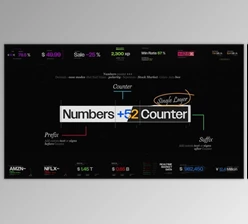
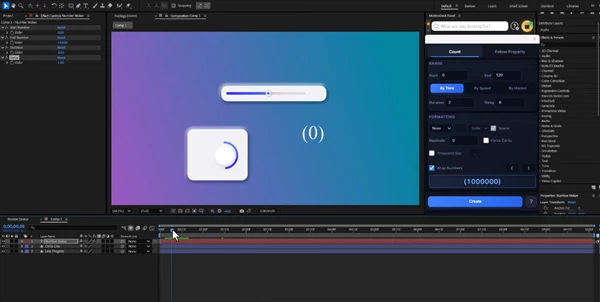
✅ Formatting That Actually Looks Good Numbers aren’t just numbers—they’re design elements. Number Maker supports:
- Prefixes
- Suffixes
- Custom symbols
- Clean formatting for professional UI and infographics
✅ Multiplier & Offset Controls Want the value to scale up or shift without changing the original logic? You can easily control the output using:
- Multiplier (scale the value)
- Offset (shift it up/down)
This is perfect when you want fast variations without rebuilding your setup.
✅ Fully Editable After Creation Everything stays adjustable using layer controls, meaning:
- You can revise your animation later.
- You can test different modes quickly.
- You don’t get locked into one setup.
Pro Tips to Make Your Numbers Look More Natural
Even with a powerful tool, a few small tricks can take your animation from “good” to “wow”.
🔥 Tip 1: Use easing to avoid robotic motion
If your number changes too linearly, it feels like a machine.
Try making the motion smoother—especially for UI and infographic work.
🔥 Tip 2: Match number speed to your scene rhythm
For fast cuts and energetic music, let the counter move quicker.
For clean corporate motion, keep it slower and controlled.
🔥 Tip 3: Use Marker Mode for perfect sync
If you want numbers to jump exactly on beats or transitions, By Marker is your best friend.
🔥 Tip 4: Don’t overuse decimals
Decimals can ruin readability—especially in HUD and infographic layouts.
Use clean rounding unless the project truly needs precision.
🔥 Tip 5: Combine with progress bars
One of the best combos:
- A bar is filling up
- A percentage number updating
Both are driven by the same value.
That’s where Number Maker becomes a real time-saver.
Final Thoughts — Small Tool, Huge Impact
Number Maker is one of those After Effects tools that doesn’t just save time—it changes how smoothly you can build value-driven motion. If your projects include:
- counters
- timers
- progress percentages
- HUD interfaces
- infographics
- data visualization
…then this tool can make your workflow faster, cleaner, and more professional—without making things complicated. Give it a try, experiment with the modes, and you’ll quickly feel how much easier animated numbers can be when everything is built the smart way.

Files Password : gfxplugin.com OR 123456