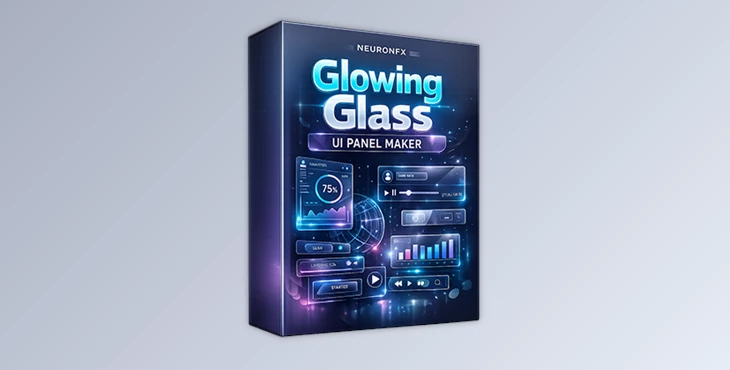
Downloadable Files
You can download Glowing Glass UI Panel Maker for free at the end of this page.
Create Premium Glass UI Panels Without the Headache
Designing realistic glass UI elements in After Effects usually takes time. You have to combine blur, displacement, glow, shadows, and animation controls manually — and even then, getting a clean, modern result can be tricky.
Glowing Glass UI Panel Maker simplifies this entire process. It gives you a ready-made system to build elegant, glowing glass panels with realistic refraction and smooth animation — all from one organized control panel.
Instead of struggling with technical setup, you can focus on creativity and visual style.
What Is Glowing Glass UI Panel Maker?
Glowing Glass UI Panel Maker is a professional After Effects template that allows you to create customizable glass-style UI panels with full control over their look and motion.
Glass-style panels are commonly used in:
Tech product presentations
App and UI showcases
Dashboard animations
Futuristic motion graphics
Modern promo videos
The reason they work so well is because they add depth and realism. Background blur separates elements visually. Glass displacement simulates real refraction. Glow enhances focus and gives a premium digital feel. When combined properly, these details significantly improve the final output quality.
Instead of building these layers from scratch every time, this template gives you a structured solution.
Meet the Tool - Glowing Glass UI Panel Maker
Glowing Glass UI Panel Maker works with After Effects CC2023 and newer versions. It includes a dedicated Glass Panel Control system where you can manage all important parameters in one place.
That means faster workflow, fewer technical adjustments, and more consistency across projects.
Features
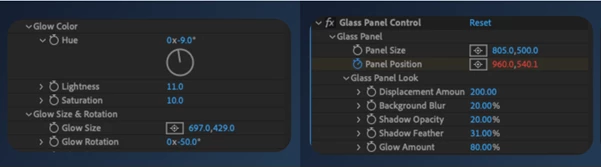
Glass Panel Controls
The template allows you to adjust the main visual components of your panel, including:
Panel size and position
Glass displacement amount
Background blur intensity
Shadow opacity and feather
Overall glow strength
These settings help you create either subtle, clean interfaces or bold, futuristic compositions depending on your project style.
Advanced Glow Customization
Glow plays a major role in defining the mood of your design. You can control:
Glow hue
Lightness
Saturation
Glow size
Glow rotation
This flexibility allows you to match the glow with your brand palette or scene lighting. Whether you want a soft cyan tech aesthetic or a vibrant neon highlight, you’re not limited to presets.
Built-In Bounce Animation
Smooth motion is essential in modern UI design. The template provides animation controls for:
Bounce overshoot frequency
Bounce amplitude
Bounce decay
With these parameters, you can create energetic entrance animations or subtle, elegant transitions. Proper motion adds professionalism and improves viewer engagement.
Two Available Versions
You can choose the standard template or the extended version that includes full intro project files with five unique card scenes. The extended option is helpful if you want ready-made examples to learn from or adapt into your workflow.
Practical Tips for More Professional Results
To make your panels look more realistic, keep displacement balanced. Subtle refraction usually feels more natural than extreme distortion.
Match your glow color to the overall color scheme of your composition. Harmony between background and glow creates a cleaner, more intentional look.
Use softer shadow feather values for modern and minimal designs. Strong, sharp shadows can break the glass illusion unless stylistically required.
When adjusting bounce settings, think about the tone of your project. Corporate visuals benefit from gentle motion, while promo videos can handle stronger bounce values.
Small refinements like these elevate the final outcome significantly.
Final Thoughts
Glowing Glass UI Panel Maker transforms a technically complex effect into a simple and creative workflow. It gives you control over glass displacement, glow styling, shadow depth, and animation — all within a clean system.
If you want your After Effects projects to feel modern, premium, and visually engaging, this template can make a noticeable difference in both speed and quality.
And as mentioned earlier, you can download Glowing Glass UI Panel Maker for free at the end of this page and explore its full potential in your own projects.

Files Password : gfxplugin.com OR 123456