Downloadable Files
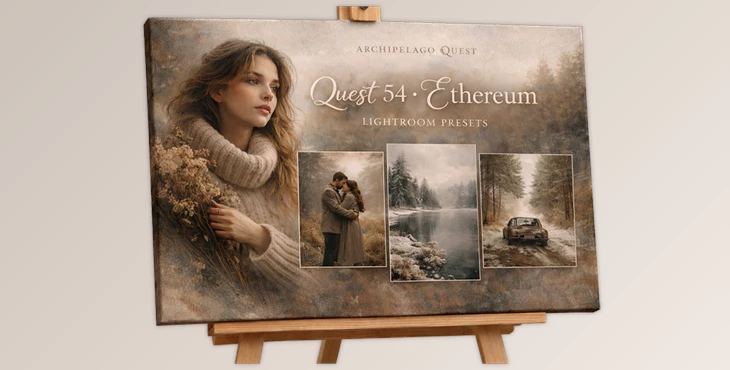
You can download ETHEREUM for free at the end of this very page.
A Love Letter to Winter Light
A lot of photographers and creatives tend to have a certain sense of romance when it comes to the wintertime. It’s a quiet season with so much beauty.
Some would even say that it’s poetic.
If you have a feel for creating cinematic imagery that evokes deep emotion and romance, then ETHEREUM might be the perfect collection for you.
What is ETHEREUM and Why It Matters?
At its core, ETHEREUM is a curated Lightroom preset collection built to shape mood, depth, and atmosphere in winter or overcast conditions.
Rather than dramatically altering your colors, ETHEREUM refines them. It enhances emotional depth through:
Elegant shadow sculpting
Soft, luminous highlights
Subtle warmth in skin tones
A balanced, vintage-inflected fade
Why These Features Improve Your Results
Winter and overcast photos often come out lifeless. These light conditions prevent photos from conveying the rich emotion that many photographers want to see. With ETHEREUM presets, however, you can achieve cinematic-quality images that portray the complete story. Richer shadows, exciting highlights, natural skin tone warmth, and so much more.
Meet ETHEREUM: A Refined Winter Toolkit
ETHEREUM isn’t just a single preset—it’s a trio of complementary tools, each crafted to shape your edit with a distinct emotional tone.
Features
1. Sable – Cinematic Depth & Quiet Emotion
Sable is designed for moody, intimate storytelling.
Soft diffusion for a gentle, filmic atmosphere
Smoothed contrast with natural falloff
Subtle drama without overpowering detail
Real-world example:
Perfect for deep winter portraits, candlelit interiors, or misty outdoor sessions where you want emotion to lead the frame.
2. Epoch – Modern Clarity with Artistic Soul
Epoch refines without stripping character.
Enhanced crispness and detail
Elevated clarity with preserved tone depth
Contemporary finish without clinical sharpness
Real-world example:
Ideal for photographers who want editorial-level polish while keeping the warmth and mood intact.
3. Fallow – Vintage Texture & Timeless Patina
Fallow leans into nostalgia.
Softened highlights
Film-inspired grain
Organic texture and aged character
Real-world example:
Great for storytelling projects, documentary-style sessions, or when you want your image to feel like an archival print rediscovered years later.

Pro Tips for Getting the Best Results
Even the best presets shine brighter with thoughtful adjustments. Here are a few friendly, practical tips:
Expose Slightly Brighter in Camera
ETHEREUM thrives on preserved highlights. Slightly lifting exposure during capture gives the presets more tonal data to work with.
Adjust Grain with Intention
When using Fallow, don’t hesitate to tweak grain intensity depending on your subject. Portraits may benefit from softer grain, while environmental scenes can handle more texture.
Fine-Tune White Balance
Although ETHEREUM introduces a subtle warmth, adjusting your white balance slightly cooler or warmer can dramatically shift the emotional tone.
Don’t Over-Stack Adjustments
Let the preset breathe. Avoid heavy clarity, excessive sharpening, or extreme contrast tweaks. The strength of ETHEREUM lies in its restraint.
Use Local Adjustments for Depth
Light radial masks on faces or subtle darkening around edges can amplify the cinematic effect without making it obvious.
These small refinements help your edits feel natural, intentional, and professional.
Quietly Cinematic, Deeply Expressive
If you love photography with refined cinematic emotion and a quiet storytelling vibe, then this collection is for you.
ETHEREUM boasts expertly balanced colors and tones that bring out modern and vintage styles.
A lot of photographers really appreciate the warm skin tones and flowy softness that makes their photos look so unique.
If you want subtle mood and storytelling elements to enhance your photos, then ETHEREUM is perfect for you.
See more photography-style Lightroom presets!

Files Password : gfxplugin.com OR 123456