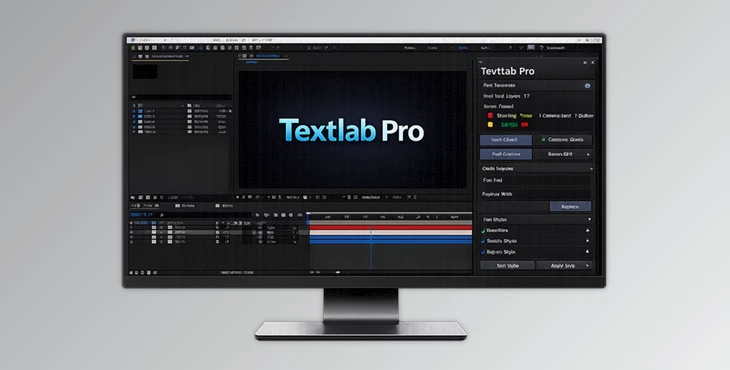
Downloadable Files
You can download Textlab Pro for free at the bottom of this page.
When Text Becomes the Hardest Part of After Effects…
If you’ve ever worked on a motion project with lots of titles, lower thirds, captions, or UI-style typography, you already know the truth: text is never “just text.”
It’s the thing that breaks layouts, causes last-minute revisions, creates inconsistency, and somehow… always contains a typo that no one noticed until export. 😅 That’s exactly where Textlab Pro comes in. It’s an all-in-one text workflow panel for After Effects that helps you analyze, fix, edit, animate, and style your typography—without jumping between comps or doing repetitive layer-by-layer cleanup.
The Core Idea: What Is Textlab Pro and What Is It Used For?
At its heart, Textlab Pro is a complete toolkit that makes typography in After Effects:
- cleaner
- faster
- more consistent
- more professional
- more accessible
Instead of manually checking every comp, every text layer, and every style decision, Textlab Pro gives you a central control panel to manage the entire project’s text.
Why does that improve your results?
Because most typography mistakes in motion design aren’t “creative mistakes.”
They’re workflow mistakes:
- inconsistent font sizes
- different tracking values across comps
- text layers scaled weirdly
- anchors not centered
- Extra whitespace is ruining the alignment
- unreadable contrast on certain backgrounds
- placeholder text forgotten in final export
Textlab Pro catches these issues early and fixes them quickly—so your final output looks polished, intentional, and client-ready.
Meet the Tool: Textlab Pro (The Complete Text Workflow Suite)
Textlab Pro brings Quality Analysis, Operations, and Styling into one powerful After Effects panel. It’s designed for real-world motion projects where text is everywhere:
lower thirds, YouTube intros, Instagram reels, corporate explainers, sports graphics, UI mockups, and more.
Features
✅ Quality Analysis (Your Project’s Text Health Report)
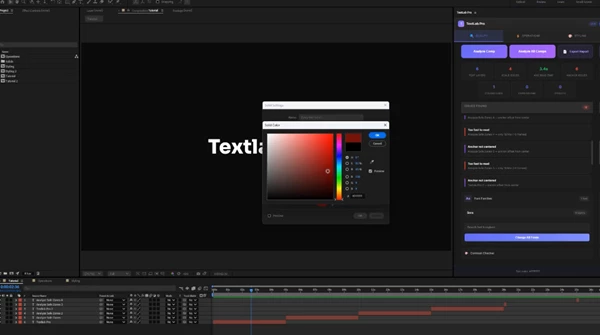
This is the “control room” section. Textlab Pro gives you a full overview of your project’s text quality, including:
- total text layers across the project
- scale issues (like text layers not at 100%)
- average read time
- anchor point problems
- colors used
- expressions and effects applied
And the best part:
You can export a full, detailed report in one click—perfect for teams, studios, or client approval workflows. Real-world example:
You’re delivering a package of 30 social comps. Instead of guessing if everything is consistent, you generate a report and instantly spot scale issues, color inconsistencies, or unreadable text.
⚡ Operations (Fix and Batch Edit Everything)
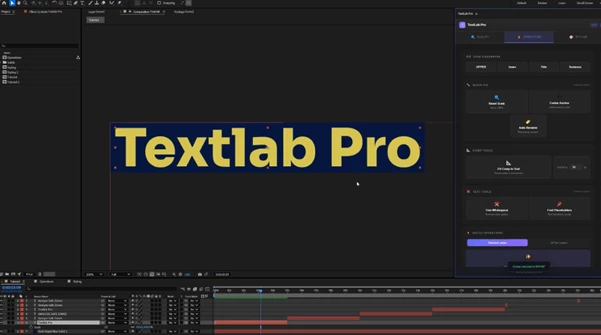
This is where Textlab Pro saves you hours. The highlight feature here is: Fix All Issues One click can:
- reset scales to 100%
- center anchor points
- trim whitespace
- clean up selected text layers
So instead of hunting layer-by-layer, you let the panel do the cleanup. Other key Operations include:
- Fit Comp to Text (resize composition to match text bounds + padding)
- Case Converter (UPPER / lower / Title / Sentence)
- Auto Rename
- Trim Whitespace
- Find Placeholders
- Batch fixes across selected text layers
Real-world example:
You’re building a lower-third system. Every name has a different length. With Fit Comp to Text, you can auto-size the comp to match the text bounds—pixel-perfect, every time.
🎨 Styling (Animations, Presets, and Consistent Typography)
This tab is for designers who want text to look better instantly—without rebuilding animations from scratch. Live Preview Animations Textlab Pro includes 8 basic animation types with real-time preview:
- Fade
- Scale
- Up
- Down
- Left
- Right
- Pop
- Blur
You can adjust duration and easing curves, which makes the animations feel smoother and more professional. Presets Tab (FFX Library) There are also 15 included FFX presets with animated thumbnails. This is huge because you don’t have to “test, apply, and undo” anymore.
You see the motion style before you apply it.
🔁 Style Sync (Copy and Paste Styles Instantly)
This is a workflow lifesaver. Style Sync lets you copy and paste:
- font
- size
- color
- tracking
between text layers instantly. Real-world example:
You have 12 comps and 50 text layers. The client changes the font. Instead of manually updating each layer, you can quickly sync styles and stay consistent.
✨ Multi-Outline (Up to 3 Strokes, Presets Included)
Textlab Pro supports up to 3 outline strokes and includes preset styles like:
- Sports
- Retro
- Neon
- Custom
This is perfect for bold motion typography and social content where text needs strong separation from the background.
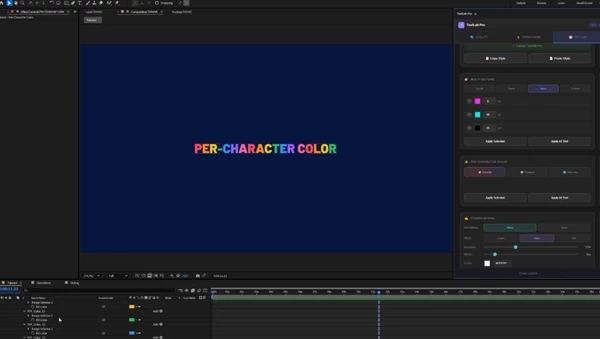
🌈 Per-Character Color (Instant Visual Energy)
This feature applies color patterns to individual characters using:
- Colorful mode
- Gradient mode
- Alternate mode
It’s great for modern YouTube graphics, kinetic typography, and playful social design.
🖊️ Stroke Reveal (Outline Drawing Animation)
Stroke Reveal creates an animated outline-drawing effect with:
- Wave or Sync animation
- Clean / Neon / Trail styles
- full control over duration, width, and color
Real-world example:
For a logo reveal or title intro, you can make text feel hand-drawn or neon-traced in seconds—without complex masking.
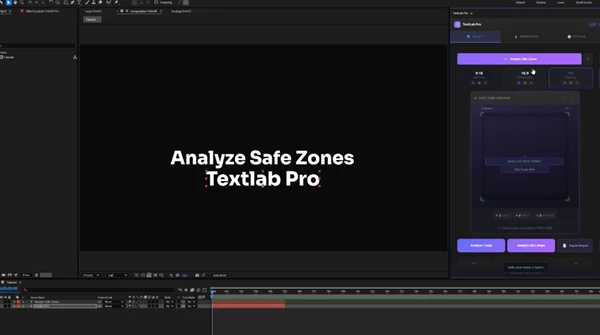
📱 Safe Zone Analysis (For Modern Formats)
Textlab Pro supports safe zone analysis for:
- 9:16
- 16:9
- 1:1
with visual preview. This is extremely useful for creators delivering in multiple formats (TikTok + YouTube + Instagram), where text placement is often the difference between “professional” and “cropped disaster.”
Pro Techniques & Smart Tips (To Get Better Results Faster)
Even if you’re not a “technical” After Effects user, these tips make Textlab Pro feel like a superpower:
Use Quality Analysis at the start AND end
Run it early to catch problems before you animate.
Run it again before final export to confirm everything is clean.
Make “Fix All Issues” part of your routine
Think of it like cleaning your workspace.
Use it before animation, before delivery, and whenever you import text from other comps.
Use Style Sync to enforce brand consistency
If you work with brand guidelines, Style Sync can prevent small style mistakes that clients notice immediately (especially tracking and font size differences).
Combine Fit Comp to Text with padding for perfect lower thirds
This is one of the most underrated workflows.
It turns typography into a modular system, not a manual layout nightmare.
Use Safe Zone Analysis for social-first projects
Don’t guess.
If you’re delivering vertical content, safe zones are not optional anymore.
Final Thoughts: Why Textlab Pro Is Worth Having in Your Workflow
Textlab Pro isn’t just a “text plugin.”
It’s more like a full typography management system for After Effects. It helps you:
- reduce mistakes
- improve consistency
- speed up revisions
- make animations faster
- deliver cleaner typography
- avoid accessibility and contrast issues
And most importantly:
It lets you stay focused on the creative part—while the panel handles the repetitive technical work. So if your projects contain lots of titles, captions, lower thirds, or typography-heavy motion…
Textlab Pro will quickly become one of those tools you wonder how you worked without.

Files Password : gfxplugin.com OR 123456