Downloadable Files
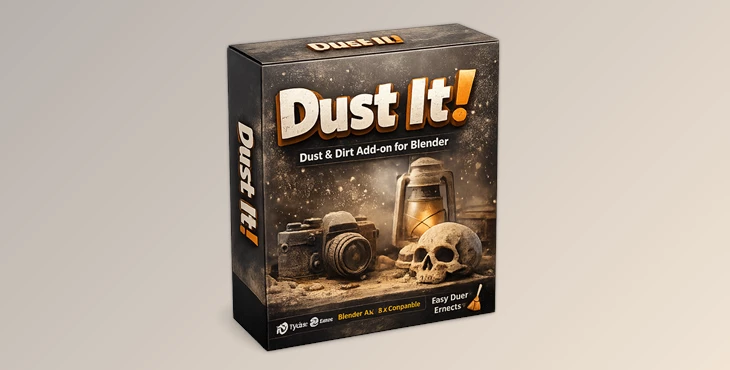
You can download Dust It! for free at the end of this page.
Add Cinematic Dust in Seconds
Ever felt like your 3D scene looks a little too clean… too perfect?
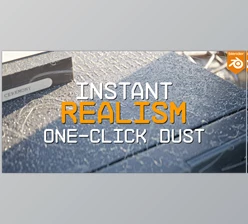
That missing touch of floating particles, soft volumetric haze, or subtle material dust can make the difference between a flat render and a cinematic masterpiece. Dust It! instantly adds procedural dust and volumetric atmosphere to your materials and scenes with just one click. No complicated setup. No heavy simulations. Just atmosphere — fast. If you’ve ever wanted that subtle floating dust beam in sunlight or a gritty layer on objects to boost realism, this tool was made for you.
What Is Procedural Dust & Why It Matters?
Procedural dust is a dynamic, non-destructive way to simulate airborne particles and surface dust using geometry nodes and volumetric effects. Instead of manually placing particles or textures, everything is generated automatically — and fully adjustable.
Why It Improves Your Work
- Adds Depth: Volumetric dust makes light rays visible and enhances atmosphere.
- Boosts Realism: Clean CG rarely looks real. Dust introduces imperfection.
- Creates Mood: From abandoned warehouses to magical fantasy scenes, atmosphere changes everything.
- Saves Time: No need to build particle systems from scratch.
Imagine a sunlight beam entering through a window. Without dust? Just light.
With dust? You see floating particles catching the light — and suddenly, it feels real.
Meet Dust It! – Your Instant Atmosphere Tool
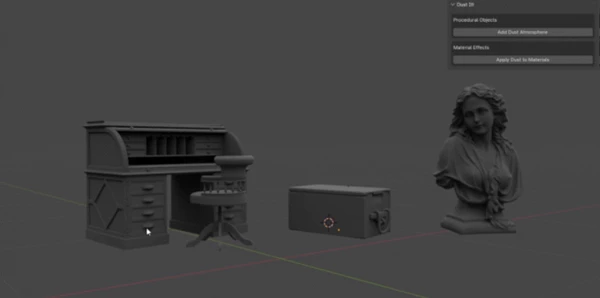
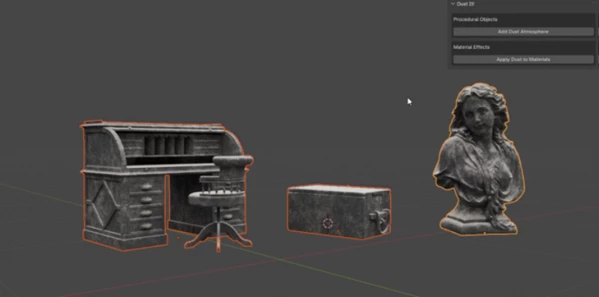
Dust It! is a procedural system designed to instantly add dust to both environments and materials. Whether you want a full volumetric atmosphere or subtle material-level dust, it’s built to be fast and flexible. With a single click — “Add Dust Atmosphere” — your scene transforms. Everything is controlled through the GeoNodes modifier, so you can fine-tune the look without destructive edits.
Features
One-Click Volumetric Atmosphere
Instantly create a volumetric dust field in your scene. No complex node setups required.
Adjustable Volume Size (Edit Mode Ready)
Need the dust to fill a room? A hallway? A tiny object space?
Simply adjust the volume size directly in Edit Mode.
Procedural Object Support
Generate dust atmospheres as procedural objects that remain lightweight and editable.
Material Dust Effects
Apply dust directly to materials for surface-level realism. Perfect for:
- Old props
- Industrial environments
- Vintage interiors
- Abandoned scenes
Speed Control (Speed 2.000)
Animate subtle dust motion to prevent static renders and add life.
Density Control (Density 10.000)
Easily control how thick or subtle the atmosphere appears.
Volumetrics Ready
Built specifically for volumetric rendering workflows.
Output Attributes & Internal Dependencies
Optimized procedural structure ensures everything works smoothly inside the node system without breaking your setup.
Professional Techniques & Smart Tips
Keep Density Subtle
Overdoing volumetric dust can flatten your lighting. Start low and gradually increase density until it enhances — not overwhelms — your scene.
Animate the Speed Slightly
Even a minimal motion value (like the default Speed 2.000) adds life. Completely static dust can feel artificial.
Use It With Directional Light
Dust becomes most visible when intersecting with strong directional or window light. Position your lighting intentionally.
Combine Material Dust + Atmosphere
For maximum realism:
- Add volumetric dust for air particles.
- Add material dust for surface imperfection.
This layered approach creates a believable environment.
Adjust Volume Size Carefully
Too large = unnecessary render cost.
Match the volume boundaries to your camera framing for optimal performance.
Final Thoughts – Small Detail, Big Impact
Dust It! proves that sometimes the smallest details create the biggest visual impact. It turns sterile 3D scenes into believable environments.
It enhances lighting without extra complexity.
It gives you a cinematic atmosphere in seconds. Instead of spending hours building particle systems and volumetric setups, you click once — and refine. If you care about realism, depth, and mood in your renders, Dust It! is a tool worth experimenting with. Try it. Add dust.
And watch your scenes come alive.

Files Password : gfxplugin.com OR 123456