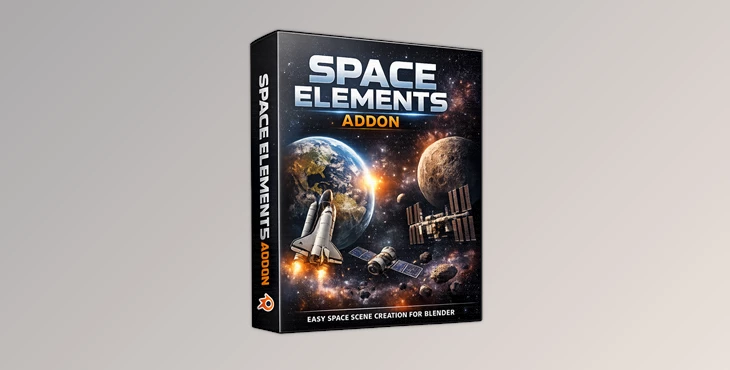
Downloadable Files
You can download the Space Elements Addon for free at the bottom of this page.
Create Space Scenes in Blender (The Easy, Cinematic Way)
Making a realistic space scene in Blender sounds fun… until you actually start doing it. You spend time setting up lighting, searching for a good galaxy background, adjusting bloom, and trying to make planets look believable. And even after all that, the scene can still look flat or “fake.” Space Elements Addon solves that problem by giving you a fast, simple workflow:
one-click space setup + realistic planets + ready-to-use space assets, all inside Blender. It’s made for artists who want great results without wasting hours on technical setup.
What Is Space Elements Addon and What Is It Used For?
Space Elements Addon is a Blender extension that helps you create space scenes easily. It automatically sets up the correct space lighting and galaxy background, then provides realistic planets and space assets you can add with simple clicks.
Real and practical uses
You can use this addon for:
- Sci-fi renders and cinematic space shots
- YouTube thumbnails and space-themed artwork
- Concept art for games or films
- Short animations (satellites, shuttles, planets)
- Space wallpapers and poster-style renders
Why this improves your results
Most space scenes fail because of:
- weak lighting
- unrealistic planets
- boring backgrounds
- missing composition and bloom
This addon fixes those instantly by building a strong base for your render—so your final output looks more professional and believable.
The Professional Tool That Makes Space Scenes Simple
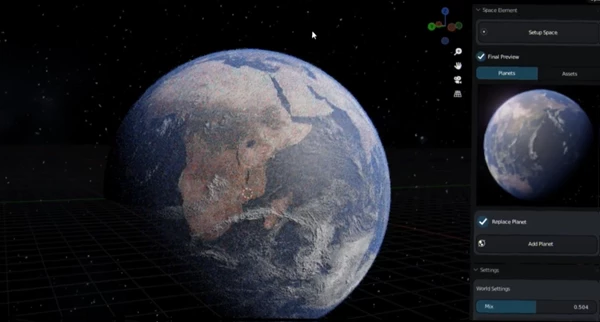
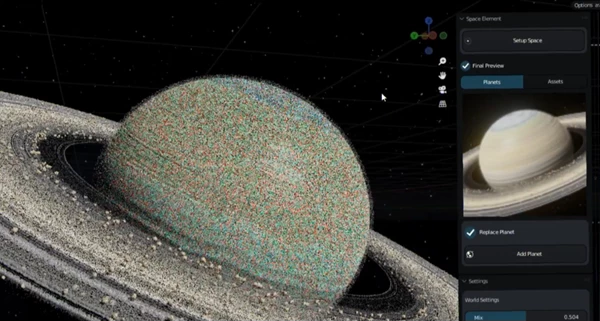
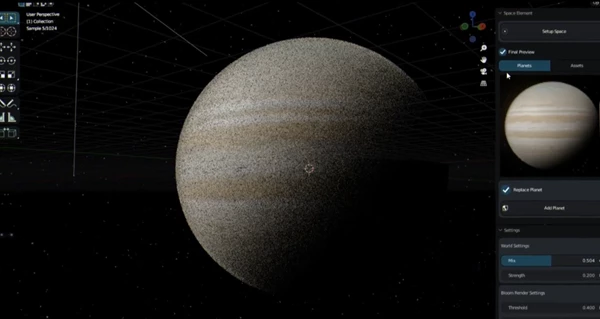
Space Elements Addon is designed to make space scene creation fast, smooth, and beginner-friendly. The addon is located in Blender’s N-Panel, and it’s extremely easy to use. It does not require a tutorial—just basic Blender common sense.
Features
- Easy Space Galaxy Background Setup: Instantly create a space/galaxy background without manually building complex shaders or searching for HDRIs.
- Easy Lighting Setup: Automatically sets up lighting that matches the scene and makes planets and assets look realistic.
- Automatic Composition with Bloom in Cycles: Adds bloom automatically in Cycles to give your renders a cinematic glow and stronger highlights.
- 5 Realistic Planets Fully Shaded: You get 5 photorealistic planets, already shaded and ready to render.
5 Space Assets (Satellite, Shuttle, ISS)
Includes 5 assets, such as:
- Satellites
- Shuttle
- ISS
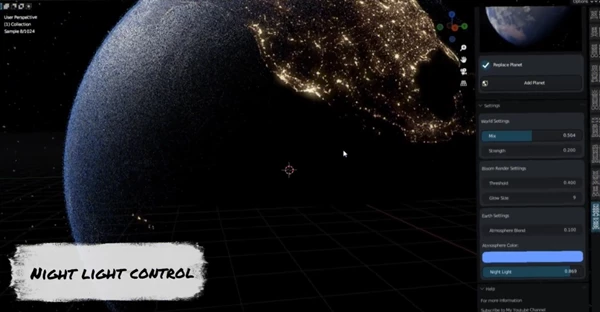
Perfect for adding scale, story, and realism to your scene. Easy Settings to Control. The addon includes simple controls so you can tweak the scene without breaking the setup.
Example scenes you can create
With this addon, you can easily build scenes like:
- Earth with a satellite orbiting in front of the camera
- A shuttle flying past a planet
- ISS shots with cinematic lighting and bloom
- Multiple planets in a wide space background render
Pro Tips and Techniques for Better Results
Even though the addon makes everything easy, these tips will make your renders look even more professional:
⭐ Start with the Setup Space button
Always begin by clicking Setup Space first.
This creates the lighting and background foundation before you add planets and assets.
🪐 Choose your planet and position it first
Before adding too many objects, place your planet, adjust scale, and find your best camera angle.
✨ Keep bloom cinematic, not exaggerated
Bloom is great for space scenes, but too much can make the render look blurry or unrealistic.
Use it to enhance highlights and atmosphere, not to overpower the image.
🎥 Use camera composition like a filmmaker
Try:
- low angles
- wide shots
- slight camera tilt
- foreground objects (satellite) + background planet
This instantly makes your render feel like a movie shot.
🛰 Add one main “hero asset”
Instead of placing every asset, choose one main object (ISS or a satellite) to be the focus.
This makes the scene cleaner and more cinematic.
Final Thoughts: A Simple Addon That Makes Space Renders Look Pro
If you want to create space scenes in Blender quickly, the Space Elements Addon is a perfect tool. It saves time, improves quality, and gives you everything you need to build realistic space renders:
- automatic lighting
- galaxy background
- Cycles bloom composition
- realistic planets
- ready-to-use space assets
It doesn’t feel like a complicated addon—it feels like a smart shortcut that helps you focus on creativity. If you love sci-fi visuals and want fast results, this addon is absolutely worth trying.

Files Password : gfxplugin.com OR 123456