Downloadable Files
You can download KINO for free from the bottom of this page.
A Cinematic First Impression
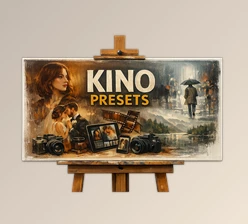
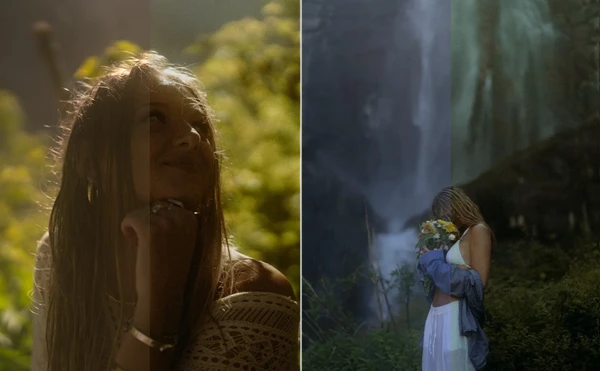
If you love photos that feel cinematic, emotional, and timeless, KINO is designed to pull you right into that world. These presets are all about film-inspired colour-ways that instantly elevate your photos while still leaving room for your own creative touch. From the first click, KINO invites you to experiment, explore, and refine your visual style with confidence.
What Is KINO and Why Does It Matter?
At its core, KINO is a pack of professional Lightroom presets created to give your photos a filmic look without overcomplicating your workflow. Instead of starting every edit from scratch, KINO gives you a strong visual foundation you can build on.
Why this improves your results
- Filmic colour-ways add depth, mood, and character to images
- Presets speed up editing while maintaining consistency
- A strong base edit allows you to focus on fine details rather than the technical setup
Imagine editing portraits, travel shots, or lifestyle photos and instantly giving them a cohesive, cinematic tone that feels intentional rather than accidental.
Meet the Tool: KINO (ajr. V2 Presets)
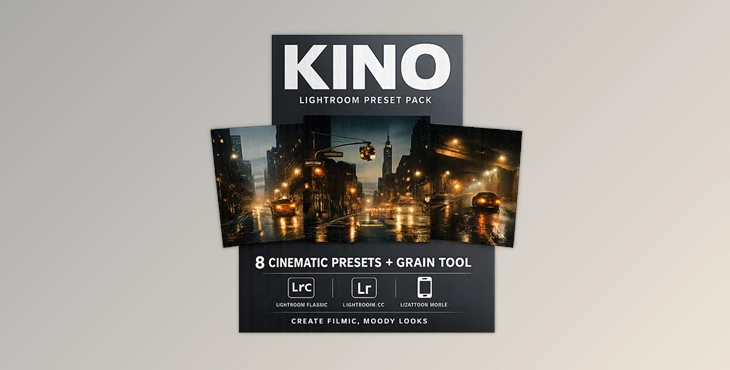
KINO (ajr. V2 Presets) is a pack of 8 Lightroom presets plus 1 grain option, designed by Austin Jrupp for photographers who want film-inspired colours across all types of photography. These presets work seamlessly with Lightroom Mobile, Lightroom Classic, and Lightroom CC, making them flexible for both mobile and desktop workflows.
Features
- 8 Filmic Presets: Carefully crafted colour-ways that enhance mood, contrast, and tones without overpowering your image.
- 1 Grain Option: Adds subtle texture for a more authentic film feel when desired.
- Cross-Platform Compatibility: Works on Lightroom Mobile, Classic, and CC.
- Customizable Base Edits: Designed as a starting point, not a one-click fix.
Photographers often use KINO on portraits, street photography, travel shots, and lifestyle projects where atmosphere and emotion matter just as much as sharpness.

Pro Tips for Better Results
To get the most out of KINO, treat the presets as a creative base rather than a final step.
- Adjust exposure and white balance after applying a preset
- Fine-tune contrast and shadows based on lighting conditions
- Use the grain option selectively for a more natural film look
- Mix KINO with your personal style tweaks to keep edits authentic
These small adjustments help your photos feel polished, natural, and professional—without losing their character.
Final Thoughts
KINO is a worthwhile investment because it doesn’t substitute your creativity—it enhances it. With film-inspired colour-ways and an editing framework you can rely on, it lets you skip the tedious parts of editing and focus on story and atmosphere. And whether you’re on mobile or desktop, KINO can help effortlessly elevate your workflow and the consistency of your visuals. If you love cinematic colour, versatility in presets, and subtle texture, KINO is definitely worth your attention.

Files Password : gfxplugin.com OR 123456