Downloadable Files
You can download the Fence, Gate, Railing and Wall Generator for free from the bottom of this page.
Build Complex Structures the Smart Way
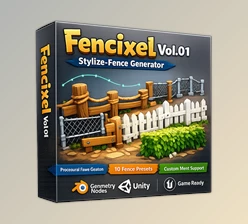
Imagine being able to create fences, gates, railings, and walls of any style, complexity, or scale without having to model them out. That’s exactly what the Fence, Gate, Railing, and Wall Generator does. It allows you to create some of the most common architectural elements completely within Geometry Nodes - making it fast and fun!
What Is This Generator and Why Does It Matter?
At its core, the Fence, Gate, Railing, and Wall Generator is a fully procedural system that creates structural elements entirely from parameters—no destructive modeling, no baked meshes.
What does that mean in practice?
- Every fence, wall, or railing is generated 100% procedurally
- You can adjust dimensions, styles, materials, and details at any time
- Performance stays high, even with complex or large-scale scenes
Where does it shine most?
- Outdoor environments (gardens, streets, parks)
- Architectural projects (houses, stairs, balconies)
- Games and low-poly scenes
- High-detail renders for Cycles or Eevee
These features drastically improve workflow speed, consistency, and visual quality—especially when working under deadlines.
Meet the Fence, Gate, Railing, and Wall Generator
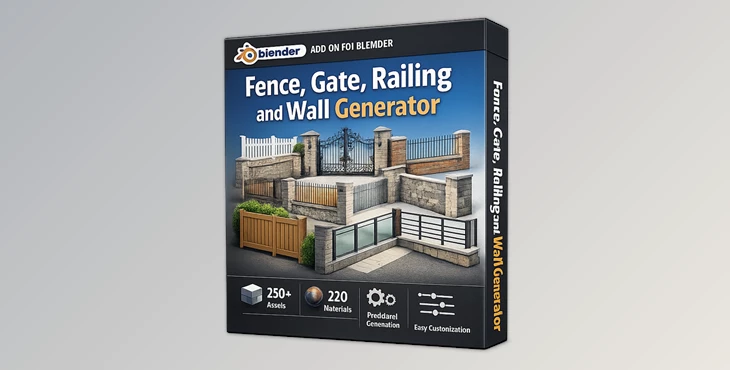
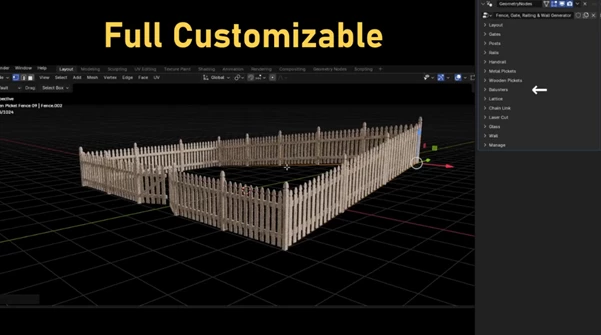
This professional Geometry Nodes tool comes packed with over 250 procedural assets and 220 material assets, all designed to be drag-and-drop ready from Blender’s Asset Browser. Everything is built to be easy to understand, even if you’re not a Geometry Nodes expert.
Features That Make a Difference
Fully Procedural Geometry
- All elements are generated 100% procedurally
- Non-destructive workflow
- Perfect for rapid iteration and optimization
Extensive Asset Library
- +250 procedural fence, gate, railing, and wall assets
- Ready to customize or use as-is
Powerful Material System
- +220 material assets
6 fully procedural material types:
- Brick
- Cement
- Marble
- Metal
- Rock
- Wood
Advanced Fence & Railing Controls
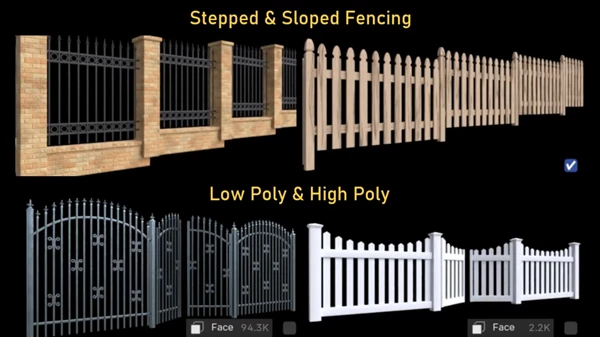
- Stepped and sloped fencing
- Low poly and high poly support
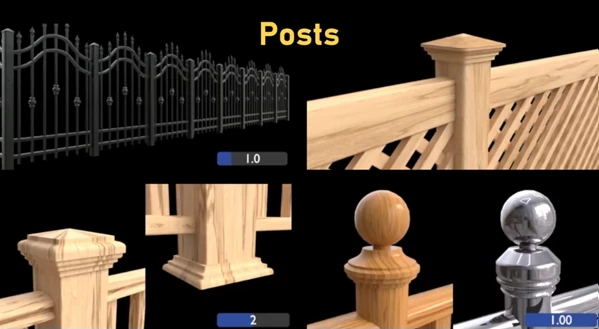
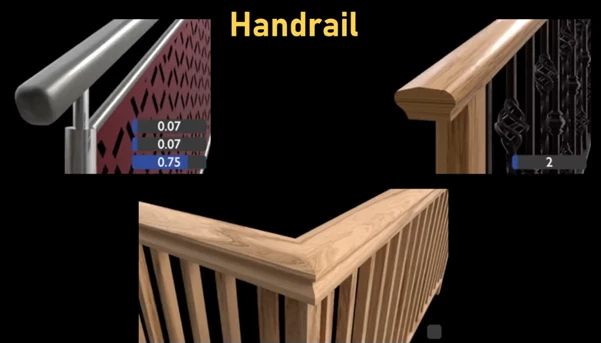
- Adjustable rails, handrails, posts, and pickets
Gate System
- Opening control
- Width and position adjustment
- Single or double gate setup
- Holders and hinge controls
Detailed Structural Elements
- Posts: distance, rotation, UV mode, bevel, caps, finials, collars
- Rails: number, spacing, bend modes
- Metal & Wooden Pickets: caps, decorations, custom tops
- Balusters: custom shapes, smart UVs, height control
- Lattice, Laser Cut, Chain Link, Glass Panels
- Walls: width and height controls
All these options make it easy to create unique, believable structures without repeating designs.
Pro Tips for Better Results
- Start from an existing asset and customize it instead of building from scratch—huge time saver.
- Mix procedural materials with slight value variations to avoid visual repetition.
- Use low poly mode for large environments and switch to high poly for close-up renders.
- Enable stepped or sloped fencing for terrains—this instantly improves realism.
- For gates, always fine-tune hinge and holder placement to sell the mechanical feel.
These small adjustments can significantly elevate the final look of your scene.
Why This Tool Is Worth Your Attention
The Fence, Gate, Railing, and Wall Generator is not just an asset for Blender; it’s a procedural generator for anything you want it to be. It makes modeling quicker, it’s non-destructive, so your scenes remain dynamic, and you can focus on your art and narrative instead of tedious geometry generation. Whether you’re just starting or a seasoned pro with Blender, this tool will fit into your usage seamlessly. If you love tools that empower you and work with you, this one’s a no-brainer.

Files Password : gfxplugin.com OR 123456