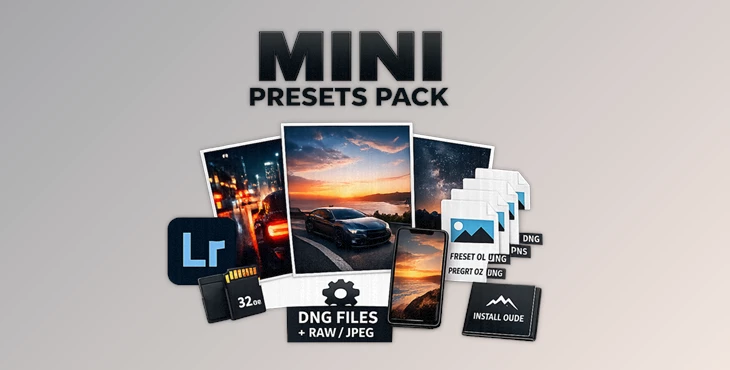
Downloadable Files
You can download MINI PRESETS PACK for free at the bottom of this page.
Fast, Modern Edits Without the Stress
Let’s be real—color grading can be exhausting. You sit there adjusting sliders for ages, and the photo still doesn’t look quite “right.” That’s why NORTHBORDERS – MINI PRESETS PACKis such a useful preset pack. It’s built for creators who want clean, modern results in seconds. With 7 brand new presets designed for day, night, sunset, and creative styles, it makes editing faster, easier, and way more consistent. And yes—it works perfectly on both RAW and JPEG images.
What Is a Lightroom Preset & Why Do People Use It?
A Lightroom preset is basically a pre-made editing style. Instead of manually adjusting things like:
- Exposure
- Contrast
- Highlights and shadows
- Colors and tones
- Mood and overall look
…you apply a preset with one click, and Lightroom instantly transforms your photo.
Real-Life Uses (With Easy Examples)
Here’s where a preset pack like MINI PRESETS PACK shines:
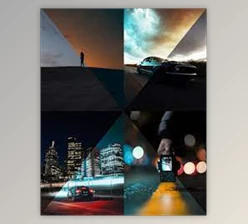
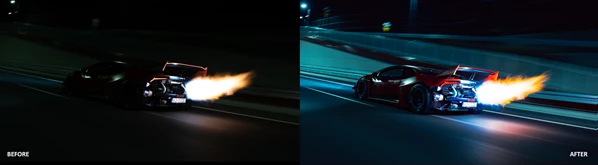
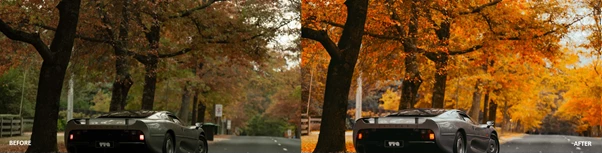
- Car photography: stronger contrast, cleaner tones, premium look
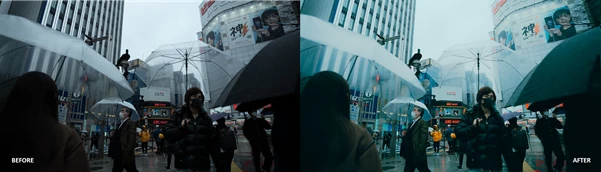
- Street photography: moody shadows and modern colors
- Portraits: balanced tones with a cinematic vibe
- Sunset shots: warm and dramatic without ruining detail
- Night photography: better control of dark areas and neon-like lighting
Why These Features Improve Your Results
Because editing isn’t just about moving sliders—it’s about knowing which combination creates a professional look.
MINI PRESETS PACK helps by giving you:
- faster workflow
- consistent results
- modern color grading
- cleaner contrast and tones
- a polished finish with minimal effort
Introducing the Product: NORTHBORDERS – MINI PRESETS PACK
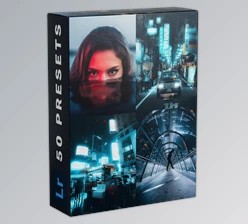
NORTHBORDERS – MINI PRESETS PACK is a professional Lightroom preset pack that includes 7 fresh presets made for different lighting situations and creative moods. It’s designed for photographers and creators who want high-quality edits without spending hours color grading.
Features
✅ 7 Brand New Presets
The pack includes 7 presets made for:
- daytime photos
- nighttime photos
- sunset lighting
- creative, stylized looks
✅ Works on RAW + JPEG
This is important because:
- RAW gives the highest quality and flexibility
- JPEG is fast, common, and widely used
MINI PRESETS PACK is designed to work well on both.
✅ DNG Files Included for Lightroom Mobile
If you edit on your phone, you’ll love this. The pack includes DNG files, making it easy to import presets into Lightroom Mobile.
✅ Tutorials + Installation Guide Included
You don’t have to figure anything out alone. The pack includes:
- installation instructions
- walkthrough tutorials
- Lightroom Mobile transfer guides
So even beginners can use it confidently.
✅ Designed for Any Style
Whether you’re into:
- cars
- street
- portraits
- lifestyle
- travel
- content creation
MINI PRESETS PACK is designed to fit naturally.
✅ Professional Color Grading in Seconds
You get that modern, high-end look instantly, without needing advanced editing skills.
✅ Minimal Adjustments Needed
Most of the time, the workflow is simple:
apply preset → adjust exposure slightly → done.
What the Presets Can Do (Real Impact)
With MINI PRESETS PACK, you can create:
- clean and sharp daytime edits
- Moody street-style photos
- Warm sunset looks with detail preserved
- night edits with depth and style
- creative looks that feel intentional
Pro Tips to Make MINI PRESETS PACK Look Even Better
Presets are powerful, but small adjustments can make your results look truly professional. Here are some simple tips anyone can use:
Start With Exposure
Before applying a preset, make sure your photo isn’t too dark or too bright. Even a small exposure correction makes presets look way better.
Keep Adjustments Minimal
These presets are designed to be “ready to go.” After applying one, adjust only:
- Exposure
- Highlights
- Shadows
- White Balance
Small tweaks keep the photo natural and high quality.
RAW Gives You the Best Results
RAW photos will always look more cinematic and clean because they hold more color information. If you want the best possible look—shoot RAW when you can.
Don’t Overdo the Creative Looks
Creative presets can be strong (and that’s the point), but professional edits still feel balanced. If it feels too intense:
- reduce contrast
- lift shadows slightly
- soften the overall strength
Use Presets for Consistency
If you post on Instagram or build a portfolio, presets help you keep your style consistent. Pick 2–3 favorites and use them regularly for a signature look.
Final Thoughts: A Quick Upgrade for Your Editing
If you want a preset pack that is:
- modern and clean
- easy to install
- usable on Lightroom Desktop + Mobile
- compatible with RAW and JPEG
- designed for day, night, sunset, and creative edits
…then NORTHBORDERS – MINI PRESETS PACK is a great choice. It doesn’t replace your creativity—it simply gives you a professional starting point, so you can spend less time editing and more time creating. And if you want to try it right now, you can download MINI PRESETS PACK for free at the bottom of this page.

Files Password : gfxplugin.com OR 123456