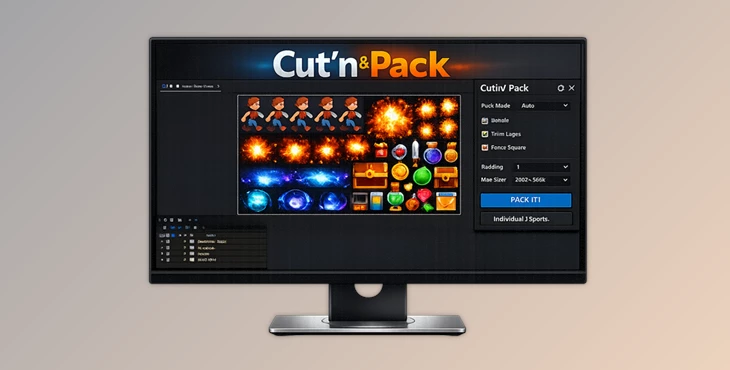
Downloadable Files
You can download Cut'n'Pack for free at the bottom of this page.
The After Effects Mess Everyone Knows
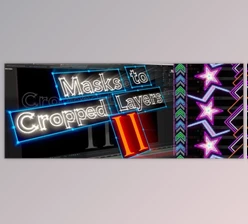
If you’ve ever built a complex scene in After Effects, you’ve probably hit this problem: You have one layer with multiple masks… and suddenly your comp turns into a messy pile of duplicates, broken precomps, confusing names, and lost parenting links. That’s exactly what Cut'n'Pack fixes. Cut'n'Pack is a multitool for fast slicing, splitting, and duplicating layers — designed to automate one of the most time-consuming tasks in After Effects:
cutting layers by masks and organizing the result into clean, optimized precompositions. It works with text, shapes, vector files, footage, and solids — without manual fuss.
What Cut'n'Pack Does
At its core, Cut'n'Pack takes complicated masked setups and turns them into:
- Cleanly separated layer pieces
- Perfectly sized precomps
- Correct naming and structure
- Stable transforms (position, rotation, scale)
- Better control using nulls and expressions
Why This Improves Your Results
This tool doesn’t just save time — it improves the quality of your workflow:
- Your project stays clean and readable.
- Your comps stay lighter and faster.
- Your animation becomes more controllable.
- Your setup becomes modular and reusable.
Real Use Cases (Easy to Imagine)
Cut'n'Pack is ideal for:
- Motion typography and text reveals.
- UI animation and layer-based transitions.
- Procedural graphics and replicator setups.
- Fragmentation / shatter-style effects.
- Logo animation from Illustrator files.
- Complex mask-driven scenes.
Professional Multitool for After Effects)
Cut'n'Pack is built for speed, structure, and clean results.
It’s especially useful when you’re working on projects where you need many pieces, clean precomps, and full control — without wasting time on manual preparation.
Features
This feature splits a layer into separate parts based on its masks. Each mask becomes an independent layer while preserving:
- Position
- Rotation
- Scale
- Timing
This is perfect for:
- Shape-based transitions
- Complex reveals
- UI animation
- Layer-based typography effects
Instead of manually duplicating layers and isolating masks, you get clean pieces instantly.
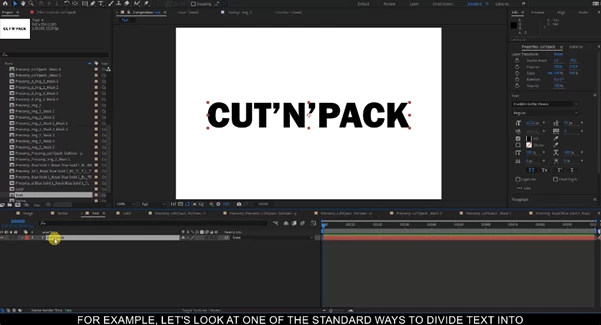
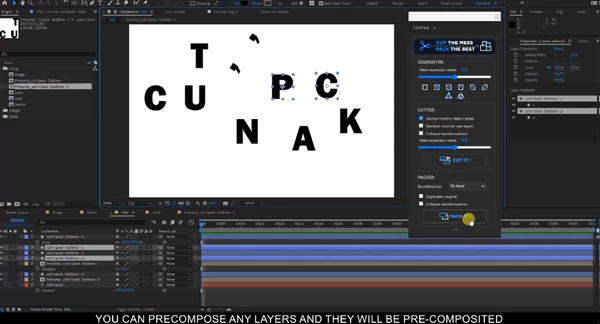
Break Text by Symbols
Need full control over individual characters? Cut'n'Pack converts text into separate shape layers:
- One symbol per layer
- Correct naming for every layer
- Fully editable and animatable characters
Perfect for:
- Kinetic typography
- Glitch effects
- Procedural text animation
- Logo typography work
✅ Optimal Precomp Text (Perfect Bounds + Same Position)
This feature creates a perfectly sized precomposition that matches the exact bounds of the text. It preserves:
- Position
- Timing
- All properties
This is extremely useful for keeping your project clean and avoiding oversized precomps.
✅ Create Precomps Fast (Using Masks)
With this tool, you can quickly create perfectly sized precomps based on custom masks. Cut'n'Pack generates precomps matching the exact bounds of each mask while keeping everything aligned in the main comp. Great for:
- Modular scene organization
- Screen replacements
- Clean reusable precomp workflows
- Transition building
✅ Smart Precomposition (Cleaner Project + Lower RAM)
Smart Precomposition creates optimally sized precomps based on the exact visual bounds of layers. This helps:
- Reduce empty space inside comps.
- Save RAM.
- Improve playback performance.
- Keep the project structured and lightweight.
This is a big advantage in heavy or complex animation setups.
✅ Break Vector Files (.AI and .EPS Support)
Cut'n'Pack can split imported Illustrator and EPS files into independent shape layers. Perfect for:
- Logo animation
- Icon systems
- Explainer graphics
- UI motion design
This eliminates manual cleanup and makes vector artwork animation-ready instantly.
✅ Fast Explode Solids and Footage by Mask
Cut solids and footage into multiple fragments using masks — quickly and cleanly. This is ideal for:
- Fragment-based transitions
- Mask-driven reveals
- Creative compositing setups
✅ Fragmentation Presets for Solids and Footage
This feature generates structured mask patterns automatically. It turns a single solid into multiple controllable fragments, ready for animation. Perfect for:
- Shatter effects
- Abstract motion
- Procedural backgrounds
- Dynamic transitions
✅ Preserve Attributes and Parenting
Cut'n'Pack supports professional workflows by keeping things stable:
- “Leave all attributes” for text and shapes.
- Save parenting links after precomp.
- Clean structure and naming.
So your rigging and control setups don’t break after precomposing.
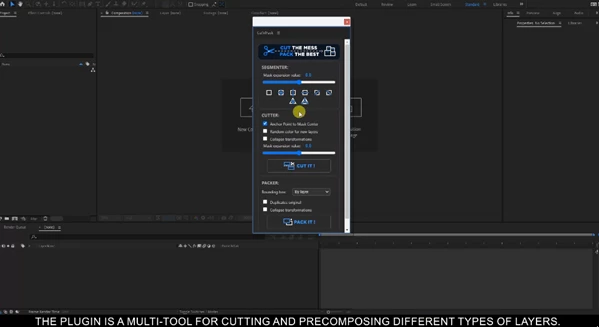
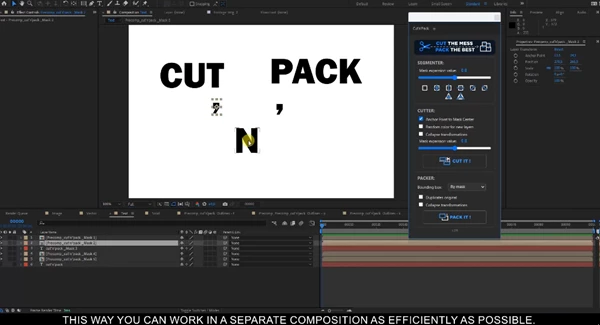
✅ User Friendly UI (Dockable + Compact)
The script comes with a clean interface designed for real production work:
- Dockable and compact
- Reduces visual clutter
- Keeps tools accessible
- Scalable layout for future updates
- Includes a link to the product page
Pro Tips
Instead of drawing masks as a temporary cutout, design them like animation pieces.
Cut'n'Pack will convert them into a clean structure instantly.
Combine with Nulls and Expressions
Because the tool keeps transforms and structure clean, it’s perfect for:
- Procedural motion graphics
- Replicator-style animations
- Expression-driven controls
- Modular rigs
Keep Your Original Layer Names Clean
Since Cut'n'Pack builds structure automatically, good naming at the start gives you:
- Faster navigation
- Easier revisions
- Cleaner handoff to other artists
Use Smart Precomps for Heavy Projects
If your project becomes slow, Smart Precomposition can reduce RAM usage and improve preview speed — especially in layered scenes.
Split Text for True Kinetic Typography
Text animators are great, but they have limits. Breaking text into symbols unlocks:
- Per-letter motion
- Unique distortions
- Random procedural animation
- More advanced typography effects
Final Thoughts
Cut'n'Pack removes the need to do a LOT of manual work in After Effects.
cutting, managing fragments, precomposing correctly, fixing, and cleaning for the benefit of improving speed, cleanliness, performance, and having full control over complex setups.
If you ever work with procedural graphics, replicators, typography animation, vector artwork, or heavily masked compositions, Cut’n’Pack will quickly become one of those “always installed” tools.