Downloadable Files
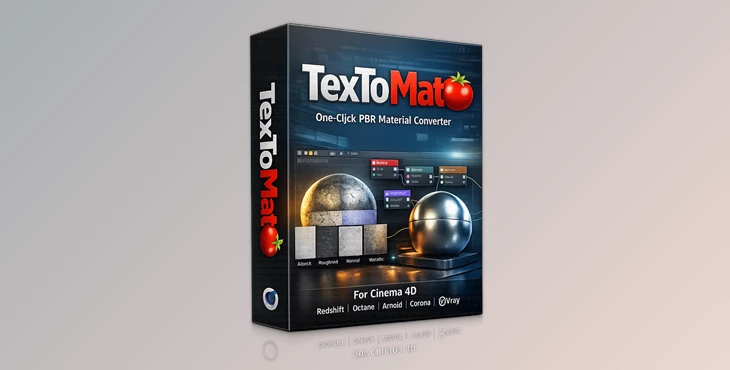
You can download TexToMatO for free at the bottom of this page.
Texture Folders Are a Mess… Let’s Fix That
If you’ve ever downloaded a material pack or grabbed textures from a library, you already know what happens next: A huge folder full of maps.
BaseColor, Roughness, Metallic, Normal, Height, AO…
Some are named properly, some look like random file names from another dimension. Then comes the annoying part:
- Dragging every map into Cinema 4D
- Creating the right shader nodes
- Connecting everything to the correct slots
- Fixing color spaces
- Adding bump and displacement nodes
- Repeating the same process for every material
It’s not difficult… It’s just time-consuming and exhausting. That’s exactly why TexToMatO exists: a one-click solution that turns messy texture
folders into clean, correct, ready-to-render materials.
What Is TexToMatO and What Is It Used For?
TexToMatO is an automatic texture importer and material builder for Cinema 4D. In simple terms:
You select a folder full of textures, click one button, and TexToMatO builds a full material setup for you.
What it does automatically
TexToMatO will:
- Import all texture maps from a folder.
- Recognize which map is which.
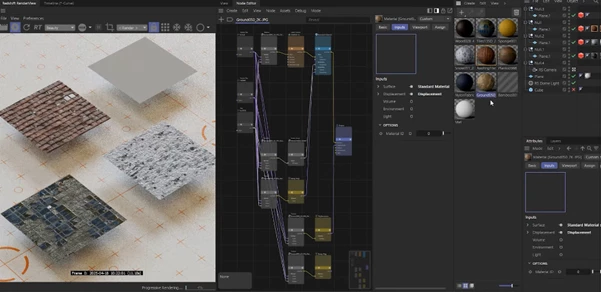
- Build the correct material system.
- Connect maps to the right inputs.
- Set correct color spaces automatically.
- Add the necessary “in-between” nodes (normal/bump/displacement setups)
Why these features improve your results
This tool doesn’t just save time — it also prevents common mistakes that ruin renders:
- Wrong gamma/color space on Roughness, Metallic, and Normal maps.
- Incorrect normal map conversions.
- Displacement is not wired correctly.
- Missing important maps.
- Messy node trees that become hard to edit later.
So instead of fighting technical setup, you can focus on lighting, composition, look development, and the final visual quality.
Introducing TexToMatO: The Professional One-Click Material Tool
TexToMatO is a Cinema 4D plugin designed to save you massive amounts of time by automatically creating clean, organized material node trees. It’s built to handle folders full of unruly, misnamed, unorganized texture maps — and turn them into a perfect PBR material in seconds.
Features
One-Click Automatic Texture Import
- TexToMatO can import a full folder of textures and build the material in about one second. No manual dragging.
- No guessing.
- No repeated setup.
Supports All Major Cinema 4D Render Engines
The newest version supports:
- Redshift
- Octane
- Arnold
- Corona
- VRay
You simply switch your render engine in Cinema 4D settings, and TexToMatO automatically detects it and creates materials for that render engine.
Correct Color Space Setup
Color space mistakes are one of the biggest reasons materials look “wrong” in renders. TexToMatO automatically assigns the correct color spaces so:
- BaseColor looks natural.
- Roughness behaves correctly.
- Metallic values work properly.
- Normal maps display accurately.
This makes your materials more realistic and physically correct.
Automatic Bump, Normal, and Displacement Node Chains
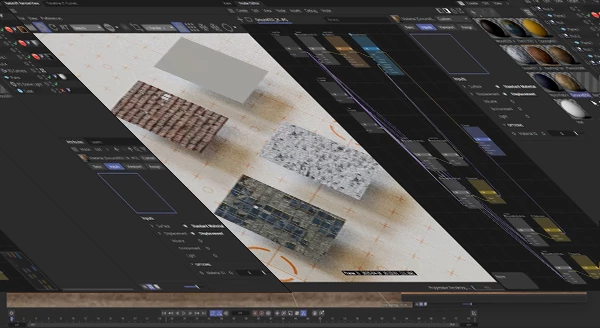
A proper material setup is not just plugging textures into slots. TexToMatO includes the correct in-between nodes needed for:
- normal map conversion
- bump setup
- displacement workflow
So you get a clean and professional node tree instantly.
OpenPBR Shader Support
The newest update includes the option to use the OpenPBR shader instead of Standard Surface. This gives you a modern shading workflow and makes it easier to stay consistent across professional pipelines.
Real Examples of Where TexToMatO Helps
TexToMatO is especially useful in real-world projects like:
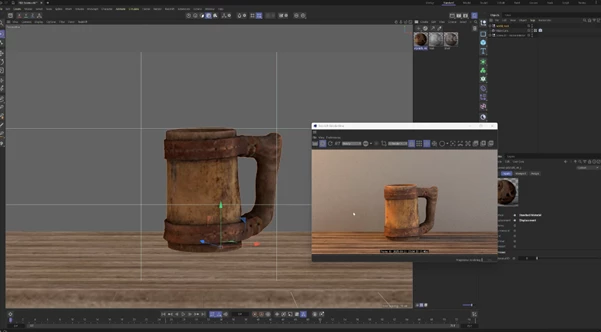
- Product visualization (fast material testing)
- Archviz (many surfaces in one scene)
- Motion design (quick look changes)
- Look development (rapid material iteration)
- Building material libraries (consistent node setups)
Instead of spending 10–15 minutes per material, you can create a full setup in seconds.
Pro Techniques and Tips for Better Results
TexToMatO is extremely fast, but a few simple habits can make your workflow even smoother.
Tip 1: Keep One Material Per Folder
TexToMatO can handle messy textures, but you’ll get the best results when each folder contains only one material. This improves map detection and keeps everything clean.
Tip 2: Always Preview Normal and Displacement Strength
Even with automation, different texture sources have different intensities. A quick check can save you from:
- overly strong bump
- broken displacement
- unnatural shading
Tip 3: Use It for Iteration, Not Just Setup
TexToMatO is amazing for:
- testing multiple materials quickly
- swapping textures instantly
- creating variations (clean vs dirty, wet vs dry, etc.)
It’s a perfect tool for fast look development.
Tip 4: Customize After Import
TexToMatO builds a perfect base node tree, but you can still:
- Add grunge maps
- mix multiple materials
- stylize the look
- adjust roughness curves
It removes the boring technical work — but keeps the creative control in your hands.
Final Thoughts: The Plugin That Makes Materials Fun Again
TexToMatO is one of those Cinema 4D plugins that feels like it should have been built into the software. It solves a real problem: Turning chaotic texture folders into clean, correct, render-ready materials — instantly. If you use Cinema 4D with Redshift, Octane, Arnold, Corona, or VRay, and you work with PBR textures even sometimes, TexToMatO will save you a huge amount of time and make your workflow smoother.
Less setup.
More creating.
More rendering.

Files Password : gfxplugin.com OR 123456