Downloadable Files
You can download EMUL8 for free from the end of this page and start using it right away.
A Cinematic Look Without the Headache
If you love the organic, emotional feel of analog film but hate heavy, slow plugins, EMUL8 is made for you. This professional Film Emulation plugin for Final Cut Pro delivers cinematic results fast—without complicated workflows or performance drops.
Built by filmmakers who were tired of overpriced, laggy alternatives, EMUL8 focuses only on what truly matters: beautiful film looks, real-time playback, and creative freedom. The result is a tool that feels inspiring instead of overwhelming.
What Is EMUL8 and Why Does It Matter?
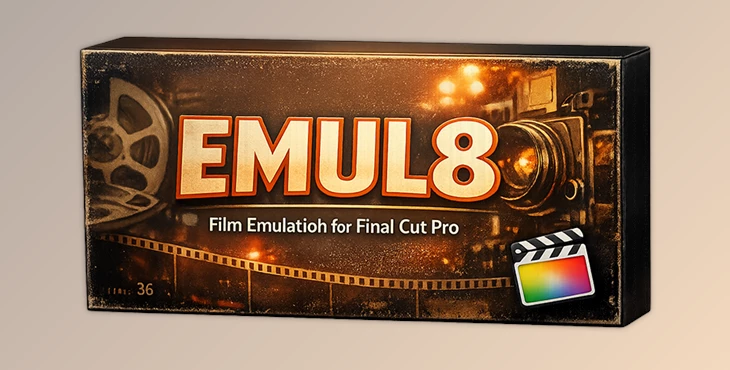
EMUL8 is a Film Emulation plugin designed specifically for Final Cut Pro users who want realistic analog film aesthetics in a simple and efficient way.
Instead of endless technical controls, EMUL8 gives you carefully crafted film looks that instantly transform digital footage into something warmer, deeper, and more cinematic.
Real-World Uses
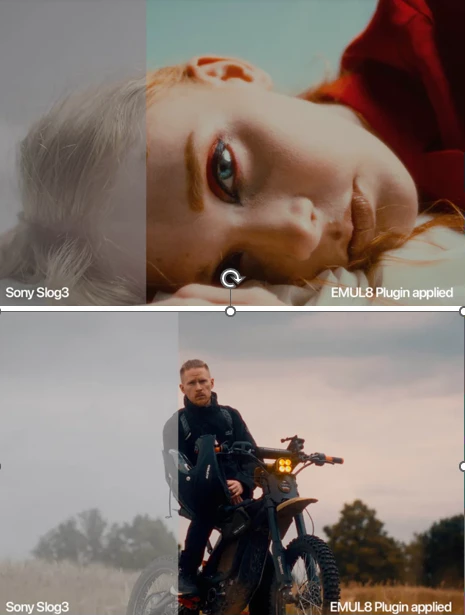
Turning flat Log footage into rich, cinematic scenes in minutes
Adding organic film grain to music videos or short films
Creating soft bloom and halation for emotional storytelling
Reducing digital sharpness for a more natural image
These features improve your final result because they mimic how real film reacts to light, contrast, and color—something standard digital tools often fail to achieve.
Meet EMUL8 – A Professional Film Emulation Tool
EMUL8 – Film Emulation for Final Cut Pro is built for speed, simplicity, and quality. It works seamlessly inside Final Cut Pro and supports both Log and Rec.709 workflows.
Whether you’re editing a YouTube video, a commercial, or a cinematic short film, EMUL8 makes the process faster and more enjoyable.
Features
15 Iconic Film Emulation Looks optimized for all major camera brands
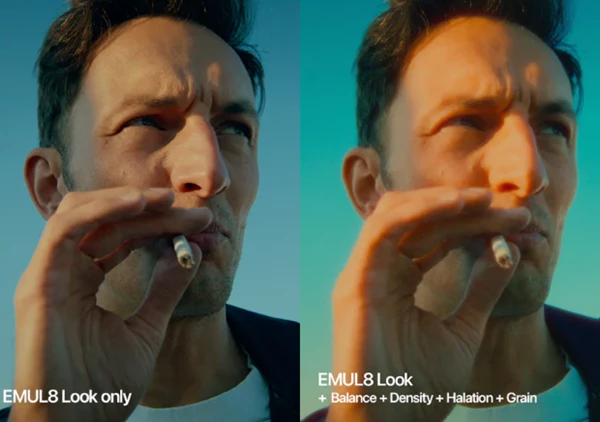
Advanced Color Correction Tools for fine-tuning exposure and color
Color Density Control for richer, more film-like tones
High-Quality Halation with ready-to-use presets
Cinematic Bloom Effect for soft highlights
Organic Film Grain (8mm, 16mm, 35mm, 65mm)
Customizable Vignette for focus and depth
Film Resolution Control to reduce digital sharpness
Each effect can be turned on or off individually
Practical Examples
Use halation and bloom to enhance night scenes or backlit shots
Apply 35mm grain for a classic cinema look
Use film resolution to soften overly sharp mirrorless footage
Pro Tips for Better Results with EMUL8
Start with the film look first, then fine-tune color and density
Use grain subtly—less is often more for professional results
Combine bloom and halation gently for natural highlights
Match your camera’s Log profile correctly for the best color response
Always preview in real time to keep your creative flow uninterrupted
These small techniques help your footage feel authentic rather than over-processed.
Why EMUL8 Is Worth Trying
After seeing all the amazing things EMUL8 offers filmmakers in terms of quality, convenience, and creative freedom, it’s hard not to say that this plugin is definitely worth a try.
If you want cinematic film vibes, real-time performance, and a clean workflow inside Final Cut Pro, EMUL8 is absolutely worth exploring.