Downloadable Files
You can download Renamer for free from the bottom of this product page.
A Smarter Way to Name, Organize, and Stay Creative
If you’ve ever worked on a complex After Effects project, you already know the pain: dozens (or hundreds) of compositions with messy, inconsistent names. Finding the right comp wastes time, breaks focus, and slowly drains your creative energy.
That’s exactly where Renamer Plugin comes in. Renamer2 is built to remove this friction entirely and turn composition naming into a fast, logical, and even enjoyable part of your workflow.
What Is Renamer Plugin and Why Does It Matter?
At its core, Renamer is an After Effects extension that automates and standardizes the process of renaming compositions. Instead of manually typing names or fixing inconsistencies later, Renamer2 lets you build smart naming patterns once and apply them instantly.
Real-world use cases
Naming deliverables with resolution, frame rate, and duration automatically
Keeping long animation projects clean and searchable
Managing client versions and iterations without confusion
By reducing human error and repetitive tasks, Renamer2 helps you focus more on design and animation — not file management.
Meet Renamer: A Professional Tool for AE Power Users
Renamer Plugin is a professional-grade extension available on aescripts, designed specifically for After Effects 2019 and newer. It combines power and simplicity, making advanced naming logic accessible even to everyday users.

Features
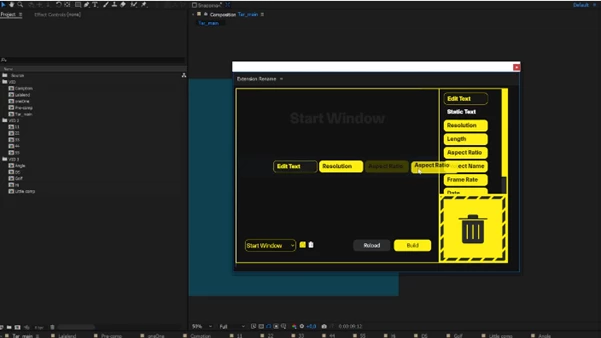
Flexible Renaming Blocks
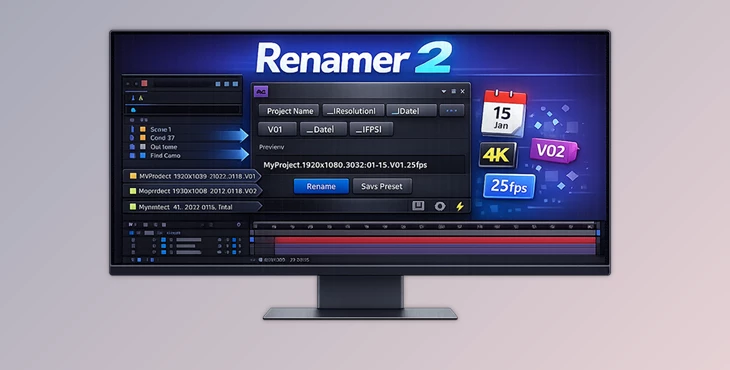
Create custom naming patterns using powerful blocks like:
Edit Text & Static Text
Resolution, Length, Aspect Ratio
Project Name, Frame Rate, Date
Dropdown Blocks for controlled naming options
This modular system means your naming adapts to your project, not the other way around.
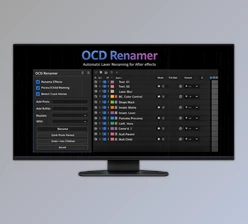
Clean & Intuitive Interface
Renamer2 offers a clear workspace where blocks are easy to find, customize, and organize. No clutter, no learning overload.
Easy Block Management
Add blocks with a single click or drag and drop them into place. Need to reset everything? One click with the Reload button.
Drag, Drop, Reorder — Instantly
Rearrange blocks freely and see a live preview of your final composition name in real time. What you see is exactly what you get.
Deep Customization
Each block has its own settings, allowing you to fine-tune naming rules for different pipelines, clients, or studios.
Preset System for Speed & Consistency
Save your setups as presets. Import, export, or delete them anytime — perfect for teams and repeat projects.
Pro Tips to Get the Most Out of Renamer2
Build presets for different clients so every project starts clean and consistent
Use resolution and frame rate blocks to avoid delivery mistakes
Combine static text with dynamic blocks for names that are both readable and technical
Preview before applying to ensure your structure fits the project logic
These small habits can dramatically improve how professional and organized your projects feel.
Small Tool, Big Impact
Renamer Plugin is a deceptively small tool that has a big impact on your workflow.
As a user, it gives you full control over project naming conventions in After Effects and upholds high levels of consistency in your projects.
If you are passionate about clean workflows, project organization, and professional work standards in After Effects, Renamer2 is a tool worth exploring.

Files Password : gfxplugin.com OR 123456