Downloadable Files
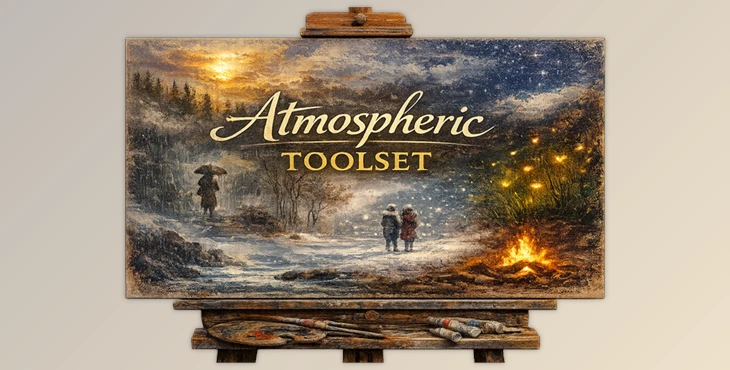
You can download the Atmospheric Toolset for free at the bottom of this very page and start exploring its creative potential right away.
A cinematic atmosphere, just a few clicks away
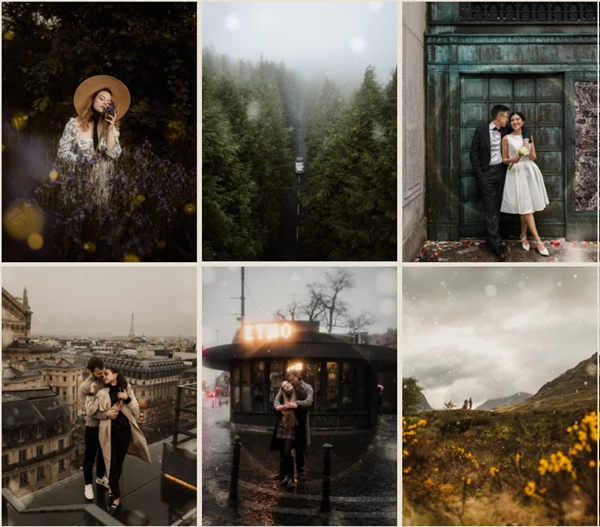
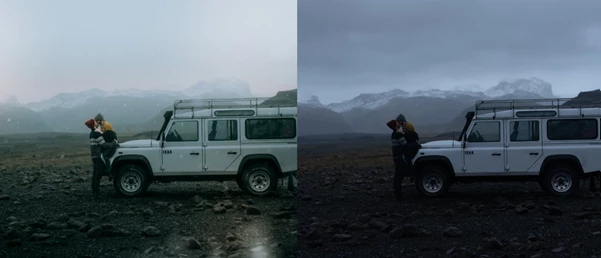
Every great photograph tells a story, but often, it’s the atmosphere of the photo that helps to tell that story. The Atmospheric Toolset in Adobe Lightroom allows photographers to create a specific atmosphere or vibe within their photos. The goal of these tools is to allow photographers to embrace their curiosity and creativity and have fun transforming their photos.
What Is the Atmospheric Toolset & How Is It Used?
At its core, the Atmospheric Toolset is a collection of 32 different Lightroom tools that help photographers add a realistic atmosphere to their photos.
How it helps in real scenarios:
- Adding fog or low mist to a forest scene to create depth and mystery
- Enhancing sunsets or skies to guide the viewer’s eye
- Using rainfall or snowfall to inject emotion into otherwise static images
- Applying soft bloom or glow for dreamy portraits
These features improve results because they work selectively. Thanks to AI masking, adjustments target the subject or background intelligently, keeping images believable and professional.
Meet the Toolset: Atmospheric Toolset
The Atmospheric Toolset combines old favorites from previous Archipelago Quest packs and features exciting new effects like Rainfall, all in one convenient pack to streamline tricky atmospheric edits and make cinematic styling available to all!
Features
Five creative categories, designed for real workflows
- Soften: Tools like Bloom, Aether, and Dreamy gently diffuse light and soften highlights, perfect for portraits and emotional storytelling.
- Weather: Fog, Low Mist, Rainfall, and Snowfall effects help you reshape the environment and add narrative tension.
- Sky: Enhance skies with moody tones, sunsets, or directional sunlight to add drama without overpowering the scene.
- Overlay: Fireflies, glimmer, aurae, and color casts introduce subtle visual interest and magic, ideal for creative or fine-art edits.
- Lighting: Effects like Polar Twilight and Background Glow help sculpt light and guide focus naturally.
Each tool works on both desktop and mobile, making it easy to maintain consistency across platforms and projects.
Pro Tips & Creative Techniques
- Start subtle: Lower opacity first, then build up slowly.
- Combine tools: For example, pair Low Mist with Background Glow for depth.
- Respect the subject: Use “-Subject” versions to protect skin tones and details.
- Zoom out often: Atmosphere should support the image, not steal attention..
These small habits help keep your edits realistic, polished, and emotionally engaging — even for everyday users.
Final Thoughts
But the Atmospheric Toolset for Lightroom isn’t just about adding effects to your photos. Its thoughtful design and creative range — in other words, its smart AI masking and more — help to create space for your photos to breathe. As an extension of your workflow in Lightroom, the Atmospheric Toolset helps give your photos a cinematic, emotional, and alive quality. If you love images with that quality, then the Atmospheric Toolset will be well worth your time and energy to explore.

Files Password : gfxplugin.com OR 123456