Downloadable Files
You can download the Peak Fall Toolset for free from the bottom of this page.
Step Into Autumn, Anytime You Want
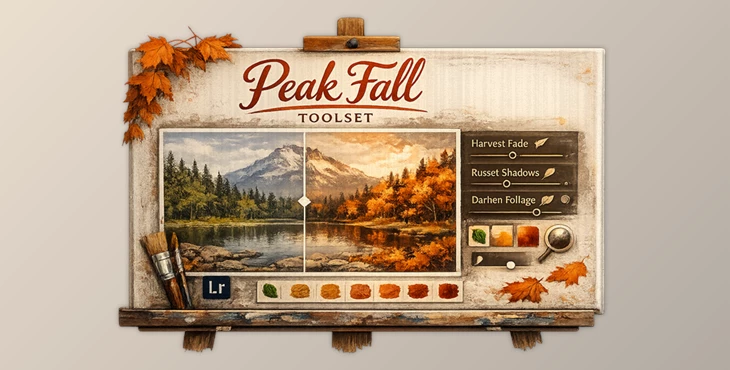
Imagine being able to transform your pictures from summer to the peak of fall with just a simple creative approach. Introducing Peak Fall Toolset, a cutting-edge Adobe AI tool that allows you to create cinematic and cozy fall scenes complete with warm and inviting moods. This fantastic tool uses Archipelago’s magic to give you the power to play Mother Nature and transform your images with rich, autumnal tones.
What Is Peak Fall Toolset and Why It Matters
Peak Fall Toolset is a creative color and mood transformation system designed to emulate the essence of the fall season. It allows you to manipulate the colors and moods of your images to get the perfect fall ambiance — all while maintaining the integrity of your original image.
How It’s Used in Real Projects
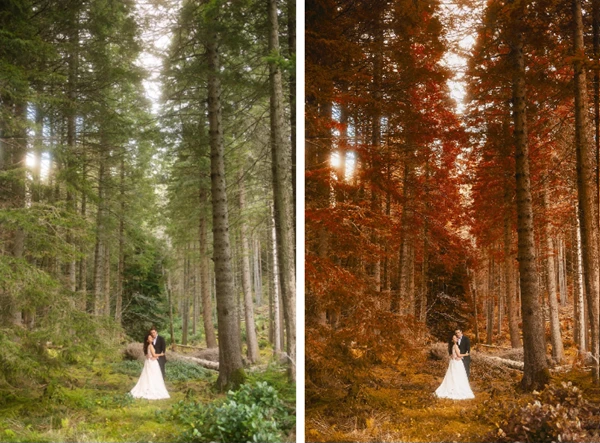
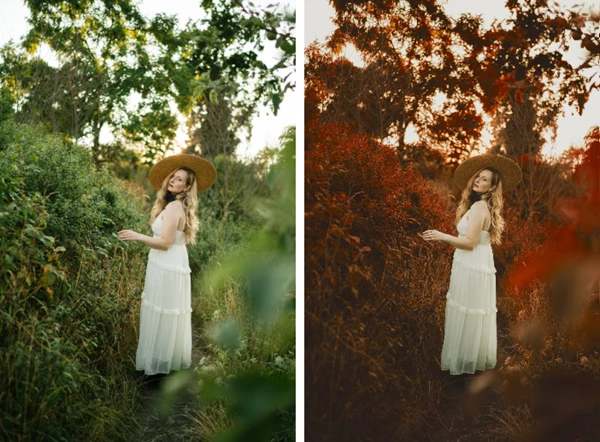
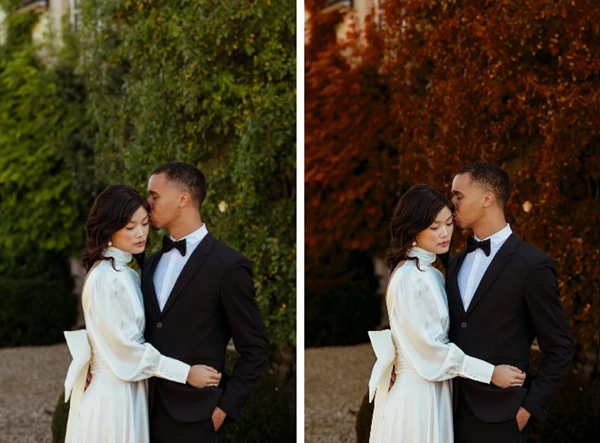
- Turning green summer foliage into rich oranges and deep reds
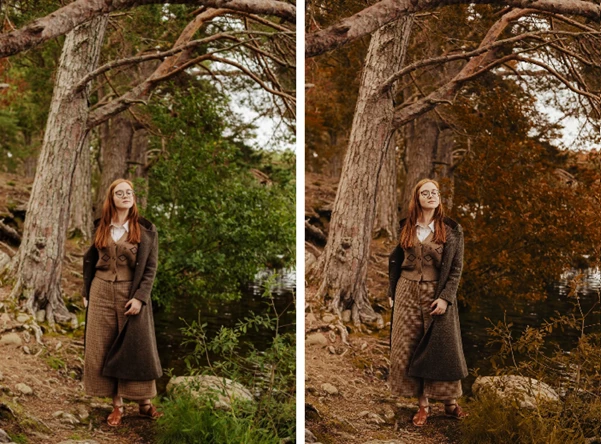
- Enhancing outdoor portraits with cozy, warm fall tones
- Adding moody depth to forest scenes and landscapes
- Creating cinematic, story-driven edits for travel or lifestyle photography
These features improve your results by keeping edits realistic and balanced. Instead of flat color overlays, this works with luminance, saturation, and masking to preserve natural textures and light, which is why images feel authentic rather than overprocessed.
Meet the Toolset: Peak Fall by Archipelago
Whether enhancing an existing edit or building one from scratch, the Peak Fall Toolset – Quest Tools 12 is designed to make your fall-themed editing easier, faster, and more creative.
Features
- Seasonal Color Shifts: Gradually transform greens into fiery orange, amber, and russet tones while maintaining natural transitions.
- Saturation & Luminance Control: Fine-tune color intensity and brightness to strike the perfect balance between bold and subtle.
- Harvest Fade: Softens highlights and adds a gentle autumn haze, perfect for dreamy scenes.
- Russet Shadows: Deepens shadows with warm undertones, adding mood and dimension without crushing detail.
- Golden-Hour Glow: Summon warm, low-sunlight vibes that feel cinematic and inviting.
Pro Tips for Natural, Professional Results
- Start subtle: Apply tools lightly and build gradually for more realistic fall tones.
- Mix with existing presets: Peak Fall shines when layered with your favorite Archipelago profiles.
- Balance warmth and contrast: Too much warmth can flatten an image — use Russet Shadows to restore depth.
- Focus on mood, not just color: Autumn is about atmosphere as much as hue. Use fade and shadow tools intentionally.
These techniques are easy to apply, even for casual users, and help elevate your edits from good to professional.
Why Peak Fall Toolset Is Worth Exploring
This image editing tool is meant to give images that emotional weight and character, and a sense of place that is not always so easy to put into words. Whether you like cozy themes or cinematic themes, this toolset gives you the ability to achieve the look and feel that you desire. All in all, if you appreciate creative freedom, flexible editing, and results that look timeless, this is definitely a toolset you want to add to your collection.

Files Password : gfxplugin.com OR 123456