Downloadable Files
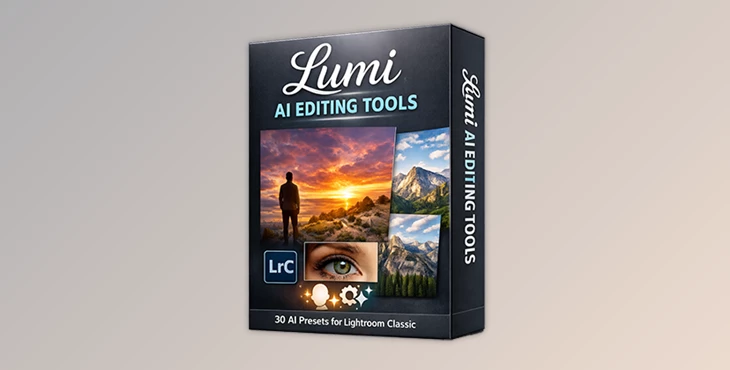
You can download Lumi AI Editing Tools for free from the bottom of this product page.
Edit Smarter, Not Longer
If you’ve ever felt that photo editing takes more time than it should, you’re not alone. Selecting masks, brushing skin, enhancing skies, and repeating the same adjustments over and over can slow down even the most experienced photographers.
That’s exactly where Lumi AI Editing Tools step in—designed to turn complex edits into effortless, one-click actions while keeping your images natural and professional.
What Are Lumi AI Editing Tools and Why Do They Matter?
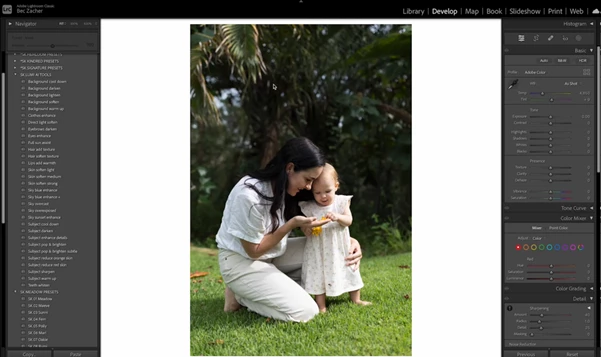
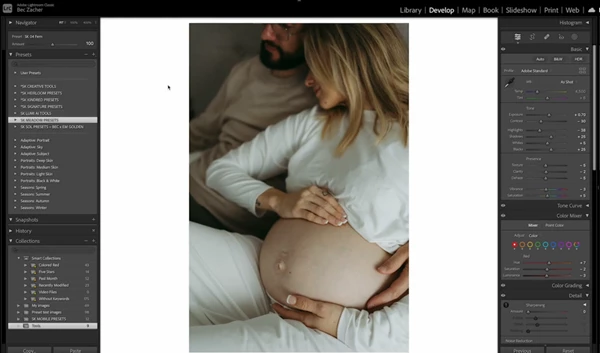
Lumi AI Editing Tools are a collection of AI presets for Lightroom Classic (v.13+) that use Subject, Sky, and Background masks to help with photo editing.
These will allow you to spend less time editing and get better, more consistent results with AI-based masking.
How They Improve Your Results
They reduce editing time dramatically by automating repetitive adjustments.
AI-based masking ensures precision and consistency across images.
Edits stay clean, subtle, and realistic—never overprocessed.
Real-World Use Cases
Batch-edit wedding or portrait sessions with consistent skin tones.
Enhance skies for sunsets, blue skies, or overcast days in one click.
Refine facial features and eyes without detailed retouching work.
The result? Faster workflow, consistent quality, and more time to focus on creativity.
Meet Lumi AI Editing Tools by Story Keeper
Created by Story Keeper, Lumi AI Editing Tools are built for photographers who want speed without sacrificing control. This pack includes 30 AI Editing Presets that work seamlessly inside Lightroom Classic.
Features
One-Click Skin Smoothing & Enhancement
Instantly refine skin while preserving natural texture.Subject Enhancement Tools
Brighten, sharpen, and enhance your main subject automatically.AI Sky Enhancements
Optimized presets for sunsets, blue skies, and cloudy conditions.Eye & Facial Feature Enhancers
Add subtle clarity and brightness where it matters most.Sync-Friendly AI Masks
Apply once, sync across multiple images effortlessly.Designed for Lightroom Classic 13+
Fully compatible with the latest AI masking technology.
Pro Tips to Get the Best Results
Start Light: Apply AI presets first, then fine-tune if needed.
Combine with Manual Tools: Lumi AI Tools work perfectly alongside traditional brushes for extra control.
Sync Smartly: Use AI mask syncing to keep edits consistent across a full gallery.
Trust the AI, Then Adjust: Let the preset do the heavy lifting before tweaking exposure or color.
These small habits help your edits stay natural, professional, and polished.
Are Lumi AI Editing Tools Worth It?
If you want to speed up your workflow by automating common edits, Lumi AI Editing Tools are well worth your consideration. The toolset uses cutting-edge AI Technology to help photographers achieve better results with less hassle and time. Overall, these tools can help you enjoy photo editing once again.

Files Password : gfxplugin.com OR 123456