Downloadable Files
You can download Pixie Pivot for free from the bottom of this page.
A Smarter Way to Control Your Pivot in Blender
Whether you struggle with precise transformations or you’re just tired of fighting with Blender’s interface, your workflow depends on one tiny element: the pivot point. If you want an easier way of controlling it, there’s a handy Blender add-on called Pixie Pivot that might just give you your creative flow back.
What Is Pixie Pivot and Why Does It Matter?
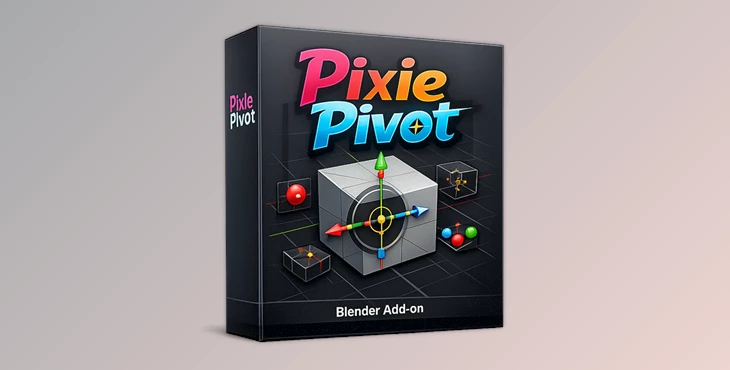
Pixie Pivot is a Blender add-on developed by Joseph Eagar to make controlling the 3D Cursor a lot easier and more intuitive. The 3D Cursor plays an essential role in controlling how gizmos align, object origins, custom planes, and ensures transformations (G, R, S) are accurate. What Pixie Pivot does is give you elegant control over something Blender already has!
Real-World Uses You Can Visualize
- Align a gizmo perfectly to a face normal before rotating a complex object.
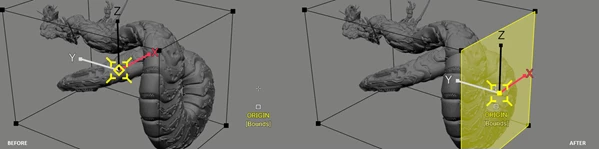
- Snap your pivot to the exact corner or center of a bounding box.
- Rotate or scale objects along custom angles without changing selections.
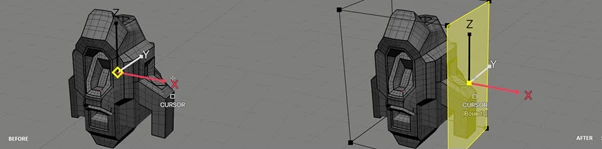
- Flatten geometry precisely using a custom-defined plane.
These features directly improve accuracy, reduce repetitive steps, and help you achieve cleaner, more professional results—especially in hard-surface modeling, architectural work, and detailed asset creation.
Meet Pixie Pivot: A Professional Blender Add-on
Pixie Pivot is inspired by the pivot systems of Maya and 3ds Max, bringing that familiar precision into Blender while staying fully native to its workflow. It makes pivot placement intuitive, flexible, and fast—whether you’re modeling, animating, or refining details.
Features
- Align to Element Normals: Easily align your gizmos to edges or face normals. This is perfect for angled rotations, mechanical parts, or any geometry that doesn’t follow world axes.
- Don’t Lose Your Selection: Click and drag to align your pivot to another element without changing your current selection. This keeps your workflow uninterrupted and your focus intact.
- Snap to Bounding Box: Quickly snap pivots to mesh centers, corners, or edges of the bounding box. Ideal for scaling, mirroring, and precise placement.
- Multi-Pivot Points: Use up to three alignment points when maximum precision is required. This is extremely useful for technical modeling and advanced transformations.
- Set Object Origins: This isn’t just for gizmos. You can also place and rotate object origins accurately—something that’s often tedious in default Blender workflows.
- Fully Customizable: Change hotkeys, actions, startup defaults, and even colors. The tool adapts to your workflow, not the other way around.
- Easy to Learn HUD: A built-in HUD shows every available action and key in real time, so you’re never guessing. This makes the add-on approachable even for newer users.
- Global Orientation Control: Switch seamlessly between Object and World orientation whenever you need, without breaking your rhythm.
Pro Tips and Practical Techniques
- Hard surface parts first use normal alignment before using Pixie Pivot, then use multi-pivot points and snapping for perfect mechanical modeling.
- Set your origins early on during your workflow, or your animation and transform will end up all over the place.
- Get custom hotkeys to match the same hotkeys as native Blender.
- Following these tips, even as a casual Blender user, will improve your speed and workflow.
Final Thoughts: A Tool That Grows With You
Pixie Pivot might look like a simple add-on, but it will do a lot for you while you’re working in Blender! It improves the quality of your work and reduces frustration.
However, it doesn’t make much of an effort to sell itself—it just works. If you’re interested in increasing your quality, then this is worth looking into!

Files Password : gfxplugin.com OR 123456