Downloadable Files
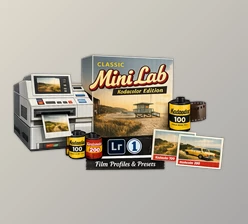
You can download Elite Kodak for Adobe for free directly from the bottom of this product page and start transforming your digital photos with an authentic film character.
A Cinematic Film Look, Without Film Hassles
If you want the look of Kodak film without the hassle, Cobalt Image – Elite Kodak for Adobe has it. Experience the rich colors, skin tones, and contrast of legendary film with the simplicity of a Lightroom preset. With such intuitive and closely emulated profiles, achieve Kodak film’s stunning results with just a few clicks!
What Is Elite Kodak and Why Does It Matter?
Elite Kodak for Adobe is a family of scientifically calibrated Lightroom color profiles that replicate iconic Kodak film stocks with a level of precision previously thought impossible.
Unlike standard “film emulation” presets, these profiles emulate:
- The actual colorimetry of film
- Contrast response curves
- Dynamic range (compression) characteristics of analog negatives and slides
Why This Makes a Difference to Your Output
- Your photos have dimension and separation rather than flat, digital colors.
- Colors look vibrant, yet realistic instead of synthetic.
- Skin tones are organic and pleasing, even prior to heavy edits.
Meet the Professional Tool: Cobalt Image – Elite Kodak for Adobe
Cobalt Image – Elite Kodak for Adobe is a premium film emulation pack built for photographers who demand accuracy, consistency, and creative flexibility.
Features
Scientifically Recreated Kodak Film Emulsions
Each profile is developed through months of controlled testing to reproduce legendary Kodak films such as:
- Kodak Ektar 100 – bold saturation, high contrast, vivid landscapes
- Kodak Ektachrome E100 – slide-film punch, clean color separation
- Kodak Gold 200 – warm tones, nostalgic color, everyday versatility
True-to-Life Colorimetry & Film Contrast
The profiles introduce higher initial contrast than RAW files, intentionally mimicking film’s lower dynamic range. This creates punchy images with natural highlight roll-off and deeper blacks. Dual Color Profiles (Balanced & Non-Balanced)
- Balanced (B): Neutral grey axis, lab-level color accuracy
- Non-Balanced (NB): Preserves the raw mood of the film, similar to home or lab scanning.
Linear Versions for Advanced Editing
For professionals who want full control, linear profiles allow flexible grading without breaking the film character.
Real-World Impact
Photographers use Elite Kodak for:
- Editorial portraits with cinematic warmth
- Travel photography with rich, natural colors
- Landscape shots that feel alive and immersive
- Hybrid workflows combining film and digital seamlessly



Pro Tips to Get the Best Results
- Expose carefully: Film-style contrast rewards good exposure, especially highlights.
- Use White Balance creatively: NB profiles shine when you embrace natural lighting moods.
- Avoid over-editing: Let the color profile do the heavy lifting.
- Pair with subtle grain: This enhances realism without overpowering details
Why Elite Kodak for Adobe Is Worth Your Attention
Cobalt Image – Elite Kodak for Adobe is a film simulation LUT that enables photographers to enjoy creating images with the unique characteristics of Kodak films. The LUT is available for every creative soul who wants to be more creative and take their photography to the next level. Give Cobalt Image – Elite Kodak a try and have fun exploring these different film personalities!

Files Password : gfxplugin.com OR 123456