You can download Bleached Honey for free from the bottom of this product page.
A Warm First Impression
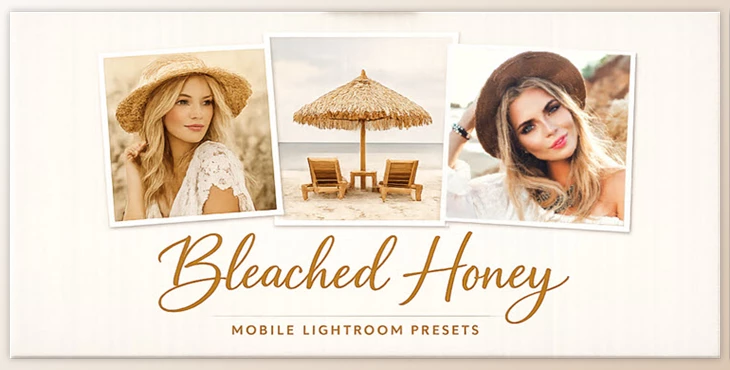
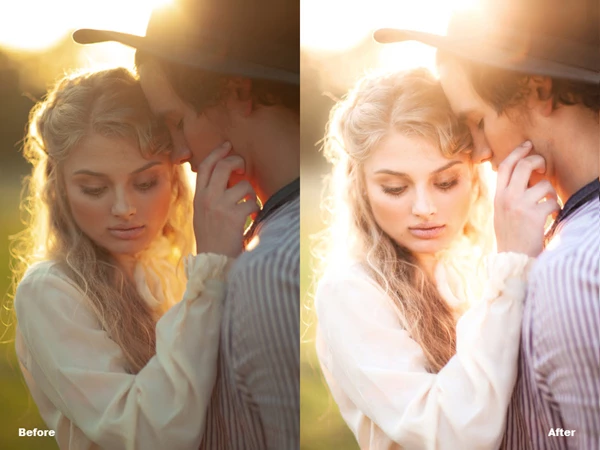
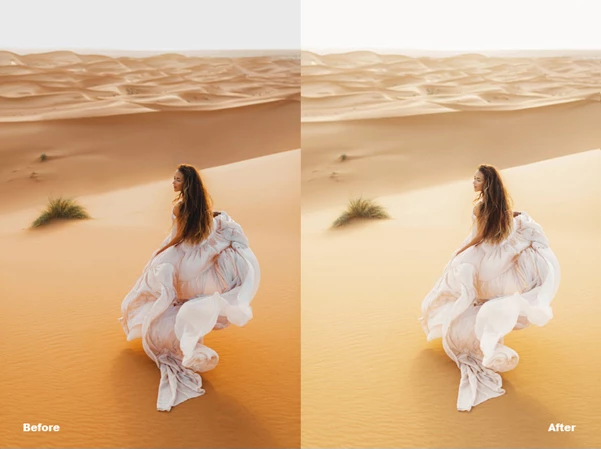
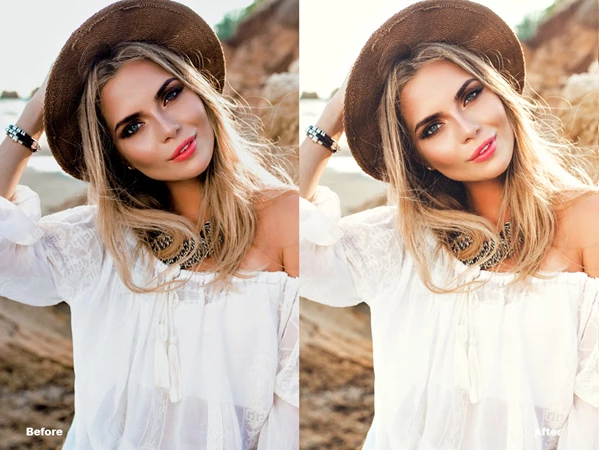
If you love soft golden tones that add a natural, calm, and stylish look to your images, then you’re going to want to check out the Bleached Honey Lightroom presets! This collection of presets will add a muted blonde warmth to your photos without being overpowering. These presets will take your lifestyle photography, nature photos, and even food shots to the next level. People will be wondering what filter you’re using when they see your pictures.
What Is Bleached Honey & How Is It Used?
Bleached Honey is a mobile and desktop Lightroom preset collection designed to create soft golden tones with a slightly muted, sun-washed look.
What does that mean in practice?
- Warm highlights without harsh yellows
- Calm shadows that keep details intact
- A balanced color palette that feels organic and timeless
Real-world use cases:
- Outdoor photography: Joshua Tree, deserts, beaches, nature walks
- Lifestyle & travel: cafés, rustic interiors, dinner parties
- Content creation: Instagram posts, blogs, mood-driven visuals
These features help improve results by creating visual harmony—your photos feel intentional, polished, and emotionally consistent without heavy editing.
Meet the Preset Collection
The Greater Than Gatsby – Bleached Honey Preset Collection is designed to make photo editing easier, faster, and more enjoyable—especially for creators who want professional results without complex workflows.
Features
- Works on both iOS & Android
- Fully compatible with the Free Lightroom Mobile App
- No Adobe subscription required
- Includes mobile & desktop files
- Clear install and use instructions included
- Optimized for JPEG files only
Compatible with:
- LR FREE Mobile App
- LR CC
- LR Classic
What kind of results can you expect?
- Cozy golden light for indoor scenes
- Sun-kissed warmth for outdoor photos
- A consistent visual style across projects and platforms
Perfect for photographers, influencers, and everyday users who want their photos to stand out naturally.
Pro Tips for Better Results
To get the most out of Bleached Honey, keep these simple tips in mind:
- Start with well-lit images—natural light works best.
- Avoid heavy overexposure before applying the preset.
- Adjust exposure and white balance slightly to match your scene.
- Use these presets on lifestyle, travel, and warm-tone photos for the most natural look.
Small tweaks go a long way and help your final image feel refined instead of over-edited.
Final Thoughts
For those who prefer soft golden tones and consistent editing styles throughout their images, Bleached Honey may be an ideal photography preset pack. The presets enhance your images’ original colors but don’t add any dramatic effects or styles. If you like subtlety, warmth, and simplicity in your photography, you’ll probably love these presets.

Files Password : gfxplugin.com OR 123456