Downloadable Files
You can download iPhone Looks Photo Presets for free at the bottom of this page.
Turn Everyday iPhone Photos into Cinematic Stories
iPhone Looks Photo Presets will take your everyday iPhone photography to a whole other level and give you cinematic vibes and aesthetics. Whether you’re sharing photos taken with your iPhone or simply curating a feed of beautiful shots, these presets will make your photos stand out and look more professional. Ever taken a photo with your iPhone that didn’t fully capture the mood you saw with your own eyes? These presets make all the difference with one simple click!
What Are iPhone Looks Photo Presets & How Can You Use Them?
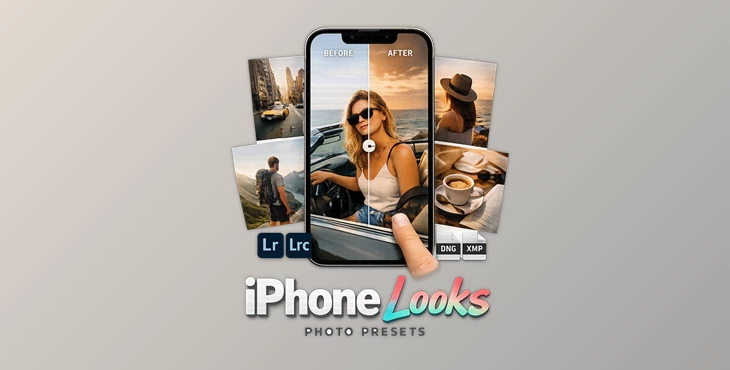
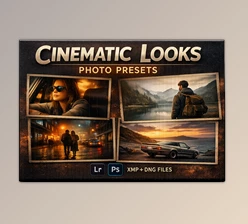
Made specifically for iPhone photos, iPhone Looks photo presets help create professional color grades for your photos. They’re compatible with both Photoshop and Lightroom (Mobile and Desktop versions) and come in both .XMP and high-resolution .DNG formats.
Why they improve your results:
- They balance colors and contrast for a cinematic feel.
- They enhance details without over-editing.
- They save hours of manual color correction.
Real-world use cases:
- Selfies: Natural skin tones with a clean, modern finish
- Landscapes: Rich colors and dramatic depth
- Street & lifestyle shots: Film-like mood and atmosphere
- Social media content: Consistent and eye-catching aesthetics
These features help your photos look intentional, polished, and visually engaging—without losing authenticity.
Meet the Dopamine Frame Preset Collection
Dopamine Frame – iPhone Looks Photo Presets with 10 unique presets with cinematic quality, with no hassle. This product will make your photo editing faster, easier, and far more enjoyable!
Features
- 10 Unique Cinematic Presets: Each preset is inspired by modern visual arts and cinematic color styles.
- One-Click Professional Results: Instantly enhance your photos without complex adjustments.
- Photoshop & Lightroom Compatible: Works smoothly on both mobile and desktop versions.
- High-Resolution Formats (.XMP & .DNG): Ensures clean, detailed results without quality loss.
- Optimized for iPhone Photography: Designed specifically for mobile images and lighting conditions.
Real Impact Examples
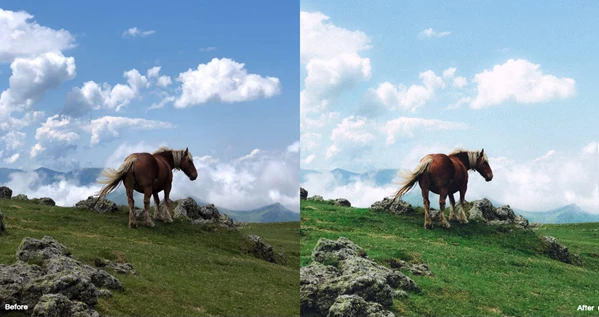
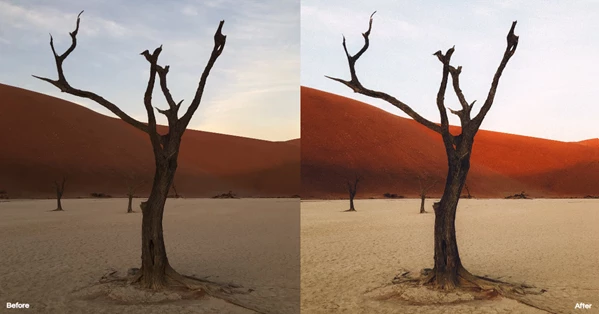
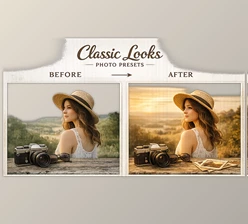
- A flat daylight photo turns into a moody cinematic frame.
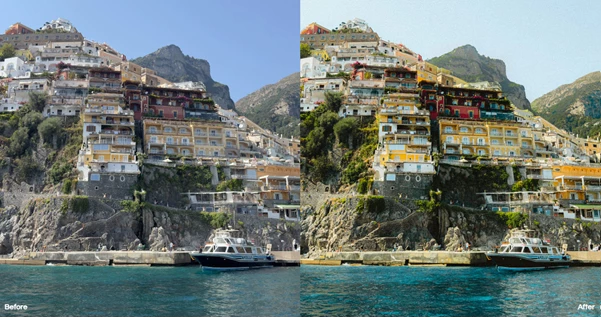
- Simple travel shots gain depth and emotional tone.
- Everyday moments look curated and gallery-ready.
These presets don’t overpower your photos—they enhance what’s already there.
Pro Tips for Best Results
To get the most out of iPhone Looks Photo Presets, try these simple tips:
- Start with well-lit photos for cleaner results.
- Adjust exposure slightly after applying the preset.
- Use presets as a base, then fine-tune to match your style.
- Keep edits subtle for a more natural, cinematic look.
These small tweaks help your photos feel professional without looking over-edited.
Final Thoughts
The chance to take photos with an iPhone becomes a powerful tool that allows anyone to take incredible photos without the stress of post-production. These photo presets are simple but add tremendous value, especially for those beginning their photo journey. These photo presets ultimately add aesthetic and artistic value to every image you take and allow your creative vision to shine through.

Files Password : gfxplugin.com OR 123456
.png)