Downloadable Files
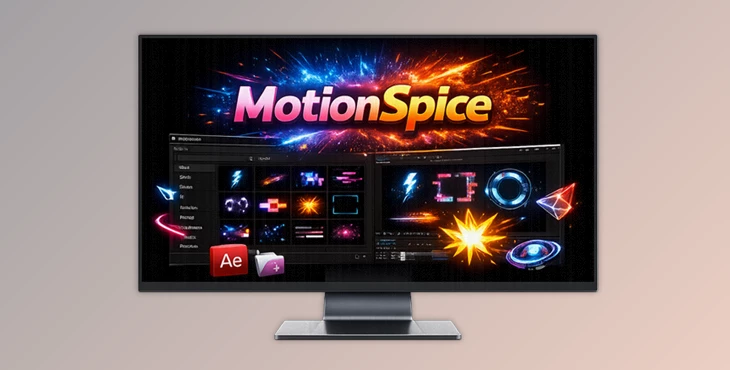
You can download MotionSpice for free from the end of this very page and start using it right away in your After Effects projects.
Sprinkle Some Spice on Your Motion Graphics
After Effects experts all agree that if there’s a product to add spice to your motion graphics, it’s this one. It’s really fun how simple it is and easy to use, given that it only takes a click or two to add a motion accent. You can combine some of them or add one for that subtle accent that brings the visual to life.
What Is MotionSpice and Why Does It Matter?
After Effects MotionSpice is a single-use, simplified motion asset library. It can help you create excellent video content by adding professional, readily available assets. It’s an excellent resource for anyone who wants to add accents to their motion graphics.
A Few Real-World Uses You Can Imagine Instantly
Adding motion accents to your YouTube videos or social media content Enhancing your UI animations to give them more life Creating stylish transitions and highlights for commercials or promos All of these assets are shape layers, so you’ll get used to working with these versatile After Effects tools in minutes.
Meet MotionSpice: A Professional Motion Toolkit
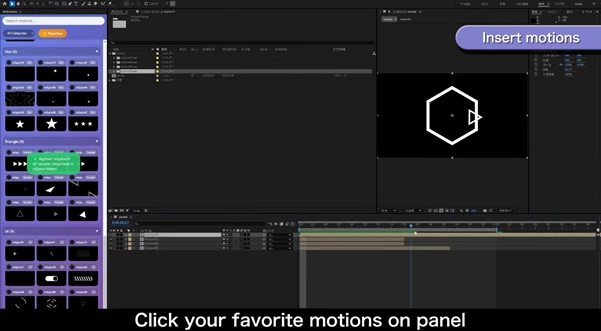
MotionSpice is designed to remove friction from your timeline. Instead of hunting through folders or complex presets, everything is available in a clean UI—ready to be applied instantly.
Features
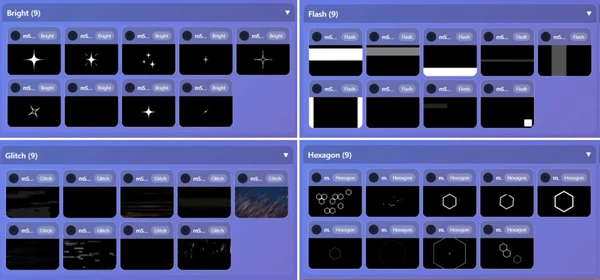
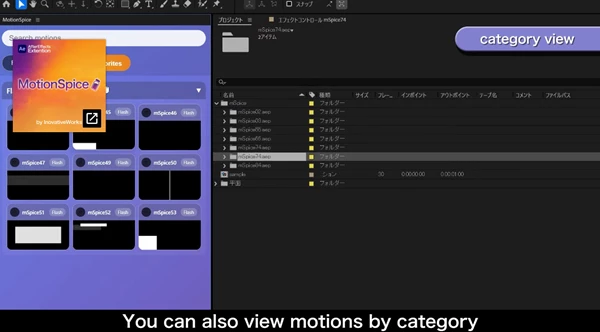
- 10 Motion Categories: Bright (9), Circle (11), Flash (9), Glitch (9), Hexagon (9), Line (11), Square (10), Star (9), Triangle (9), UI (9)
- 100+ Ready-to-Use Animations: Over nine animations per category, perfect for mixing and matching.
- One-Click Insert: Load any motion asset directly into your active composition.
- Favorites System: Star your most-used animations for instant access later.
- Search & Filter: Quickly find the right motion using text search, categories, or favorites.
- Imported Assets Support: Drag and drop your own .aep or .gif files into the designated folder to add custom motions to the interface.
These features make MotionSpice ideal for projects like social ads, motion branding, kinetic typography, and modern UI animations.

Pro Tips to Get the Most Out of MotionSpice
- Use just one or two motion accents instead of overloading a scene—less is often more.
- Combine different categories (for example, Line + Flash) to create layered, professional motion.
- Adjust colors to match your brand palette for a cohesive look.
- Save your most-used animations as favorites to speed up repetitive tasks.
These simple techniques help your animations feel intentional, polished, and professionally designed—without extra effort.
Final Thoughts: Why MotionSpice Is Worth Trying
One of the advantages that this software provides is that it allows you to eliminate some of the repetitive work, so you can focus on the creative components. It’s clear that MotionSpice will benefit both beginners and motion designers alike. Ultimately, if you’re someone who appreciates good-looking motion graphics that can be produced efficiently, then MotionSpice is worth it. Sometimes all your edit needs is just a little spice.